Running a business in the UK often means juggling too many tools at once. Rotas sit in Excel files, shift swaps happen on WhatsApp, holiday requests get lost in email, and payroll lives somewhere else entirely. As your organisation grows this patchwork system starts to break down.
UK employers also face added pressure from compliance rules, changing availability expectations, and the need to respond quickly to staff shortages. Keeping on top of people management is harder than ever.
This is where an employee management app can make a real difference. Instead of different apps for different purposes, these platforms bring scheduling, communication, time tracking and records into one place. For many organisations, the right employee management software can become a core business tool.
In this guide, we compare the best employee management app options for UK businesses in 2026. We focus on tools that help manage rotas, support shift management, and work well with UK employment practices.
What is an employee management app?
An employee management app is a digital system that helps businesses organise, schedule and manage their workforce in one central place. Instead of relying on spreadsheets, paper rotas or messaging apps, employers use one platform to handle day-to-day staff management.
In the UK, these tools are often used to manage employee shifts. The schedule itself is usually called a rota. A good employee management system allows managers to create rotas, share them instantly with staff, and update them when availability or demand changes.
Who needs an employee management app?
Employee management apps are useful across many sectors, but they are especially valuable for:
- Shift-based businesses such as hospitality, retail, healthcare and manufacturing
- SMEs that do not have a dedicated HR team
- Mobile or remote teams who are not always at a desk
- Growing businesses that are outgrowing spreadsheets and manual processes
For small firms in particular, choosing the best employee management app for small business can save hours each week and reduce costly mistakes.
Core features you should expect
While every employee management app is different, most platforms include a set of core features designed to simplify people management:
- Rota scheduling to plan shifts and avoid clashes
- Time and attendance tracking, often by mobile clock-in
- Leave and absence management for holidays and sickness
- Employee records stored securely in one system
- Team communication through in-app messages or notifications
- Basic reporting to spot trends in attendance and labour costs
Some platforms also connect with payroll, accounting software or calendars, creating a more complete employee management software solution.
At its core, an employee management app replaces manual processes with a structured system. This allows managers to spend less time chasing messages and more time focusing on staff performance, wellbeing and long-term staff management strategies.
Why UK businesses need employee management apps in 2026
UK employers are managing more complex work patterns than ever. Flexible hours, shift swapping and part-time contracts are common, especially in hospitality, care and retail. At the same time, businesses must stay compliant while keeping labour costs under control.
Easier compliance with working time rules
UK workers over 18 are entitled to specific rest periods. This includes a 20-minute uninterrupted rest break when working more than six hours a day, 11 hours of rest between working days, and either 24 hours off each week or 48 hours across a fortnight.
When rotas are built manually, it is easy to overlook working time regulations. Employee management software helps managers spot potential issues early by showing shift gaps, total hours worked and back-to-back scheduling. This reduces risk and supports fairer working patterns with the right amount of work breaks provided.
Less admin, more control
Creating work rotas in spreadsheets and managing changes through messages wastes time. An employee management app with scheduling allows managers to build and adjust rotas quickly, then share updates instantly with staff.
Hours worked, breaks and leave are tracked in one place, cutting down on errors and repeat questions.
One central system for modern teams
A single employee management system keeps schedules, time tracking, employee records and messages together. This is especially useful for multi-site or mobile teams where visibility matters.
With better data and clearer communication, businesses can improve shift management, support smarter staff management strategies, and focus more on running the business rather than chasing the correct information.
Top 9 employee management apps in 2026
Here’s a roundup of the best employee management app options available to UK businesses in 2026. These platforms all support key functions such as rota building, time and attendance tracking, shift swaps, and centralised staff data. For each tool we include what it’s best for, where you can use it, standout features, pricing and one benefit and one drawback.
1. Factorial
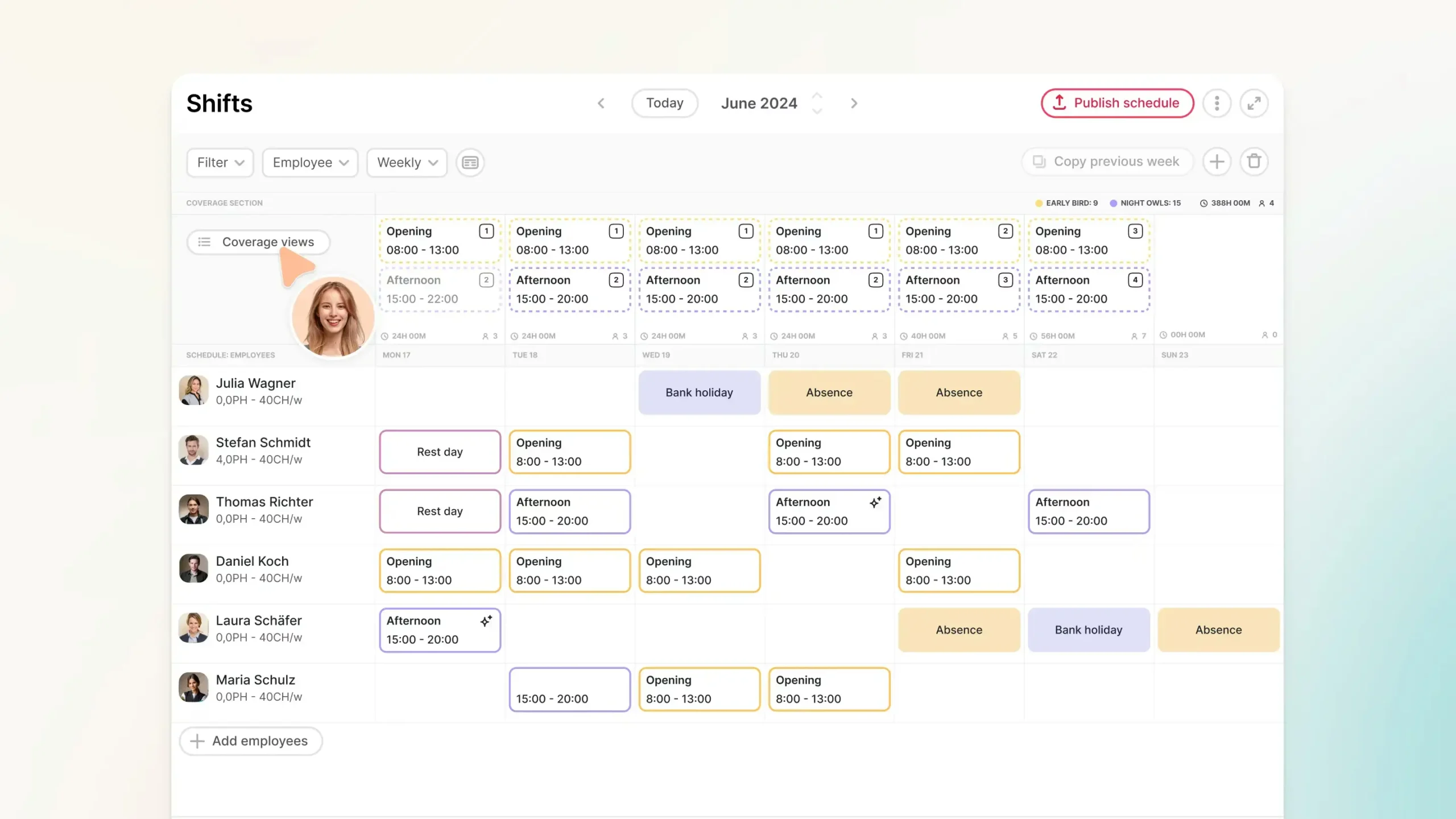
Best for: Growing SMEs that want one system for people management
Platforms: Web, iOS, Android
Features highlight: Rota scheduling, leave and time tracking, document management, reporting
Pricing: From around £5.40 per employee per month, with a free trial
Factorial is designed for businesses that want to move away from scattered tools and manage employees in one place. Alongside rota scheduling software, it allows managers to track hours worked, approve holiday requests, and store employee documents securely. This is especially useful for UK businesses dealing with compliance, as contracts, policies and records are easy to access when needed.
As a manager, Factorial reduces repetitive admin for you and improves visibility across teams. Your team benefits as well, as they can check rotas, request time off and update personal details through a self-service portal. As a broader employee management system, Factorial suits organisations that want scheduling plus business management software and HR core features without needing to rely on multiple platforms.
Pro: Combines scheduling and HR features in a single employee management app
Con: Payroll tools are more limited than specialist payroll software
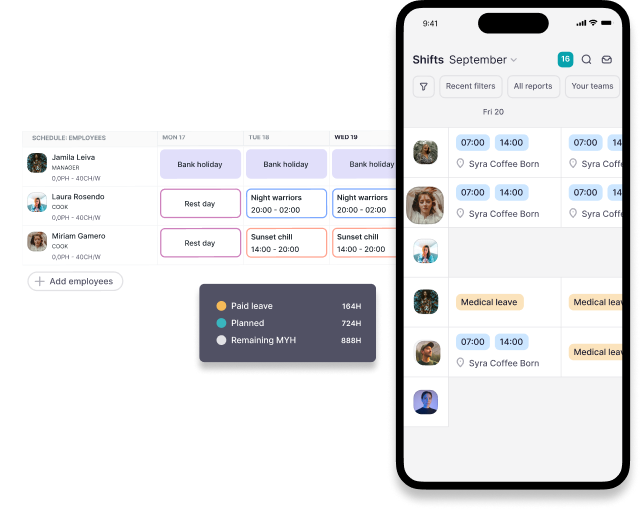
2. Deputy
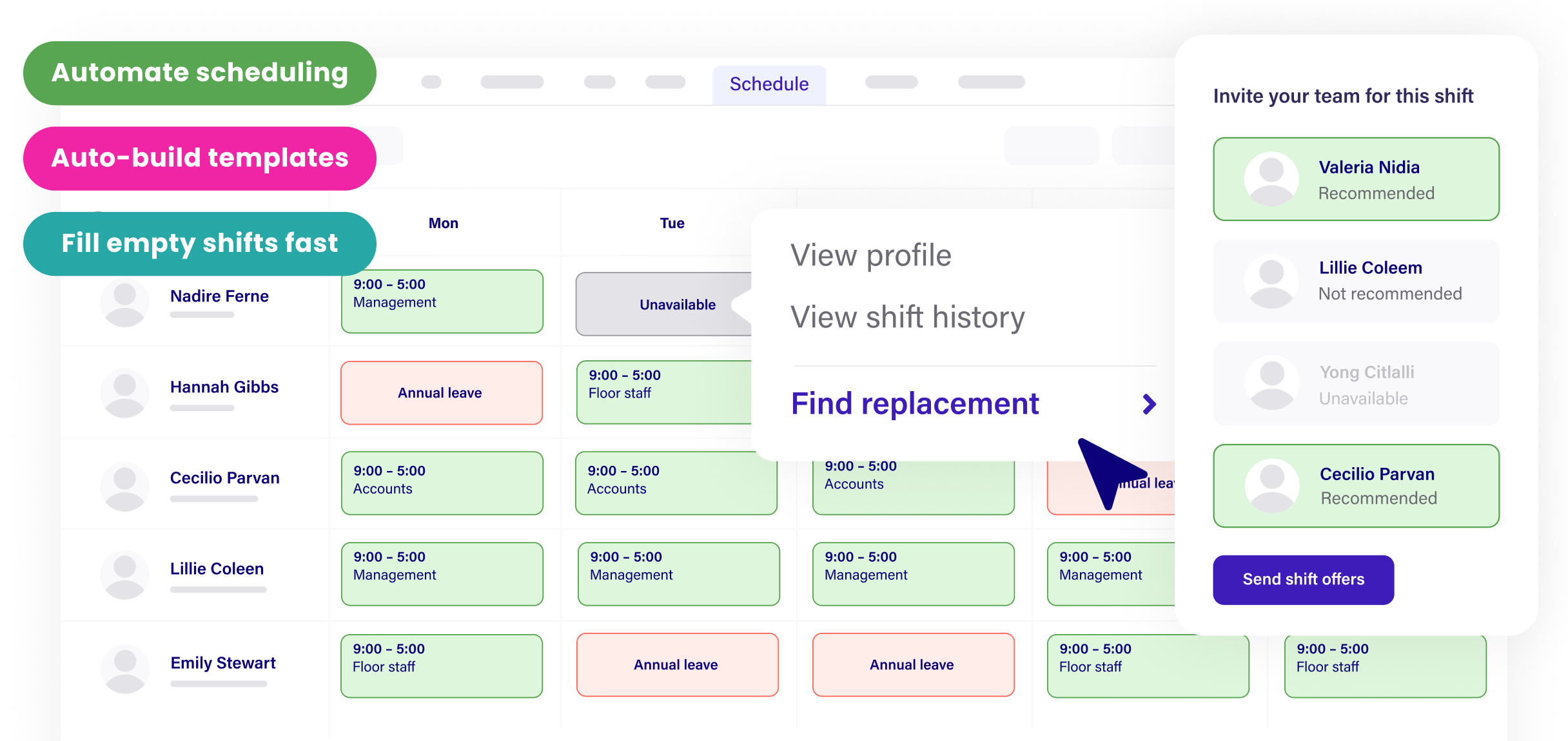
Best for: Businesses with complex rotas or multiple locations
Platforms: Web, iOS, Android
Features highlight: Auto-scheduling, drag-and-drop rotas, attendance tracking, integrations
Pricing: Tiered plans with a free trial
Deputy focuses heavily on shift management and is built for environments where schedules change often. Managers can create rotas quickly, fill gaps based on availability, and send updates instantly to staff. This reduces confusion and helps avoid missed shifts or overstaffing.
Deputy also tracks time and attendance accurately, which is useful for payroll and compliance with working time rules. Integrations with payroll and point-of-sale systems reduce manual data entry. For larger teams or fast-paced workplaces, Deputy helps keep schedules organised and costs under control.
Pro: Handles complex scheduling well across multiple sites
Con: Can feel overwhelming for very small teams
3. RotaCloud
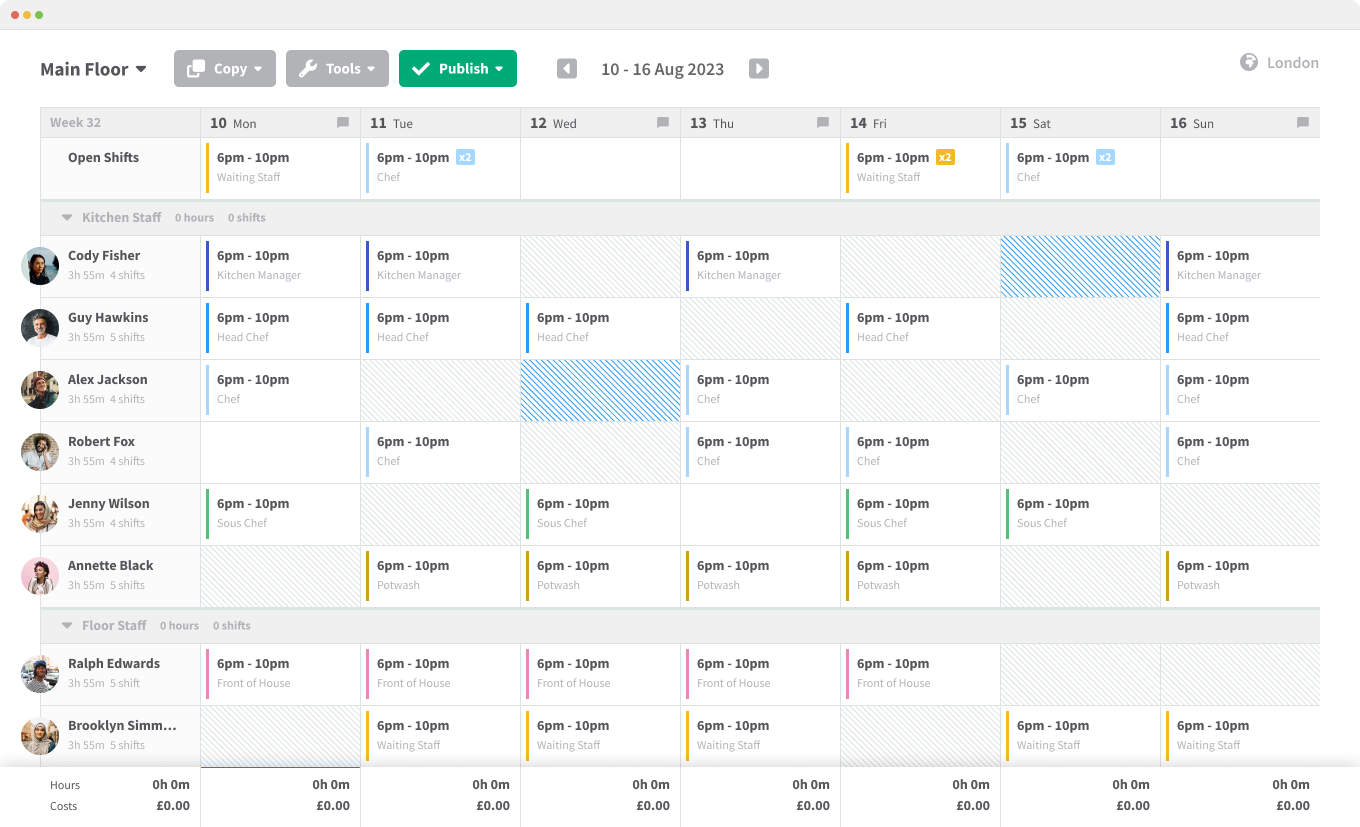
Best for: UK SMEs looking for clear and simple rota planning
Platforms: Web, iOS, Android
Standout features: Rota builder, time and attendance, labour cost visibility
Pricing: Per-user pricing with a 30-day free trial
RotaCloud is built with UK businesses in mind, using familiar terminology like rotas and pay periods. Managers can create schedules using drag-and-drop tools and see wage costs as they build, helping them stay within budget.
The platform also tracks attendance and absences, making it easier to manage holidays and sickness. Employees can view rotas on their phones and receive notifications when changes are made. For businesses that want clarity without unnecessary complexity, RotaCloud is a practical employee management app.
Pro: Easy to adopt and aligned with UK working practices
Con: Advanced analytics are limited on lower plans
4. Sage HR
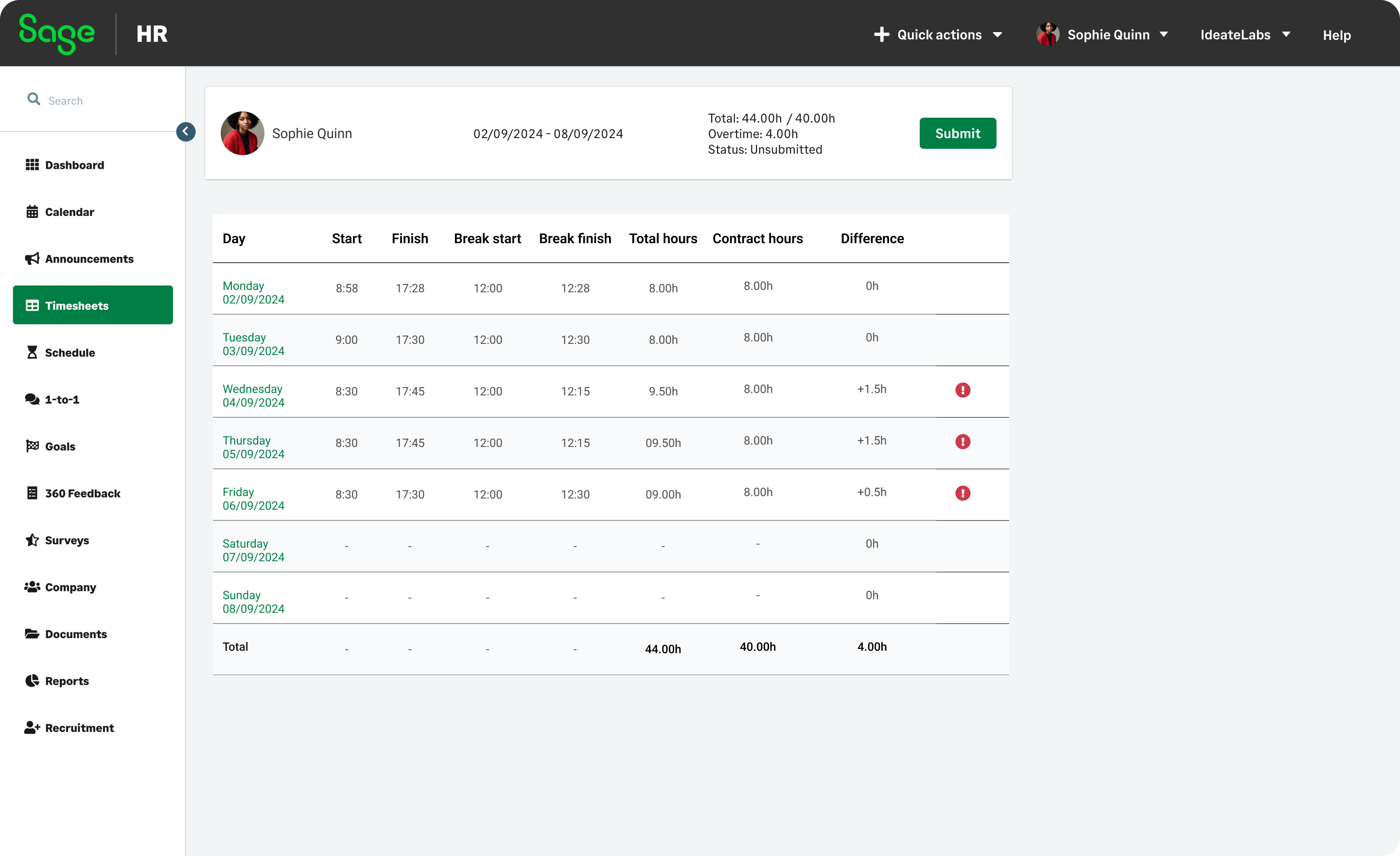
Best for: Businesses that want scheduling alongside HR management
Platforms: Web, iOS, Android
Standout features: Shift planner, availability tracking, employee self-service
Pricing: From around £4.60 per employee per month, modular pricing, free trial available
Sage HR includes scheduling tools that allow managers to build rotas based on employee availability and roles. Staff can view their shifts, request leave and update availability through the app, which reduces back-and-forth communication.
Because Sage HR is modular, businesses can start with scheduling and add features like performance management or onboarding later. This makes it suitable for companies that expect to grow and want their employee management software to grow with them.
Benefit: Flexible system that expands as business needs change
Con: Full functionality requires add-on modules
5. Findmyshift
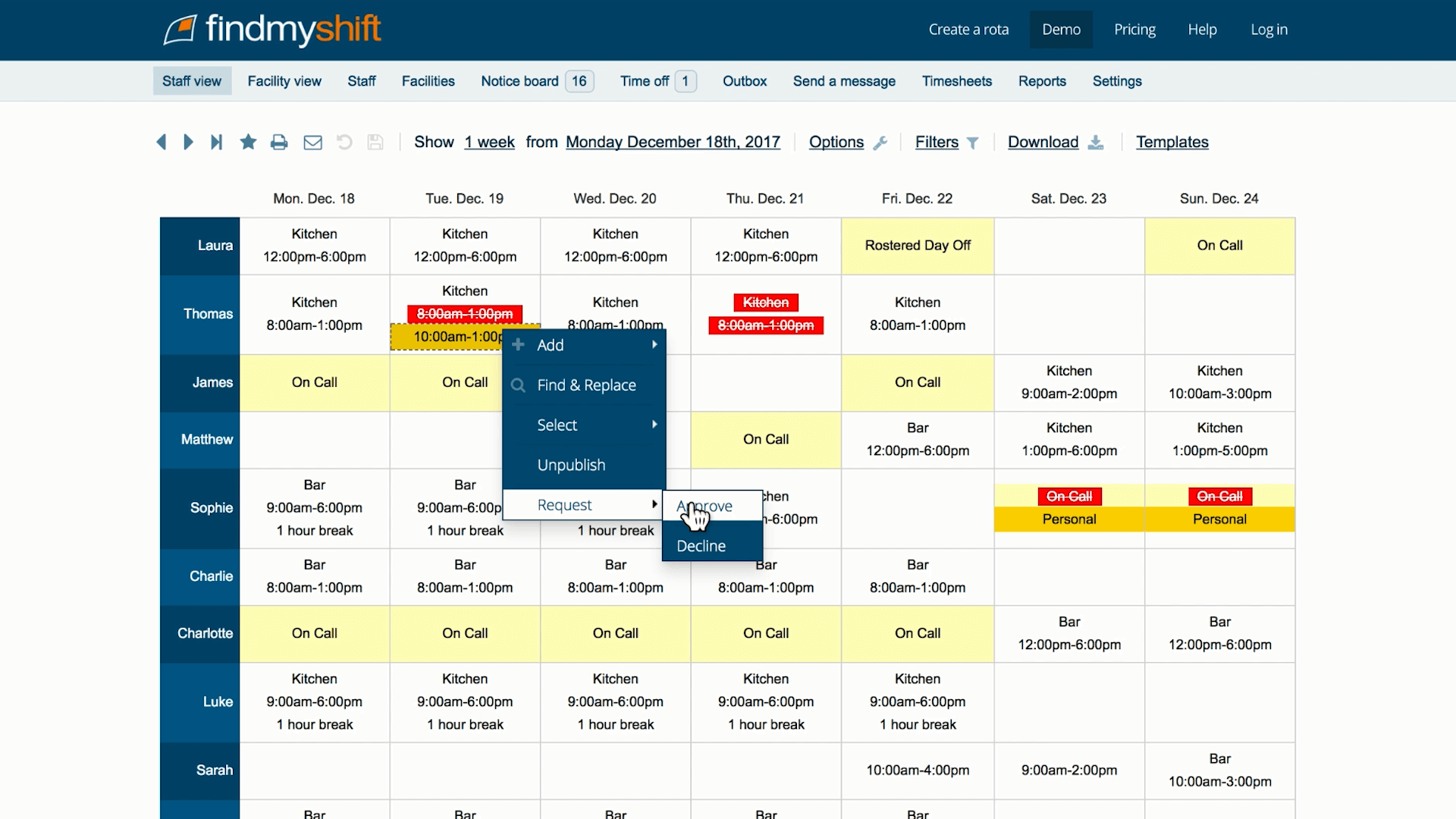
Best for: Small teams with straightforward scheduling needs
Platforms: Web, iOS, Android
Features highlight: Simple rota creation, shift templates, time clock
Pricing: Low monthly cost with scalable plans
Findmyshift is aimed at businesses that want to replace paper rotas or spreadsheets with something simple and reliable. Managers can create rotas quickly, reuse templates, and allow staff to request shift swaps or leave.
The system does not overload users with features, which makes it easy for teams to adopt. For small businesses starting their move to digital staff management, Findmyshift works well as a basic employee management app.
Pro: Very easy for small teams to understand and use
Con: Limited features beyond scheduling and attendance
6. Employment Hero
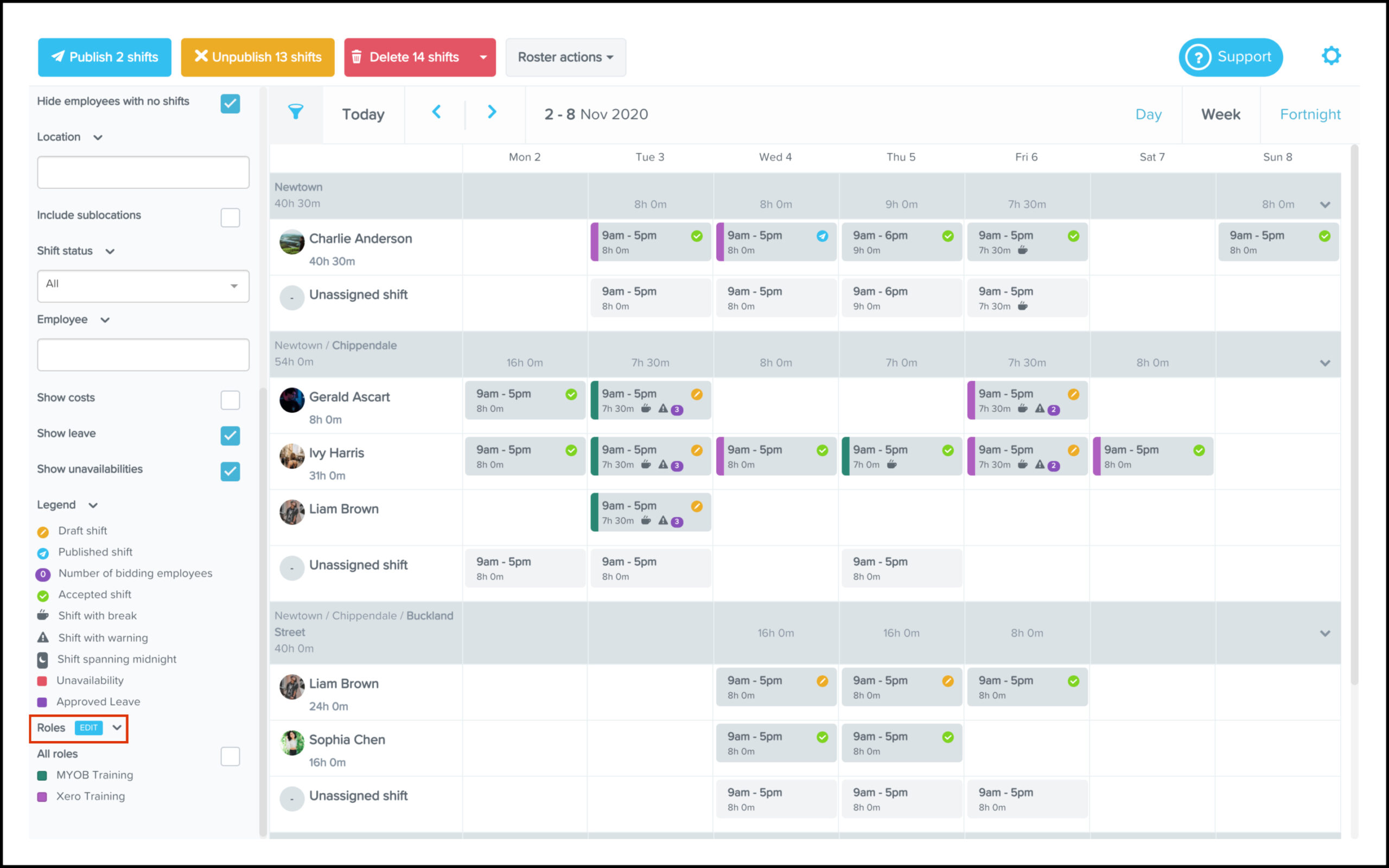
Best for: Businesses that want HR, payroll and employee management together
Platforms: Web, iOS, Android
Features highlight: Employee records, time tracking, payroll, compliance tools
Pricing: Custom pricing based on business size
Employment Hero is designed for businesses that want to manage the full employee lifecycle. It combines scheduling and time tracking with payroll, HR documents and learning tools. This reduces duplication and helps ensure data stays consistent across systems.
For UK employers, having hours flow directly into payroll can reduce errors and save time. Employment Hero suits companies that want a complete employee management system rather than a standalone scheduling tool.
Pro: Reduces admin by linking scheduling, HR and payroll
Con: May be more than smaller teams need
7. Shiftbase
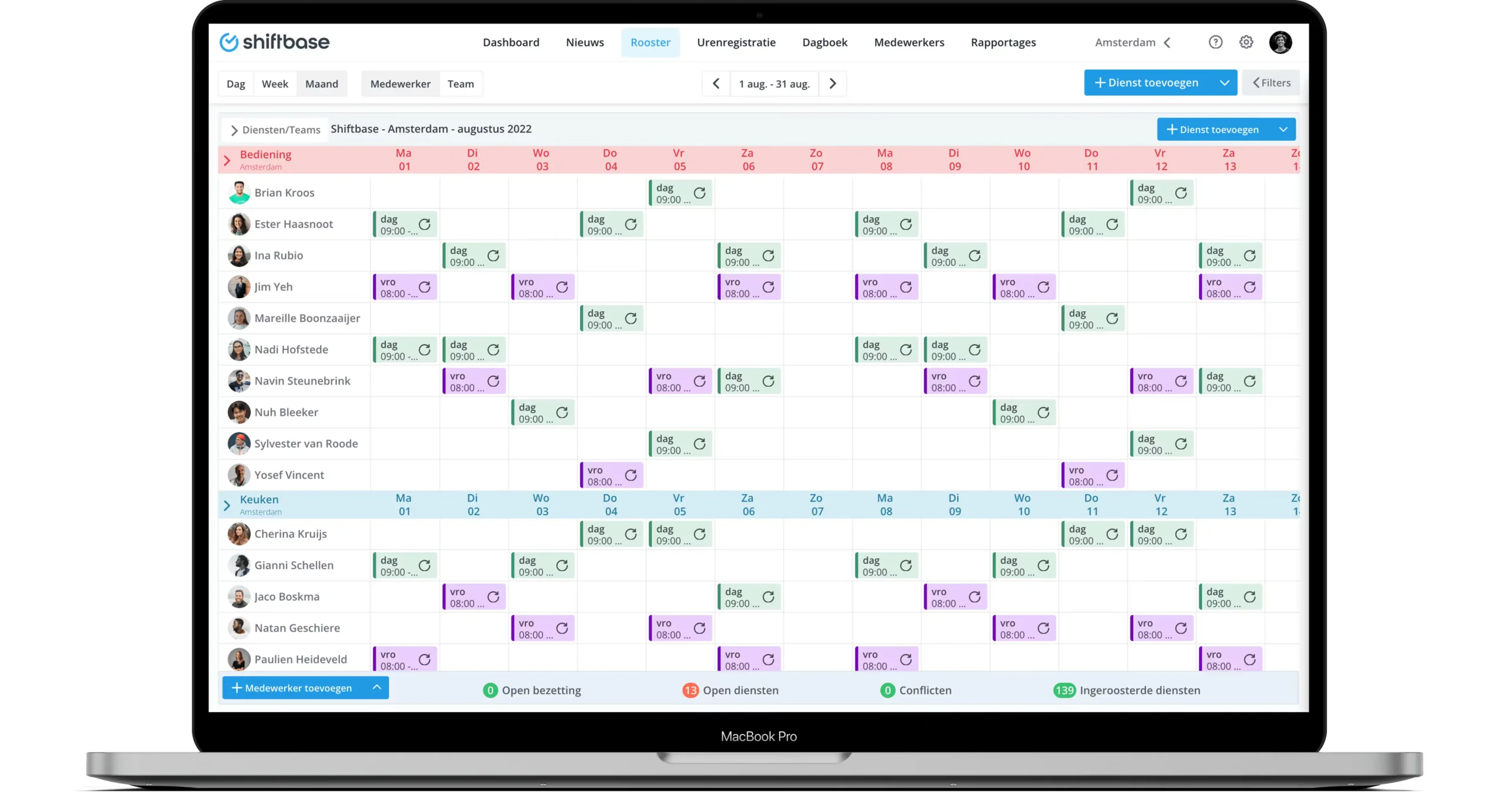
Best for: Businesses managing staff costs across locations
Platforms: Web, iOS, Android
Features highlight: Labour cost forecasting, time tracking, reporting
Pricing: Free plan for small teams, paid plans with trial
Shiftbase helps managers understand how rotas affect labour costs before shifts are published. This makes it easier to balance staffing levels with budgets. Time tracking ensures hours are recorded correctly, supporting accurate pay.
For businesses operating across several sites, Shiftbase offers useful oversight without becoming difficult to manage.
Pro: Helps control labour costs while planning rotas
Con: Some users prefer desktop over mobile editing
8. Connecteam
Best for: Deskless and field teams
Platforms: Web, iOS, Android
Standout features: Scheduling, messaging, forms, GPS time clock
Pricing: Tiered monthly plans with free trial
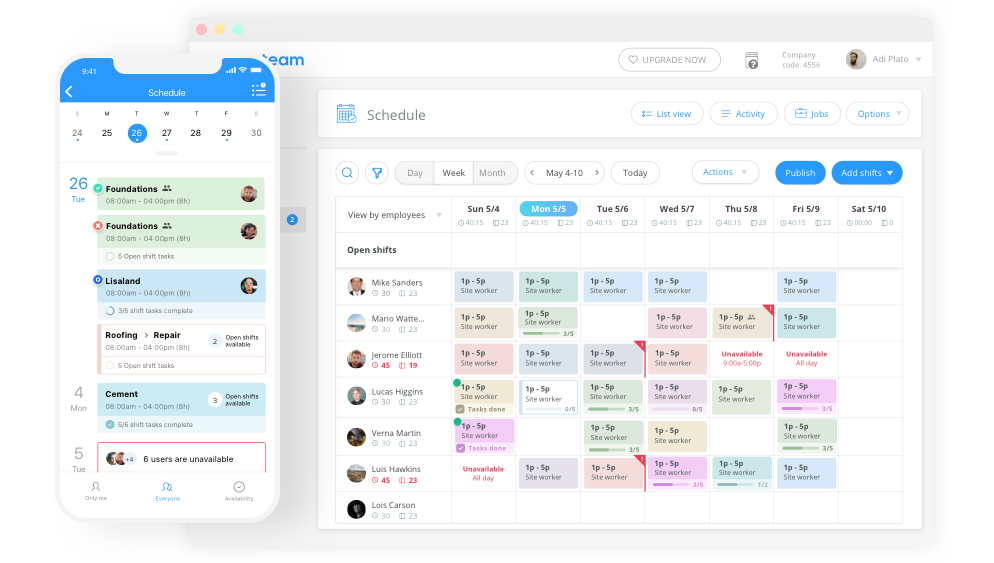
Connecteam is more than a scheduling tool. Alongside rotas, it offers communication, task management and digital forms. This makes it useful for teams that do not work at desks and need everything on a mobile app.
Managers can schedule shifts, track time with location data, and send updates in one place. This reduces reliance on multiple apps and improves coordination for mobile teams.
Pro: Central hub for scheduling and team communication
Con: Extra features can add setup time
9. Sling
Best for: Small to mid-sized teams needing simple scheduling
Platforms: Web, iOS, Android
Features highlight: Rotas, messaging, task lists, time tracking
Pricing: Free plan available with paid upgrades
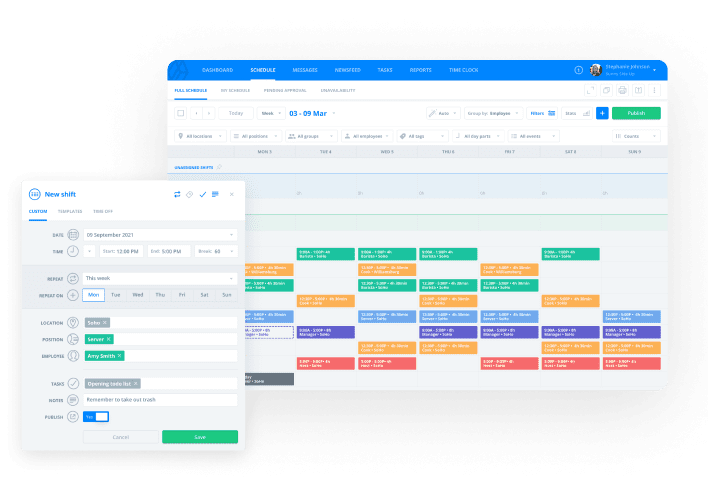
Sling focuses on making employee scheduling clear and accessible. Managers can build rotas, message staff, and assign tasks within the app. The free plan is suitable for small teams that want to move away from informal tools.
For businesses testing employee management software for the first time, Sling offers a low-risk way to get started.
Pro: Useful free plan for small teams
Con: Limited depth compared to larger systems
Employee management app comparison chart
The table below compares the best employee management app options for UK businesses in 2026. It focuses on the details that matter most when choosing a system, including who each tool is best for, starting price, whether a free trial is available, and mobile app access. This overview makes it easier to shortlist the right employee management software based on business size, budget and team structure.
| Employee management app | Best for | Starting price (approx.) | Free trial | Mobile app |
|---|---|---|---|---|
| Factorial | Growing SMEs needing scheduling plus HR | £5.40 per employee/month | Yes | Yes |
| Deputy | Complex shift patterns and multi-site teams | Varies by plan | Yes | Yes |
| RotaCloud | UK SMEs focused on rota planning | From low per-user pricing | Yes (30 days) | Yes |
| Sage HR | Scheduling with scalable HR features | £4.60 per employee/month | Yes | Yes |
| Findmyshift | Small teams with simple rota needs | Low monthly fee | Yes | Yes |
| Employment Hero | HR, payroll and employee management combined | Custom pricing | Yes | Yes |
| Shiftbase | Cost-aware scheduling across locations | Free for small teams | Yes | Yes |
| Connecteam | Deskless and mobile teams | Tiered monthly plans | Yes | Yes |
| Sling | Small teams starting with scheduling | Free plan available | Yes | Yes |
While pricing and features vary, all of these tools support core employee management functions such as rota creation, shift management and staff communication. The best employee management app for small business will depend on how many staff you manage, how often shifts change, and whether you need wider HR or payroll features alongside scheduling.
Guide to implementing an employee management app
Choosing one of the best employee management app options is only the first step. To see real benefits, the system needs to be set up properly and adopted by your team. Below is a simple guide to help UK businesses implement employee management software successfully.
1. Define your main goal
Start by being clear about what you want to improve. This might be reducing rota errors, improving shift management, tracking hours more accurately, or cutting down admin time. Knowing your main goal helps you focus on the features that matter most.
2. Clean up existing data
Before setting up the app, review current employee information, availability and contracts. Remove outdated records and check that working hours and roles are accurate. Clean data makes the transition smoother and avoids confusion later.
3. Set up rotas and rules carefully
When building your first rotas, factor in rest breaks, daily rest and weekly time off. Most employee management systems allow you to set rules or alerts. Using these features helps support compliance and fair scheduling from day one.
4. Train managers first
Managers should understand the system before staff are introduced to it. This ensures they can answer questions, handle shift changes confidently, and use reports effectively.
5. Introduce the app to employees clearly
Explain why the app is being introduced and how it benefits staff. Show employees how to view rotas, request leave and swap shifts. Clear communication increases adoption and reduces resistance.
6. Start simple, then expand
Avoid turning on every feature at once. Begin with core functions such as scheduling and time tracking. Once the team is comfortable, add more tools like reporting or document storage.
7. Review and adjust
After the first few weeks, review how the app is being used. Look for missed clock-ins, rota issues or feedback from staff. Small adjustments can greatly improve results.
Implementing an employee management app properly supports better scheduling, clearer communication and more effective strategies to manage your staff.
Choose Factorial for simpler employee management
Factorial is a practical choice for UK businesses that want one employee management app instead of multiple disconnected tools. It brings rotas, time tracking, leave management and employee records into a single system, reducing manual work and avoiding spreadsheet errors.
By centralising shift management and staff information, Factorial helps employers stay organised, improve visibility, and support fair scheduling. For growing teams moving away from WhatsApp and Excel, it offers a clear and efficient way to manage employees day to day.

Disclaimer: The information presented on this page is based on publicly available sources. The comparisons between Factorial and other providers are intended solely for the illustration of the respective software features, pricing and functionalities. All information regarding features, prices, and integrations may be subject to change without prior notice. Factorial assumes no liability for the accuracy, completeness, or timeliness of the information presented. We recommend contacting the respective providers directly to obtain the most accurate and up-to-date information. All legal regulations regarding Spanish fair advertising and competition law are fully observed by us; if you have any concerns, please reach out to us. The comparisons presented do not constitute a final evaluation or recommendation for any provider, but serve solely as an informational source.