Do you know how well your team is performing? Finding the best performance management software is one of the most impactful decisions an HR leader can make— research shows that managers account for at least 70% of the variance in team engagement scores, making structured performance processes essential for any UK business.
As a manager or HR professional, it can be difficult to keep track of performance reviews with KPIs, professional development and additional training for each member of your team. Performance management software can automate key steps and centralise your data, helping you stay on top of your team’s progress without the administrative burden.
We’ve put together a list of the best performance management software available to UK businesses in 2026. We’ll cover the top performance management apps, their pros and cons, and current pricing so you can make an informed decision about which one will benefit your organisation the most.
Table of Contents
- Key Facts: Best Performance Management Software (2026)
- What Is Performance Management Software?
- What Does a Performance Management System Do?
- What Are the Benefits of a Performance Management System?
- Which Is the Best Performance Management Software for UK Businesses in 2026?
- How Do You Choose the Right Performance Management Software?
Key Facts: Best Performance Management Software (2026)
- What it is: Performance management software helps UK businesses set goals, conduct structured reviews, collect 360-degree feedback, and track employee development— all in one centralised platform.
- Market size: The global employee performance management software market was valued at USD 3.46 billion in 2026 and is projected to reach USD 5.82 billion by 2035, growing at a CAGR of 5.33%.
- The engagement gap: According to the CIPD’s January 2026 Performance Management factsheet, effective performance management is central to maintaining and improving employee performance in line with organisational goals — yet most organisations still rely on infrequent, poorly structured reviews.
- The business case: Gallup research finds that highly engaged teams — typically produced by strong performance management practices — show 21% lower turnover and 78% lower absenteeism compared to disengaged teams.

What Is Performance Management Software?
Performance management software is a tool that helps companies and managers organise, understand and manage the performance of their team members. It can be used as a collaborative tool, allowing line managers, heads of departments and HR professionals to access individuals’ records and set strategic goals.
Good performance management software will allow you to track and evaluate performance against KPIs, giving you insight into where individuals need more training and professional development. You’ll usually find features like automated reminders for performance reviews, reporting, goal setting and gamification and rewards for good performance.
What Does a Performance Management System Do?
A performance management system tracks your employees’ performance in a consistent and measurable way. It involves processes that focus on skills, resources and support to maintain and improve employee performance in line with your company goals. Performance management systems also tend to be based on 4 key pillars: planning, monitoring, reviewing and rewarding.
A performance management system aims to plan and establish performance goals in line with organisational objectives, and regularly monitor and review your team’s progress through 360-degree feedback. A good performance management system also rewards high-performing or much-improved staff members through employee recognition programmes.
What Are the Benefits of a Performance Management System?
There are plenty of benefits to having a performance management system and software to support it:
- Higher retention: Having all your performance management resources organised and centralised will allow you to give regular feedback to your team members, helping them to develop their skills, progress their careers and therefore feel more valued. You should notice a reduction in labour turnover.
- Increased engagement: Your staff are more likely to be engaged with their work if they know that you’re invested in improving their performance and professional development.
- Builds trust: You’ll have better relationships with your team members if you’re having regular appraisals and check-ins with them.
- Better business performance: Your organisation is more likely to meet its objectives, as your teams will know what they need to do to be successful in their roles and should all be working towards the same overall goals.
Effective performance management is “a two-way process of regular, open and supportive discussion on progress towards objectives”— a standard that dedicated software makes far easier to maintain consistently across an organisation.
So, now we know what performance management software is and its benefits, let’s look at the best options on the market to help you choose the right one for your business.
Which Is the Best Performance Management Software for UK Businesses in 2026?
Searching for the best performance management tools while leading your team can be stressful. That’s why we’ve simplified the search for you. We’ve compiled a list of the 11 best performance management software solutions in 2026. From budget-friendly options for start-ups to comprehensive solutions for large enterprises, you’ll be able to make an informed decision about what performance management tool is right for your UK business.
Quick Comparison: Best Performance Management Software at a Glance
| Tool | Best For | Starting Price | Key Strength |
|---|---|---|---|
| Factorial | UK SMEs (10–500 employees) | From £5.40 per user per month | All-in-one HR + performance, full automation, custom reviews |
| BambooHR | Medium to large enterprises | Quote-based (add-on) | Automated 30/60/90-day check-ins for new hires |
| Sage HR | Medium-to-large, Sage ecosystem users | OKR tracking, integrates with Sage payroll | |
| Personio | Small businesses | Quote-based (add-on) | Standardised appraisal forms, payroll integration |
| CharlieHR | Small businesses (<50 employees) | £4/user/month | Simple setup, easy 360 feedback |
| BreatheHR | SMEs (1–250 employees) | From £13/month (1–10 people) | Training course management, intuitive interface |
| CIPHR | Mid-to-large enterprises | Quote-based (add-on) | Nine-box grid, succession planning |
| HiBob | Mid-market (50–500 employees) | Quote-based | 360-degree reviews, full employee timeline |
| Lattice | Mid-market and enterprise | From $11/user/month | OKR + performance + compensation in one suite |
| Sesame | SMEs | €5.25/user/month | 90/180/270/360-degree feedback options |
| Leapsome | Mid-market, growth-culture organisations | Quote-based | Competency matrix, customisable templates |
1. Factorial
Flexible performance management software with automation, templates and tracking to get the most out of your team
Overview
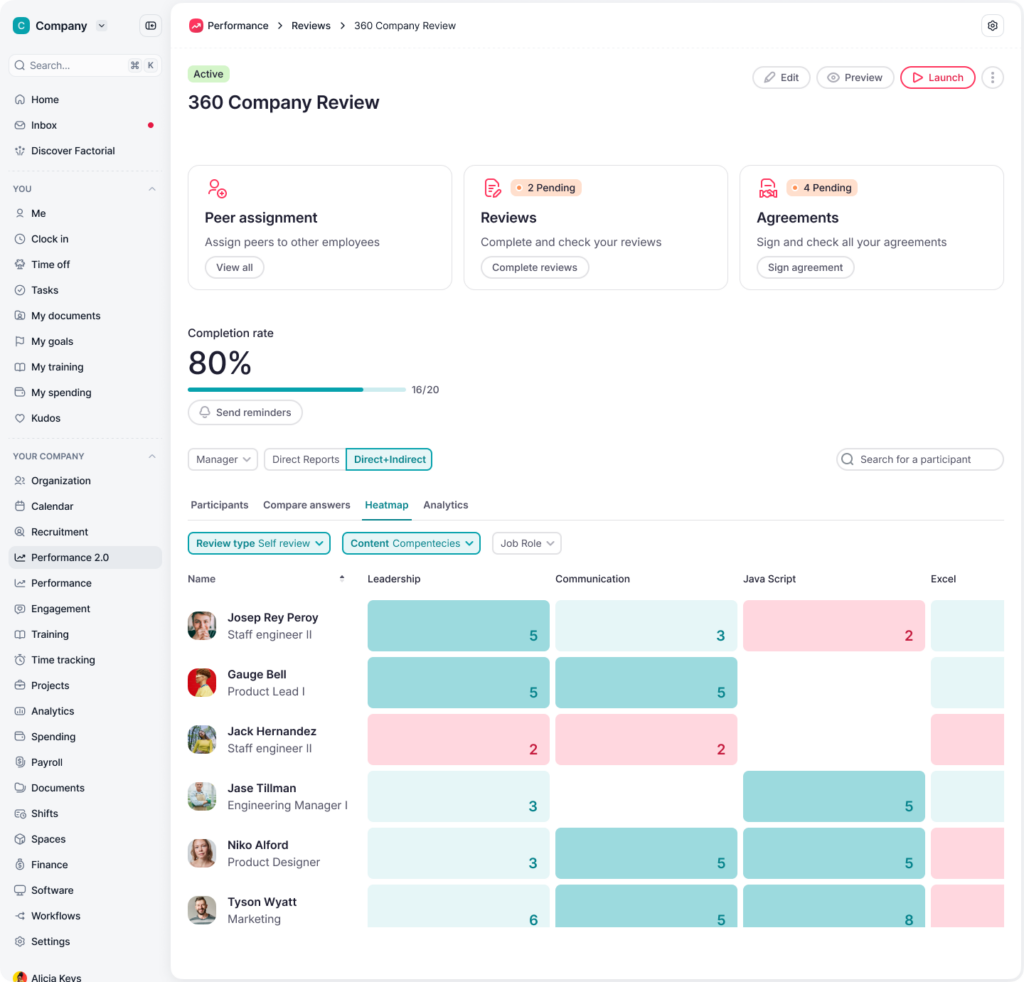
Factorial’s performance management platform is the editor’s choice for UK small and medium businesses, offering a complete, integrated solution for tracking and managing employee performance efficiently. You can take control of your performance reviews, using Factorial’s suggested questions to save time or writing your own in various formats to create a customised plan for your business. It serves as a powerful employee performance review software for a wide range of SME needs in the UK.
With Factorial, you gain insight into every level of your workforce by assigning the most appropriate reviewers for each individual, and you can automate the process so performance reviews are sent out monthly, yearly, or on your own timescale. Storing evaluations and responses alongside all your other HR data in one place ensures you can oversee the review process effectively while protecting your team members’ confidentiality.
Pros
✅Intuitive and easy-to-use interface
✅Use suggested performance review questions or write your own
✅Automatically include new hires in the performance review cycle
✅Integrated with analytics, so you can run custom reports such as group performance data by team
✅Facilitates the entire performance cycle, from identifying competencies to reviews to reports
Cons
❌No app for PC, so you can only use the web-based version and mobile app
❌Best suited to small to medium-sized businesses, with accessibility for larger enterprises coming soon
User reviews
Customers love that performance management is just one part of the Factorial app, and that you can centralise all your HR processes, such as onboarding, time tracking and document management. Its approach to HR means that rather than performance management becoming just another one of your jobs to do, it becomes an easy, automated part of your processes to improve business performance, rather than bog you down.
Performance Management Features
1. Flexible performance review options
To keep appraisals fair, it’s best to use mostly the same questions for each employee. But every business is different, so you still need the option to write your own performance review questions.
With Factorial, you can use our suggested questions and write your own, then save them so they’re ready for the next round of appraisals. Plus, you can choose whether the answers are optional or mandatory and whether they will be submitted anonymously.
2. Automation
Take the effort out of performance management with automated email notifications when it’s time for appraisals to take place. There’s no need to upload data to Factorial as all feedback is submitted directly through Factorial, keeping everything centralised and organised. Set automated cycles for appraisals on a monthly, yearly or customised basis, whichever suits your team.
3. Centralise your data
Keep your performance appraisals alongside the rest of your HR data so you can check in on the review process whenever you need to. You’ll see the status of each evaluation with a progress tracker so you know whether your reviews are running on time.
Your line managers and other reviewers can edit questions and review comments as they come in straight from the platform, so there’s a record of everything all in one place.
4. Workforce insights and integration
Easily get 360 feedback for individuals by creating dynamic groups of reviewers. You can assign specific team members or even the entire company to give feedback on particular individuals. With the option to add new hires into the performance review process and new supervisors whenever necessary, you’ll never lose track of your team’s progress.
5. Custom reporting
Use Factorial’s custom reports to track employee development and identify where team members need to improve. You can group data by office or team to pinpoint strengths and weaknesses and help you make informed decisions with quantitative and qualitative data.
6. Store meeting notes within the app
Make notes during performance reviews and store them in Factorial so you can view them before the next meeting. Set agendas to help keep your appraisals on track and to ensure you cover everything you want to with your team members.
7. Track employee development and skills
Use Factorial to detect training needs and create an action plan of training that needs to take place. View employee progress as they complete training sessions and courses and track how effective they are so you can make adjustments if you need to.
8. AI-assisted performance insights
Factorial’s platform incorporates AI-powered analytics to help managers identify performance trends across teams, flag development gaps early, and generate data-driven insights. This moves performance management from a reactive, annual exercise to a continuous, proactive process. This aligns with SHRM’s guidance that effective performance management requires ongoing monitoring and feedback, not just periodic reviews.
Pricing
Prices start at £5.40, and vary depending on choice of bundle.
Request a demo with a Factorial expert to find out more.
2. BambooHR
Good automation of performance review reminders, but lacks customisation of the performance review process and questions.
Overview
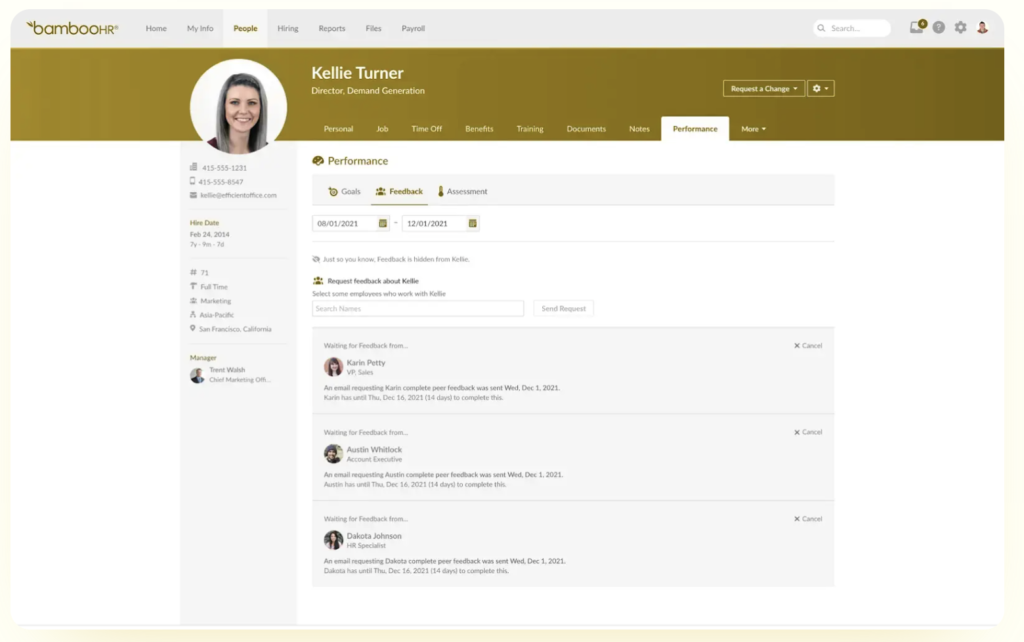
BambooHR is an HR software solution that’s aimed at medium to large enterprises. Its performance management system comes as an add-on to its main software, and this can be expensive for small businesses that might not need to use all of the features right now.
BambooHR lets you create multiple performance review cycles with different scheduling so you can customise your reviews based on department. You can also schedule and automate reminders for 30-, 60- and 90-day check-ins with new hires to help integrate them into their roles and the business. However, you’ll have to use BambooHR’s standard appraisal questions – you can’t customise them for your business.
Pros
✅ Easy-to-use interface
✅ Allows you to manage many HR processes in one software
✅ Schedule review cycles with up to four formal reviews each year, with the option to add and automate informal check-ins
Cons
❌ Unable to customise performance review questions specific to your company
❌ Limited reports available for performance management
❌ Can be expensive due to bundles
User reviews
Users are overall satisfied with BambooHR, but its performance management add-on regularly features as a weakness in reviews. You can’t customise performance review questions, leaving users frustrated that they can’t tailor their appraisals to the goals and objectives of their company. BambooHR’s pricing structure also means that it is one of the more expensive options for businesses that have just over 20 employees.
Pricing
Priced on a per-month basis for companies below 20 employees, then a per-employee, per-month basis for companies with 20 employees or more.
3. Sage HR
Best for medium-to-large companies that want to track individuals’ contributions to specific KPIs, but lacks a modern user interface.
Overview
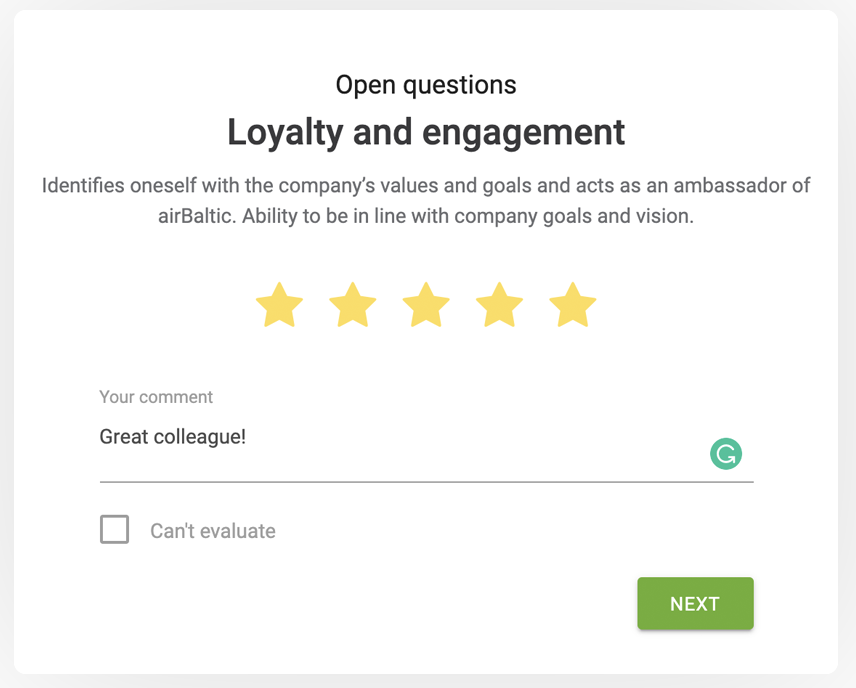
Sage HR is one of Sage’s many business software solutions. It’s aimed at medium-to-large companies and scale-ups and integrates with all other Sage software as well as some third-party options. Its strong focus on OKR tracking software makes it a solid option for performance metrics.
The key benefit of Sage HR’s performance management system is that it encourages using OKRs (objectives and key results) to track and measure individual performance. You can see how close a team member is to completing a goal or skill on a bar chart that updates with a percentage as tasks are ticked off. However, it hasn’t got the modern feel that a lot of other HR software has and can be expensive if you need all the add-ons.
Pros
✅Offers 1-to-1 meeting scheduling within the app
✅Gives you the ability to measure employee engagement through anonymous surveys
✅Has a ‘quick praise’ option for teams to congratulate each other for good work easily
Cons
❌Users find that the software isn’t intuitive to use
❌Interface isn’t as modern-looking as other platforms
❌Designed to be used with other Sage solutions, so integration with other software is difficult
User reviews
Users like Sage HR because it integrates with its other solutions, such as payroll and invoicing. But they don’t have much to say about their performance management add-on. Overall, HR professionals and business owners using Sage HR praise its reporting functions but say that it lacks customisation for certain workflows. They also say it’s expensive if you want the performance management add-on plus other options like timesheets, ATS and expenses.
Pricing
You’ll pay £6 per user per month for access to Sage HR Core and the performance management add-on. The performance management module is an optional add-on. Adding features such as recruitment and shift scheduling increases the total cost. Use Sage’s online cost calculator at sage.com/en-gb/sage-business-cloud/hr/pricing/ for an accurate quote based on your headcount and module selection.
4. Personio
A good option for small businesses, but users note that they often encounter technical issues and it can be slow to load.
Overview
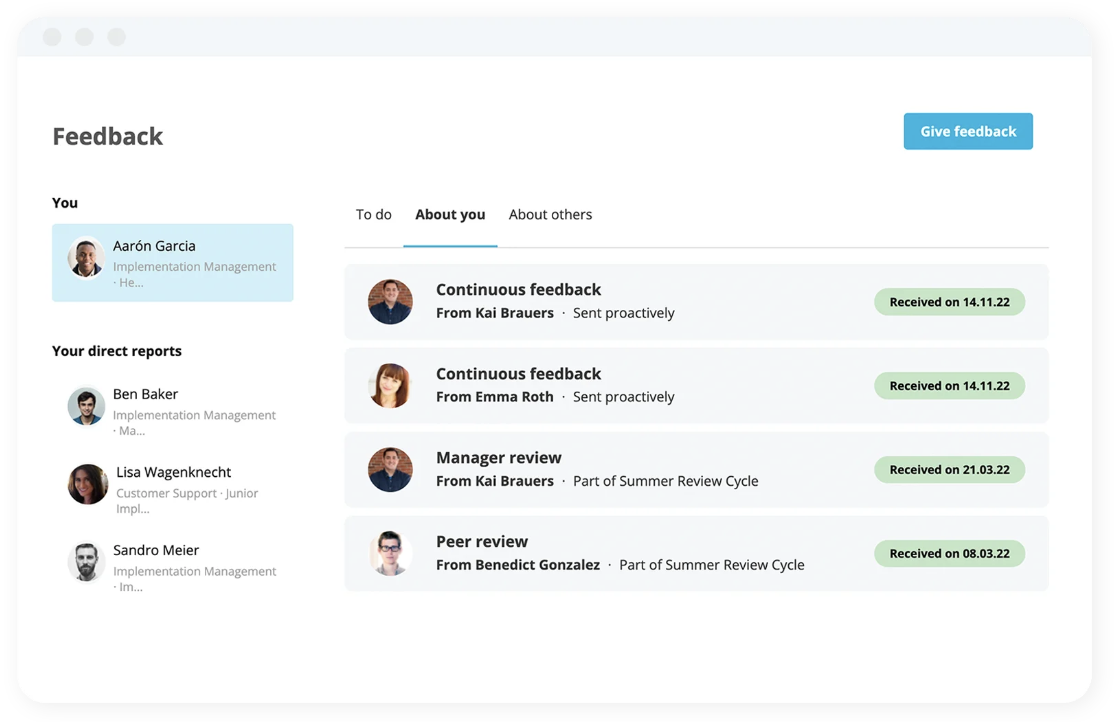
Personio’s key selling point is that it automates processes to help HR teams free up time for more strategic work. It prevents missed or late performance reviews as it lets employees know when they need to fill in their appraisal forms and reminds managers when it’s time to conduct the reviews.
Personio lets you create standardised staff appraisal forms to ensure that you ask all employees the same questions, allowing for fair reviews. With standardised rating scales, you can visualise these ratings across teams and see where management as well as individuals need to make improvements.
Pros
✅Set up performance cycles for your entire company or for individual teams and automatically remind employees to complete their reviews
✅Standardised appraisal forms and rating scales to allow for fair reviews
✅Link targets to bonus payments and automatically add them to payroll when met
Cons
❌Performance management tools are new and are still in development
❌The platform is sometimes slow to load
❌No option to allow anonymous feedback
❌While standardised forms allow for fair reviews, the lack of customisation means some businesses find it difficult to tailor appraisals to their business goals
User review
Personio users love that they can keep all their HR data in one place and that all the features integrate well with each other. It’s also intuitive to use and managers say that they didn’t have to provide much training to their teams on how to use it. However, many reviews state that the platform is sometimes slow to load and that it can be difficult to drill down into detail on reports. Lots of users say that the performance management system still needs work.
Pricing
Only available by quote, but the performance management system is offered as an add-on, meaning you’ll pay extra to access it.
5. CharlieHR
A strong choice for smaller businesses, but won’t scale with you as your business grows.
Overview
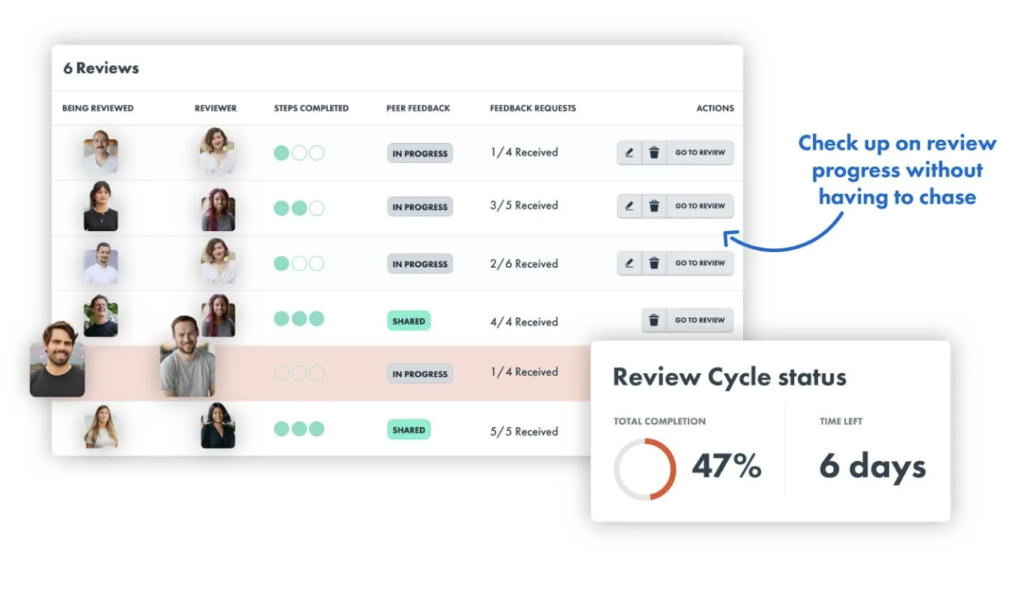
CharlieHR is aimed at small businesses, automating various HR tasks and offering easy-to-launch performance reviews. There’s one price for the entire software, meaning you might pay for features that you don’t use.
CharlieHR has all the features you’d expect it to have, including 360 feedback, guided processes for managers and insight into progress. However, if your business expands rapidly, you could grow out of the software quite quickly. Reporting and analytics are limited, and managers find that it’s hard to bulk-upload data.
✅Simple and easy-to-use interface
✅Easy setup for reviews and automated reminders
✅Get an overview of employee progress on the dashboard
✅Allows for 360
Cons
❌Sometimes notifications don’t show up, meaning managers and employees can miss appraisal reminders
❌Reporting and analytics could be more in-depth
❌It’s difficult to bulk-upload custom data, so once businesses scale up, they may look for another solution
User reviews
Overall, users are happy with CharlieHR. It offers most features that small businesses need, and HR managers and business leaders find it easy to set up reviews with automated reminders. The interface is simple and intuitive, and most reviewers state that they have no trouble navigating the menus.
However, it’s clear that CharlieHR is focusing on small businesses, so once companies begin to grow and need better analytics, reporting and bulk-upload functions, they may find that they outgrow this performance management software. Transitioning to another platform when you’ve already got lots of data can be time-consuming and leave you open to breaches of confidentiality if not done correctly, so it’s worth bearing in mind.
Pricing
£4 per user per month
6. BreatheHR
A comprehensive performance management system for small to medium-sized businesses, but struggles with integration and automation.
Overview
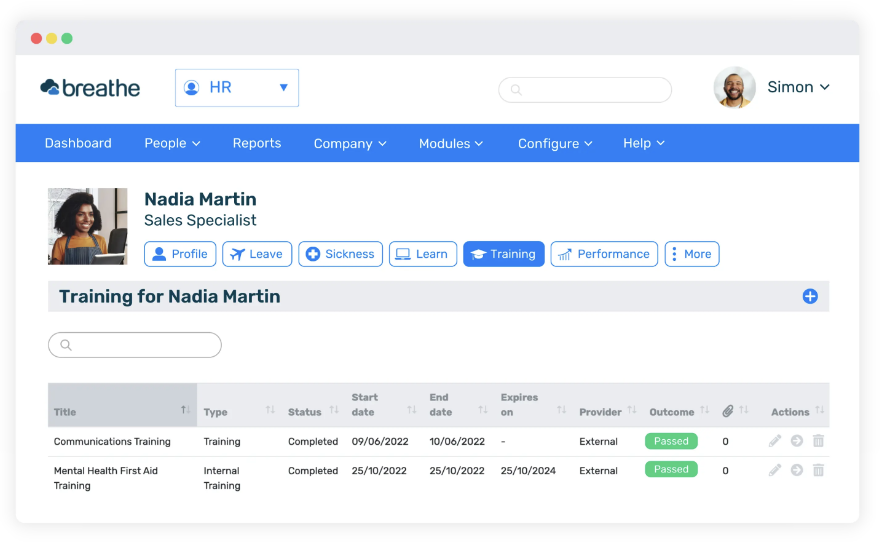
Breathe is an HR solution that is best suited to SMEs. Its performance management system is part of its Core HR package and offers features like in-app performance review booking, training courses and goal setting. Its interface is simple and intuitive, allowing you and your team to get started quickly. For those searching for HR software for small businesses UK, BreatheHR remains a regular shortlist option.
But like CharlieHR, Breathe struggles with scalability. Users note problems with API integration and find that they can’t customise reports and workflows enough. There’s also a lack of automation and email notifications in the Core HR package.
Pros
✅Intuitive and easy to use
✅Ability to add specific training courses for individuals
✅Score employee performance and compare with other team members
Cons
❌No email notifications for scheduled performance reviews
❌Users report intermittent issues with integrations
❌No bulk-upload feature
User reviews
Breathe users like how simple it is to use and how you can keep all your HR operations in one place. Many reviews mention being able to add training courses for each team member, and that the dashboard is easy to read and understand. However, reviewers also commonly complain that the performance management software isn’t customisable, making it difficult to add business-specific appraisal questions. Like CharlieHR, once businesses outgrow Breathe, they may have to go through the hassle of transferring to another performance management system.
Pricing
Plans start at £13 per month for businesses of 1-10 people, with additional modules starting at £6 per month.
7. CIPHR
Great for succession planning, but can be slow to load and difficult to use.
Overview
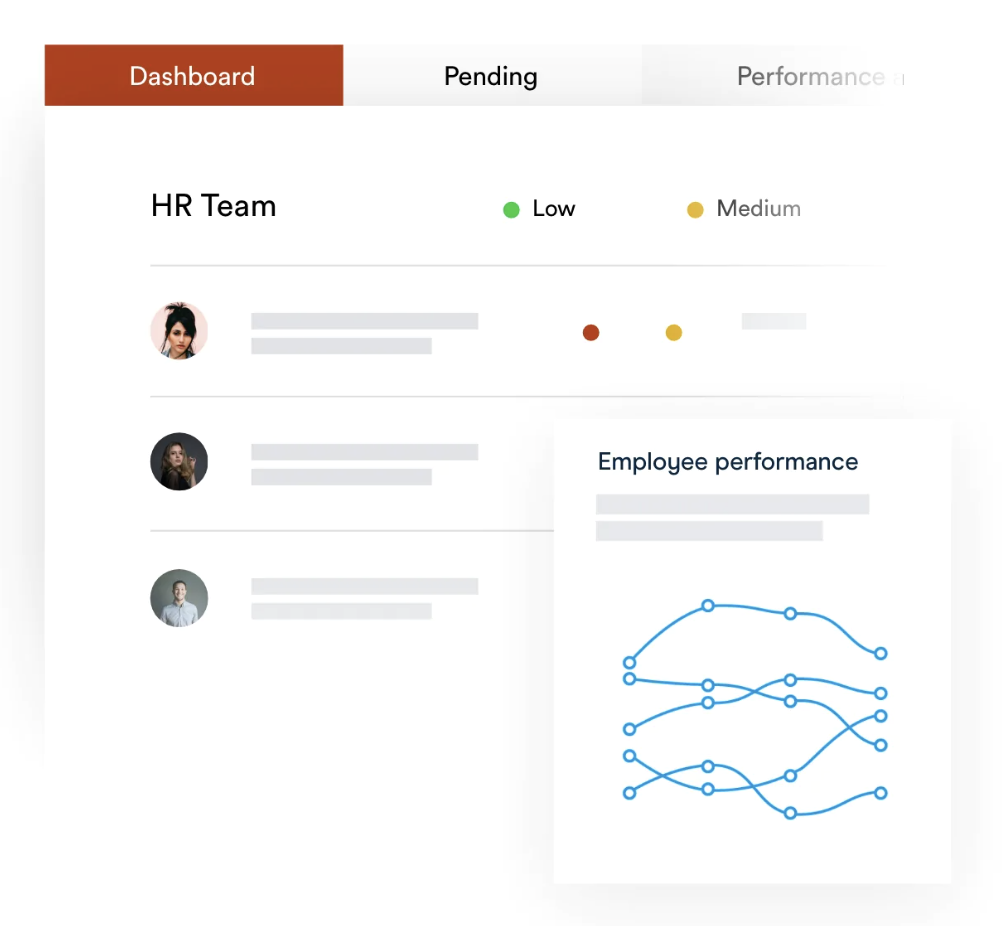
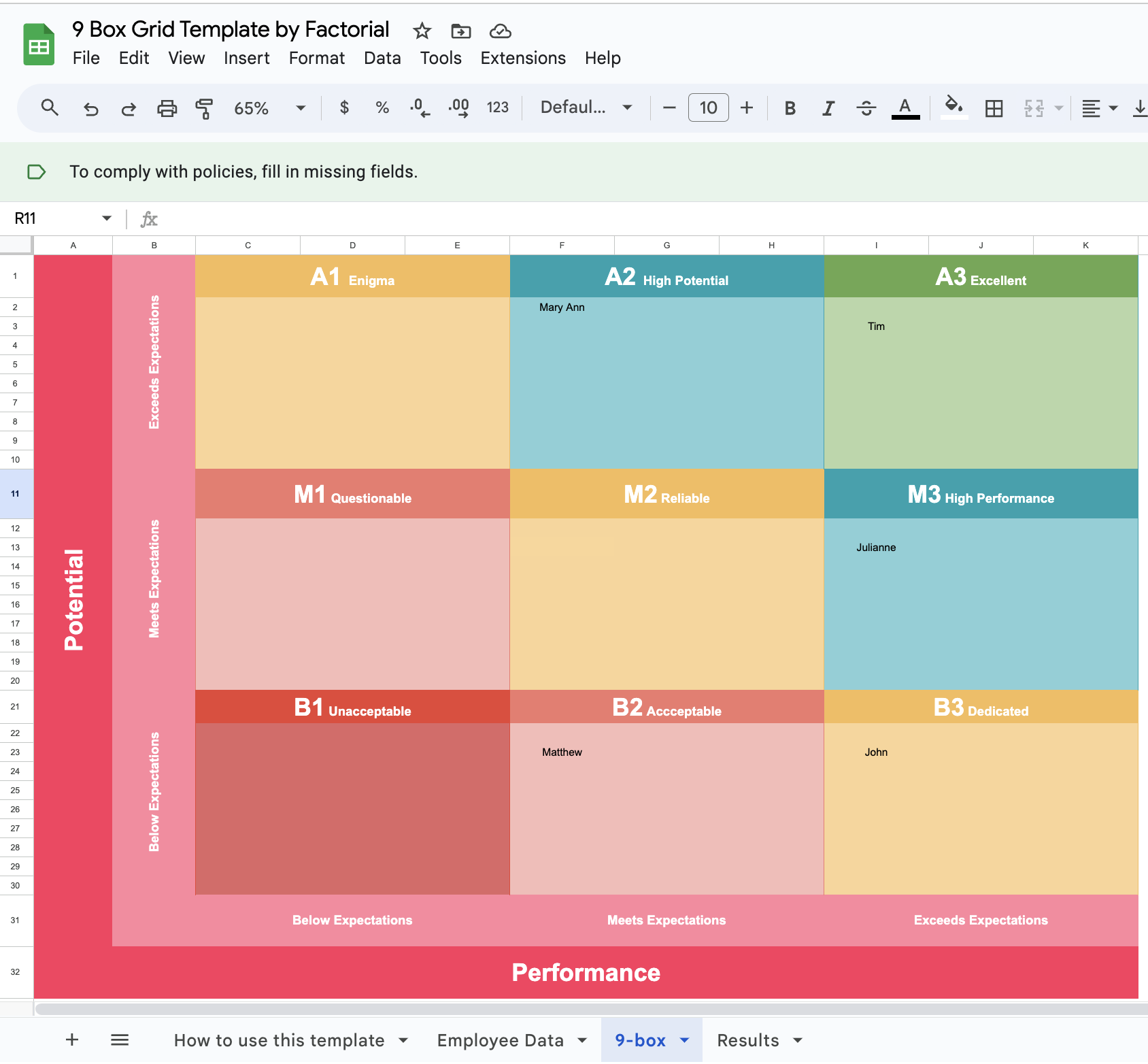
CIPHR prides itself on offering detailed HR metrics to help you with succession planning and talent development. It allows you to add nine-box grid criteria and then enables you to build talent pools for your business-critical roles. It can auto-populate talent pools with a role’s direct reports if those people satisfy your minimum nine-box grid criteria, reducing the time it takes to assess your team’s skills.
Pros
✅ Good product support
✅ Customisation available
✅ Easy to access on mobile as well as PC
Cons
❌ Can be slow to load
❌ Not always easy to use, with some sections of the app difficult to navigate
❌ Learning how to create your own reports is tricky
❌ It’s expensive
User reviews
Users speak highly of CIPHR’s customer support and onboarding, and that the software is customisable so you can make it relevant to your business. However, users also mention that reporting can be tricky to learn if you’ve not got strong Excel skills. Customers also say that the platform is expensive as you have to pay for each part of the software as an add-on.
Pricing
Only available on request, but the performance management system is offered as an add-on, meaning you’ll pay extra to access it.
8. HiBob
Intuitive and easy to use, but performance review flows need work.
Overview
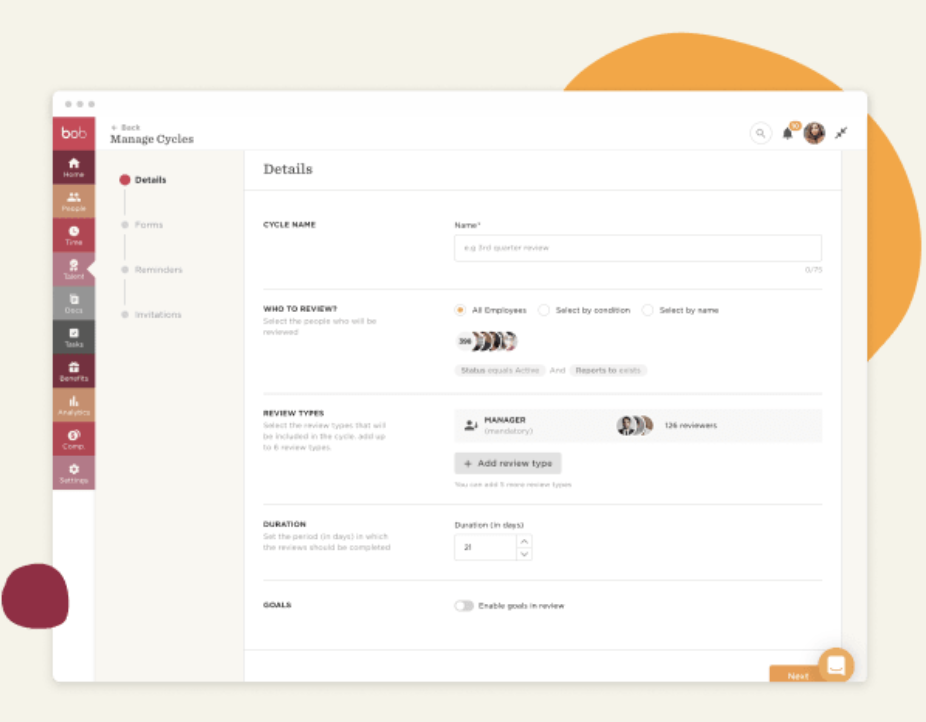
HiBob is an all-in-one HR system whose main USP is that you have everything you need to conduct 360-degree performance reviews, giving you a complete timeline of each employee’s career with the organisation, goals and achievements, so each manager can conduct a fair review.
Pros
✅ Highly intuitive user interface
✅ Integrates with other software such as Slack
✅ Easy to set goals and growth plans to develop employees
Cons
❌ No way to add non-anonymous feedback or surveys
❌ One-to-one flows need improvement
❌ Some reports are difficult to access
❌ Not suitable for larger enterprises
User reviews
Customers like how user-friendly Bob is and how it takes very little training for team members to be able to use the software. They also like that lots of parts of it can be customised, and the mobile app performs well. However, many users mention that they would like to see better integration with calendars such as Google and Outlook, so they could send out automatic calendar invites for performance reviews or one-to-ones. There’s also no way for employees to request one-to-ones: only a line manager can request them.
Pricing
Only available on request.
9. Lattice
A cohesive performance management software, but delays in deployment frustrate customers.
Overview
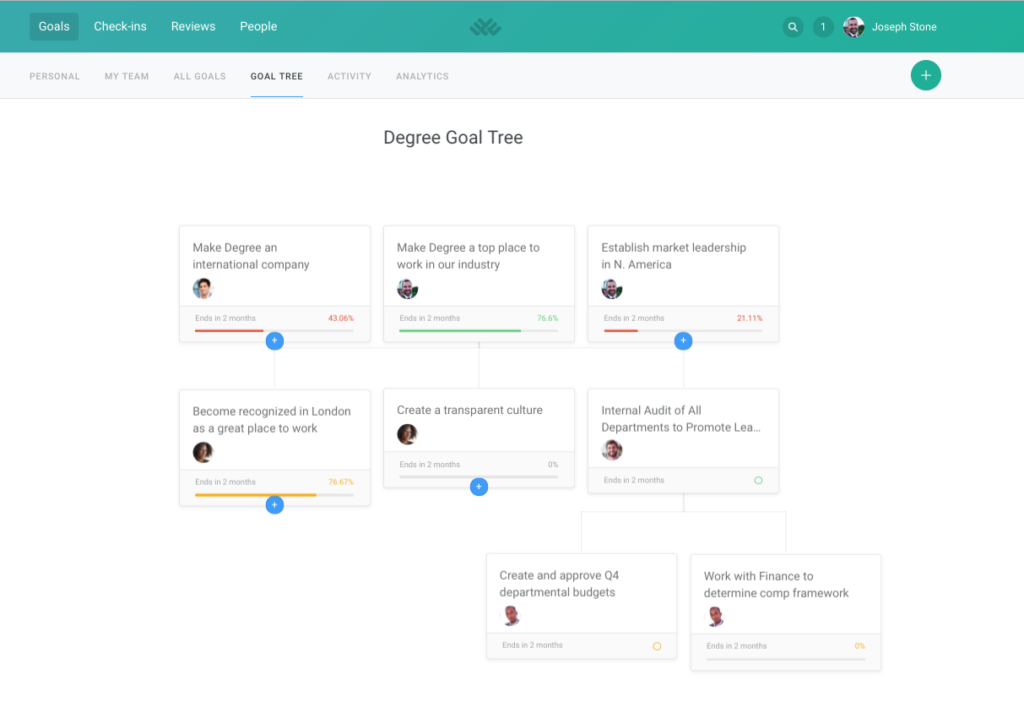
Lattice is an all-in-one performance management software that brings together workflows for performance management, employee engagement surveys, compensation management and career development. You can update OKRs and goals as and when you need to, and link individual goals to team goals, so everyone is working towards the same aim. You can also store 1:1 notes within the app that you can refer back to whenever you need them. Its focus on OKR tracking software and contemporary feedback tools makes it suited for growing teams.
Pros
✅ Very easy to use
✅ Range of survey functions, including for on/offboarding and engagement
✅ Easy to construct your own performance review cycles
Cons
❌ Surveys aren’t 100% anonymous
❌ Slow to deploy new features and misses deadlines
❌ Some users say reports are unorganised
❌ Hard to add two managers for one employee
User reviews
Customers say that Lattice is very easy to use and that the human focus of the software gives it an edge. Users also like how customisable the platform is, allowing you to add your own workflows, cycles and survey questions. However, many customers complain that they have missed deadlines on new feature deployments.
Pricing
Lattice’s Performance Management + OKRs & Goals bundle starts at $11 per person per month, with add-on modules (Engagement, Grow, Compensation) each priced from $4 per person per month, according to Lattice’s official pricing page (accessed June 2026). A minimum annual commitment of $4,000 applies, making Lattice best suited to teams of 30 or more. View current pricing at lattice.com/pricing.
10. Sesame
Customisable and flexible to an organisation’s needs, but can be difficult to use and the mobile app needs work.
Overview
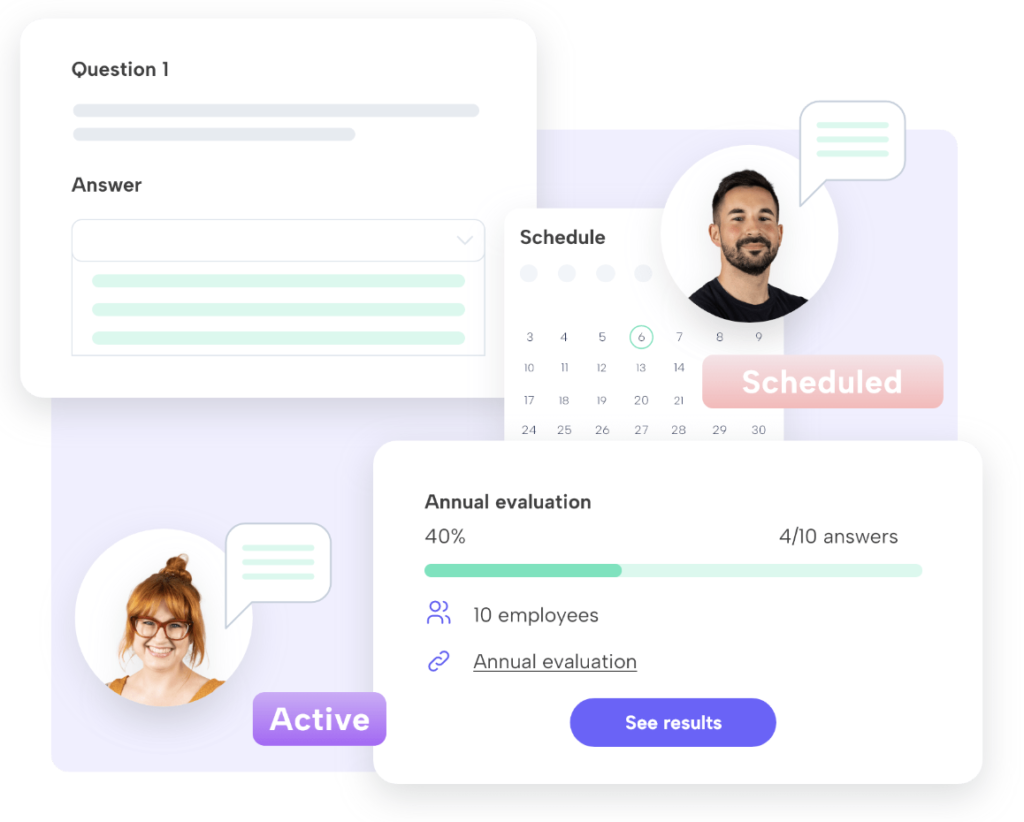
Sesame says that it allows companies to digitise their HR processes by simplifying and automating them. Its performance management system allows you to make custom questionnaires, schedule your performance evaluations and view information in visual graphs to help you analyse performance across your team. For those looking for a customisable 360-degree feedback tool, Sesame offers multiple feedback cycle options.
Pros
✅ Easy to implement
✅ Get a visual representation of key information
✅ Choose between 90, 180, 270 or 360-degree feedback
Cons
❌ Not very intuitive
❌ Mobile app often crashes
❌ Slow customer support
User reviews
Customers that use Sesame mostly praise its time tracking and leave request features rather than its performance management system. They say that it’s helpful to view information in various formats and that you can choose who is giving feedback during performance reviews. However, many users also mention that the mobile app crashes, the dashboard can be confusing to use and there is a lack of administrator permissions, which means lower-level employees could make changes.
Pricing
€5.25 per user per month for Sesame HR Professional, which includes the performance management system.
11. Leapsome
A comprehensive tool with excellent templates and customisable modules, but UX is clunky.
Overview
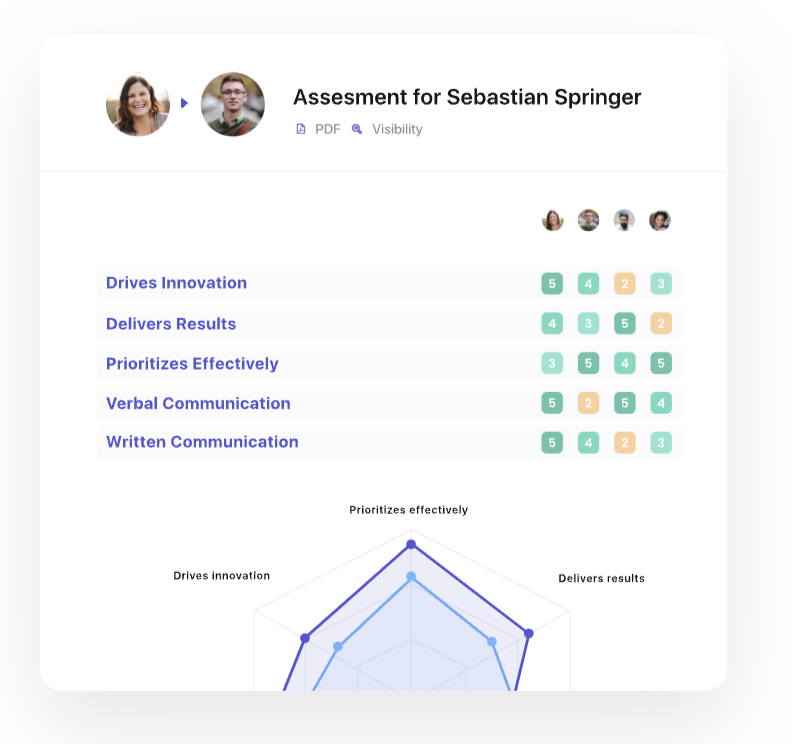
Leapsome is HR software that aims to drive performance, increase engagement and automate processes. You can use performance review templates to suit your business and use their analytics to gain insight into your team’s performance as well as conduct project, leadership or 360-degree feedback reviews.
Pros
✅ Great customer support
✅Integrates with a range of other software
✅ Customisable dashboard to allow you to see the information that’s important to you
Cons
❌ Some find the UX clunky
❌ No dark mode feature
❌ Some find the graphs difficult to interpret
User reviews
Leapsome is liked for its feedback loops and customisable performance reviews, with lots of praise for its competency matrix. However, users sometimes find the UX clunky – there is no auto-login feature and some tabs are placed in counter-intuitive places. Plus, it can be tricky to interpret data from complex graphs.
Pricing
Only available on request.
How Do You Choose the Right Performance Management Software?
Now you’ve seen our picks for the best performance management software, you’ll need to make a decision on which one is best for your business. With so many performance management systems to choose from, it can be hard to make that final decision.
Follow our steps to help you choose the right performance management software for your company:
- Consider your needs: What features must your performance management software have? Which ones would be nice to have?
- Explore other features: Look at the other features that the software has. Could these add value to your business? Can the software grow with you as you expand?
- Check integrations: Ensure that your performance management software will integrate with your other software, such as payroll and expenses software.
- Consider cost: Remember that cheapest doesn’t always mean best. It’s important to find a solution that fits with your budget, but ensure that the performance management software you choose will function correctly for your business and that you won’t have to sacrifice features or usability for a cheaper product.
Key Features to Look For
| Feature | Why It Matters |
|---|---|
| 360-degree feedback | Provides a complete picture of performance from peers, managers, and direct reports |
| Goal and OKR tracking | Aligns individual objectives with company strategy in real time |
| Automated review cycles | Removes manual scheduling and ensures reviews happen consistently |
| Performance calibration | Reduces bias by standardising ratings across teams and departments |
| Continuous feedback tools | Supports ongoing development rather than relying solely on annual appraisals |
| Analytics and reporting | Enables data-driven decisions on promotions, training needs, and succession planning |
| Integration with payroll and HRIS | Ensures performance data connects directly to compensation and HR records |
The most effective systems combine goal setting, continuous feedback, and calibration to produce fair, consistent, and development-focused outcomes.
Performance Management Software: Continuous vs. Annual Review Models
One of the most important decisions when selecting performance management software is whether it supports a continuous feedback model or is built primarily around annual review cycles. While structured annual reviews remain an important element of the performance management cycle, the value of more frequent, ongoing conversations is increasingly recognised by UK HR professionals.
Continuous feedback models, supported by tools with automated check-ins, pulse surveys, and real-time goal tracking, are particularly suited to fast-growing UK businesses where waiting 12 months for a formal review creates a significant blind spot in people management.
The information presented on this page is based on publicly available sources and not limited to, Capterra public reviews, G2 public reviews, and trustpilot public reviews. The comparisons between Factorial and other providers are intended solely for the illustration of the respective software features, pricing and functionalities. All information regarding features, prices, and integrations may be subject to change without prior notice. Factorial assumes no liability for the accuracy, completeness, or timeliness of the information presented. We recommend contacting the respective providers directly to obtain the most accurate and up-to-date information. All legal regulations regarding UK fair advertising and competition law are fully observed by us; if you have any concerns, please reach out to us. The comparisons presented do not constitute a final evaluation or recommendation for any provider, but serve solely as an informational source.
FAQs
What is the best performance management software?
The best performance management software centralises all data, automates review cycles, and provides custom reports to track employee development. Here we’ve listed 11 of the best, including Factorial, an all-in-one business management software with features to simplify appraisals, gain workforce insights, and align team performance with company goals.
What are the top 3 performance appraisal methods?
Three top performance appraisal methods are Management by Objectives (MBOs), which focuses on achieving specific goals; 360-Degree Feedback, which gathers input from peers and managers; and rating scales, which evaluate employees against a set of predefined criteria.