Hiring your first employee comes with a few HMRC admin jobs, and PAYE registration is one of the first to sort out.
If your business needs to operate PAYE, you must register as an employer with HMRC before your first payday. HMRC will then create your PAYE scheme and issue the references you need to run payroll, report employee pay and deductions, and manage your employer PAYE account. You cannot normally register more than two months before you start paying employees.
The PAYE application itself is fairly straightforward when you have the right information ready. This guide explains PAYE registration and covers who needs to register, when to apply, how to register for PAYE online and what to do once HMRC has set up your scheme.
If you need a broader explanation of PAYE first, read our guide to PAYE for employers.
What is PAYE registration?
PAYE stands for Pay As You Earn. It is HMRC’s system for collecting Income Tax and National Insurance through employment.
PAYE registration is the process of registering your business as an employer with HMRC so that you can operate PAYE payroll.
Once your PAYE scheme is set up, you can report employee pay and deductions to HMRC through payroll software. You will also receive the employer references used to identify your scheme and account.
Registering for PAYE is separate from registering a limited company with Companies House or registering for Corporation Tax. A new company may therefore have several different registrations and reference numbers.
Do I need to register for PAYE?
You normally need to register as an employer when you start employing staff and need to operate PAYE. You also need to register if you are employing yourself through a limited company, for example if you are its only director, where PAYE registration is required. Businesses using subcontractors under the Construction Industry Scheme may also need an employer registration.
Whether PAYE is required can depend on an employee’s pay and circumstances. Registering for PAYE depends on whether an employee:
- has another job or receives a pension
- receives expenses or benefits
- is a company director
- is connected with certain CIS activity
According to HMRC, new employers must register for PAYE where an employee is paid £96 or more a week. If you do not need to register for PAYE, you may still need to keep payroll records.
Do I need PAYE if I’m the only director?
Possibly, yes. HMRC says you must register as an employer where you are employing yourself, for example as the only director of a limited company, if the company needs a PAYE scheme. Directors are treated as office holders for PAYE purposes and may receive salary through payroll. Being the owner of the company does not automatically remove the need for company PAYE registration.
When should you register for PAYE?
You must register before your first payday.
At the same time, HMRC does not normally allow you to register more than two months before you start paying employees.
That gives new employers a fairly clear window for PAYE set up:
- Decide when the first employee will start and when they will first be paid.
- Register as an employer within the two months before that first payday.
- Leave enough time for HMRC to process the registration and send your PAYE reference.
Do not leave the PAYE application until the day of your first payroll itself. HMRC processing times vary and an employer PAYE reference can take several working days to arrive. HMRC provides an online tool where employers can check current expected response times for PAYE registration.
What do you need for PAYE registration?
It helps to gather your business and payroll information before starting the HMRC PAYE registration.
The exact information requested depends on your business type, but HMRC’s records can include:
- legal business name and trading name
- business address
- nature of the business
- planned PAYE scheme start date
- employer contact details
- payroll contact details
- expected employee pay frequency
- company registration number for a limited company
- company or business UTR
- director details where applicable
- National Insurance numbers where relevant
For limited companies, HMRC records can also include the registered office, company registration number, Corporation Tax UTR and information about directors. Sole traders and partnerships may need their own UTR and other identifying information.
Having these details ready makes applying for PAYE online much easier.
How to register for PAYE online
For many new businesses, PAYE registration can be completed through GOV.UK.
Most limited companies with between one and nine directors can use HMRC’s online employer registration service. Other organisations and business structures may be directed through a different registration route.
Here’s how the process works.
Step 1: Check that you need a PAYE scheme
Before applying, confirm that your business needs to register as an employer.
Think about who you are employing, how much they will be paid, whether they have another job or pension, and whether you will provide taxable expenses or benefits.
You should also make sure the person is genuinely an employee for tax purposes. Self-employed contractors are usually treated differently, while temporary workers paid directly by your business may need to go through PAYE.
Step 2: Gather your business details
Collect the company, director and payroll information that HMRC may need before beginning the application.
For a limited company, this means having your:
- company registration number
- registered office details
- Corporation Tax UTR
- director information
- planned first payday
- business and payroll contact details
You should also know when employees will start working and how frequently you intend to pay them.
Step 3: Start the HMRC employer registration
Go to the GOV.UK service to register as an employer. Most limited companies that are eligible can complete the PAYE registration online. Follow the questions in the service so HMRC can direct you to the correct application for your business structure.
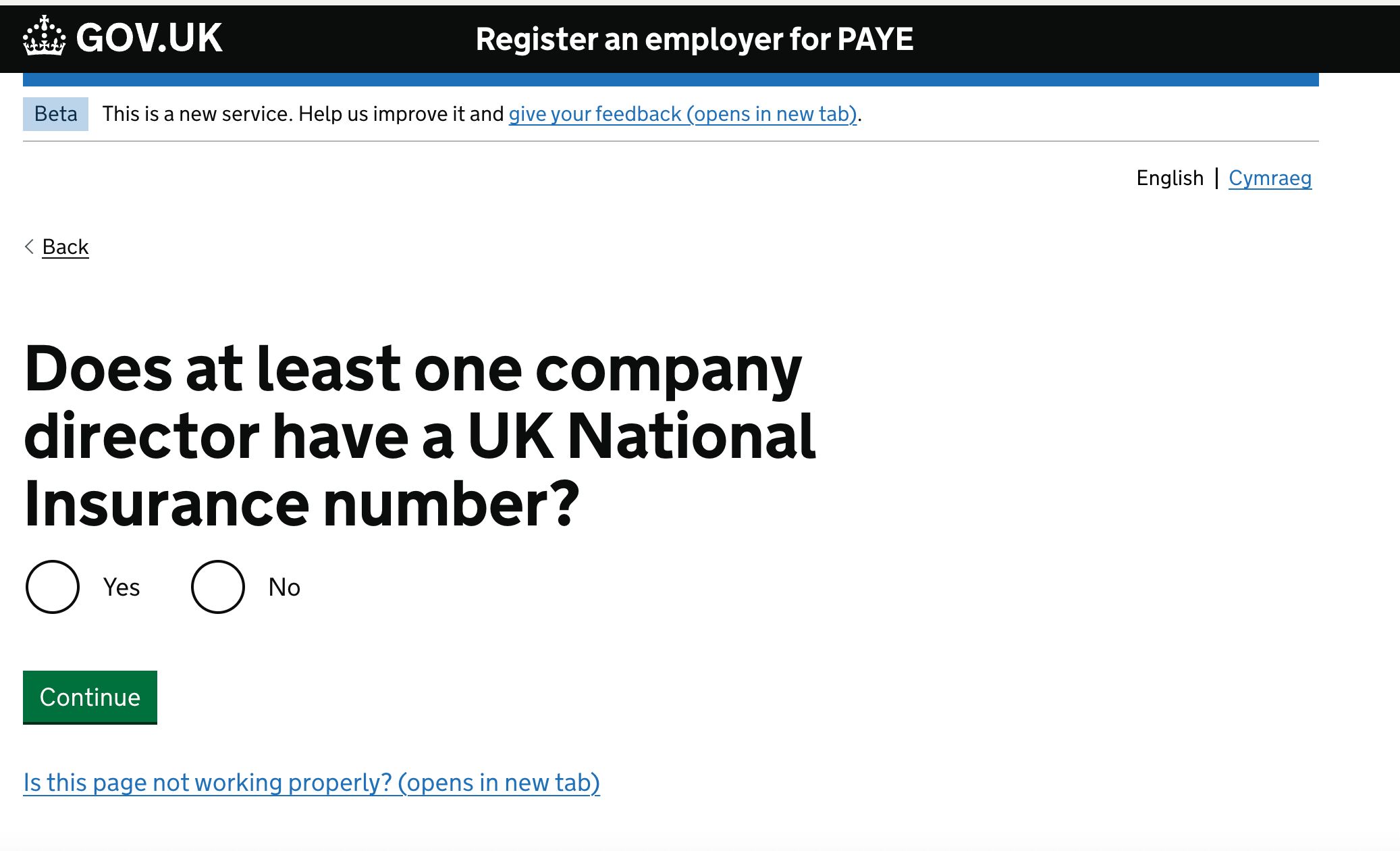
Step 4: Complete the PAYE application
Enter the requested business, employer and payroll information carefully.
Pay particular attention to the legal business details. Your PAYE scheme belongs to the employing entity, so the company or organisation named on the application needs to match the business that employs and pays the workers.
HMRC may ask different questions depending on whether you are registering a limited company, sole trader, partnership, charity or another type of organisation.
Step 5: Submit your PAYE registration
Review the information before submitting the application.
Keep any confirmation or application reference you receive. It can help if you later need to check the progress of your employer registration.
HMRC will create the PAYE scheme and send your employer PAYE reference after processing the application.
What happens after registering for PAYE?
Your PAYE registration creates the scheme, but there are still a few things to set up before you can run payroll.
You’ll receive your PAYE references
HMRC provides two employer identifiers that you will use regularly during payroll.
- Employer PAYE reference: It identifies your PAYE scheme and is used in payroll reporting and HMRC correspondence.
- Accounts Office reference: This is a 13-character reference connected with your PAYE account and is used when making PAYE payments to HMRC.
Keep both of these identifiers somewhere accessible to whoever manages payroll.
Set up PAYE Online
HMRC’s online service for employers is called PAYE Online.
If you register for PAYE as an employer online, HMRC automatically enrols you for PAYE Online. HMRC then sends an activation code by post within 10 days. You need to activate the service within 28 days of the date on the letter.
PAYE Online allows employers to do things such as:
- see what they owe HMRC
- check payment history
- access employee tax codes and notices
- view late reporting or payment alerts
- appeal certain penalties
Choose your payroll software
You will also need a payroll system. Employers running payroll themselves need software to record employee details, calculate pay and deductions, and report payroll information.
The payroll software uses your PAYE scheme details when sending reports to HMRC.
You can learn more about the actual calculations in our guide to calculating UK payslips.
Collect new starter information
Before paying a new employee, gather the information payroll needs.
This usually includes their personal details and P45. If they do not have a P45, you’ll normally use their starter declaration to determine how they should initially be treated for PAYE.
Our new starter checklist covers the information you need to collect when somebody joins your organisation. Your employee’s tax code will affect how Income Tax is calculated. See our guide to UK tax codes if you need help understanding the codes used in payroll.
Run your first payroll
Once your PAYE set up is complete, add your employees to the payroll system and calculate their first pay.
HMRC says employers running their own payroll should report pay and deductions on or before the first payday.
You normally register a new employee with HMRC by including their details on your Full Payment Submission, or FPS, the first time you pay them.

You will also need to give employees an accurate payslip. To more, read our explainer on payslips that covers what employees see on the document. Our employee payslip template can provide you with a practical example.
Managing payroll after PAYE registration
PAYE registration is usually a one-off task. Payroll administration starts immediately afterwards and repeats every time employees are paid. That means keeping employee information, salaries, absences, payroll changes, and documents organised matters from the beginning.
Factorial helps with payroll preparation using AI to bring together HR, finance, and IT processes in one place so admin is easier. The platform helps HR teams keep employee records and payroll information collected and secure, so changes made during the employee lifecycle can be prepared for payroll without relying on spreadsheets and email conversations.
You can also manage and distribute payroll documents digitally in bulk, making it easier for employees to access the information they need.
PAYE Registration FAQs
Register as an employer with HMRC through GOV.UK. Most limited companies with one to nine directors can complete their PAYE registration online.
Register before your first payday, but normally no more than two months before you start paying employees.
HMRC processing times can vary. Use HMRC's online response-time checker to see the current estimate for employer PAYE registrations.
Yes. Most limited companies with one to nine directors can apply for PAYE online. Other types of employer may be directed to a different registration route.
First register as an employer with HMRC. Then activate PAYE Online, choose payroll software, add your employees and report their pay and deductions through payroll.