Keeping track of the hours your employees work is essential to ensure you are paying them correctly, meeting compliance requirements, and maximising productivity. Thankfully, the days of using manual spreadsheets to keep all this essential information are long gone. In this article, we will take a look at the features and benefits of having a system in place and provide reviews of five of the best clocking-in systems in the UK.
Key Facts
- A clocking-in system is a tool for accurately recording employee working hours to ensure compliance with UK law and simplify payroll, which is a legal necessity for record-keeping.
- According to research, 25% of UK employees have received an incorrect pay cheque, with human error being the cause in 46% of cases.
- Automated clocking-in systems can reduce payroll errors by removing manual data entry, which accounts for 31% of payroll processes in UK SMEs.
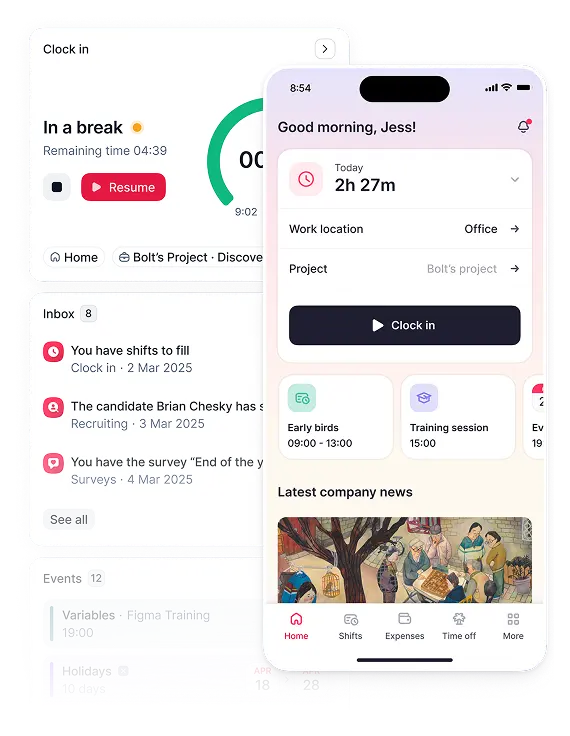
Table of Contents
- What Is a Clocking-In System?
- What to Look for in a Clocking-In System?
- Best Clock-In Systems for UK&I Employers in 2026
- Comparison Chart for Clocking-In Systems
- Types of Clocking-In System
- How Do You Choose the Best Clock-In System?
- FAQs
What Is a Clocking-In System?
Clocking-in systems are methods for accurately tracking the time employees spend working. Traditionally, employees used physical terminals to clock in for their shifts and clock out at the end of them. Now, many organisations use cloud-based digital apps that provide greater flexibility when employees work remotely as part of their roles.
Clocking-in systems support UK businesses by:
- ensuring accurate compensation
- monitoring punctuality, attendance, and productivity
- supporting compliance with labour laws around breaks and working time regulations
- automatically collecting data and reducing the administrative burden
What to Look For in a Clocking-In System?
When you are considering which clocking-in system to invest in, pay close attention to the following areas:
Ease of Use
Think about who will use your clock-in system. It needs to be intuitive for all employees, and especially those with accessibility needs or limited tech skills. Employee self-service is key— modern time and attendance software in the UK empowers workers to clock in with minimal manager intervention. Aim for clean interfaces with minimal steps to clock in and out. A more complex system will take longer to onboard and increase the risk of inaccurate records and complaints.
Reporting & Compliance
For employers in the UK, the system must support compliance with the Working Time Regulations 1998. Acas guidance confirms that employers must keep records to prove workers are not exceeding the 48-hour weekly maximum and that night work limits are respected. Look for tools that allow UK managers to automatically track and enforce statutory rest breaks (20 minutes for shifts over six hours), daily rest (11 hours between shifts), and weekly hours to ensure you meet your legal obligations.
As part of compliance, the best clock-in systems need to generate accurate reports. Reports on hours worked, breaks, absences, and overtime are essential tools for ensuring Working Time Regulations compliance and for providing information for PAYE audits and holiday calculations.
Integration with Payroll
Having automatic integration is critical for accuracy. Research shows that 84% of UK small businesses admit to making payroll errors, with 48% of those mistakes being incorrect wage calculations. A system that syncs directly with payroll eliminates manual data entry, making the process more efficient and ensuring calculations are consistently correct.
Scalability
It’s essential to choose a clocking-in system that can grow with your business to avoid unforeseen additional costs if you have to change systems. The best clocking-in system for small businesses may not be up to task for larger ones. Check the number of employees it can handle and whether it can deal with multiple locations and different types of contracts (such as temporary, part-time and zero hours). Future-proofing is a worthwhile approach if you plan to grow, franchise, or add remote teams.
Mobile vs. Hardware
The method you chose needs to support your workforce. Mobile systems that can be used on phones or tablets can use GPS to confirm location and support remote or field-based employees. Hardware, such as card readers or biometric time clocks, reduces the risk of people clocking in for someone else or at different locations, and it works well for fixed sites such as factories or warehouses. Some systems will support both mobile and hardware options.
Anti-Fraud & Data Protection Measures
Whatever system you choose needs to comply with UK GDPR. Employee data, including time data, is legally protected. It should be stored securely (encryption and backups are essential) with role-based access. Likewise, clocking-in systems need to be accurate and minimise the opportunities for people to manipulate information about their working hours. GPS timestamping, biometric options that use fingerprint or facial recognition, and automatic alerts for anomalies all help prevent time theft, such as ‘buddy punching’. Gitnux reports that time theft is a significant issue, with some UK estimates suggesting it costs businesses billions annually. A secure system protects both the business and its employees by ensuring records are accurate and indisputable.
Alerts & Notifications
It might sound obvious, but it’s worth checking that the system you are looking at will alert you when people cross an overtime threshold, don’t clock out when they should, or there is an unusual trend in how someone is working. Systems that quickly alert you to potential issues help you mitigate associated risks, including payroll errors and non-agreed overtime.
Best Clock-In Systems for UK&I Employers in 2026
Luckily, in 2026, there are plenty of available options for UK&I employers when it comes to the best clocking-in systems. Choosing the right one for your team is the difficult part. Luckily for you, we’ve compiled a list of the best clocking-in systems for you to implement in 2026.
Factorial
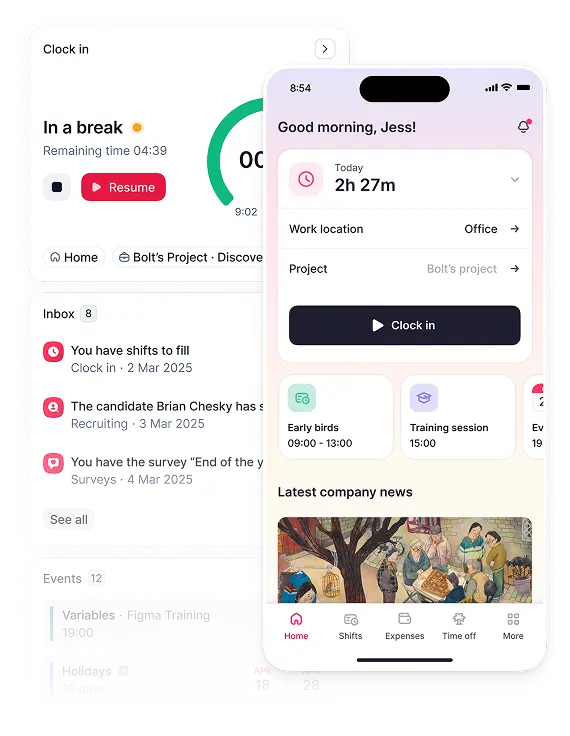
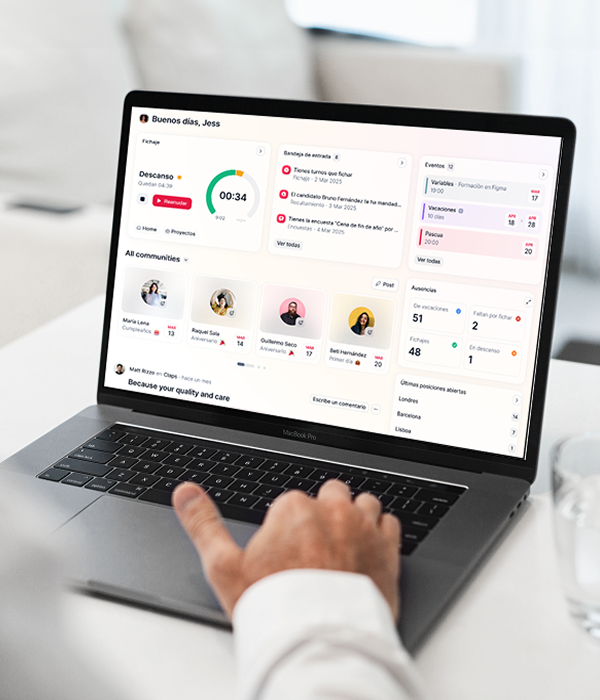
Factorial’s business management software and AI agent are designed specifically to support small and medium-sized businesses that want an integrated clocking-in and -out system that allows employees to track their time via a number of flexible options. The system includes time and attendance functionality as part of the broader suite of tools to support workforce management, such as secure record keeping, leave and performance management, and learning and development tools.

Best for
- Growing companies looking for a comprehensive, all-in-one HR ecosystem with fully-integrated time tracking.
Pros
- Supports UK compliance regulations and provides accurate reports.
- Flexible options include QR codes, desktop entry, mobile apps, and tablet kiosks.
- Integrates HR workflows with time tracking.
Cons
- Additional costs for advanced features.
- Less detailed support for scheduling available.
Price
- Factorial offers a modular, per-employee-per-month pricing structure, which starts at £5.40. See pricing plans for more information.
Deputy
Deputy is a cloud-based workforce management platform that supports clocking in, breaks, leave management, shift scheduling and rota management. It’s popular with shift-based workforces, such as those in retail, hospitality, and healthcare, due to the flexibility it offers. These include mobile apps for phones and a tablet kiosk with facial recognition to prevent employees from touching anything.
Best for
- Flexibility of methods for clocking in, including touchless options.
Pros
- Robust compliance support.
- Multiple options for clocking in, including facial recognition.
- Detailed reporting options.
Cons
- Costs can add up with the different options available.
- A more complex system can make the learning curve steeper.
Price
- Pricing starts from £3.25 per user per month for the Lite plan when billed annually. A minimum monthly spend of £20 applies to all monthly plans.
- 30-day free trial available.
TimeStation
TimeStation is a simple, easy-to-use time-tracking and attendance system popular with small to medium-sized businesses. Its system supports employees in clocking in and out easily using mobile devices, tablets, and printed cards, catering to all needs. The cloud-based software provides reports based on real-time data, and uses GPS tagging and offline options to make life as easy as possible for employees to use.
Best for
- Easy to set up and start using immediately
Pros
- Cost-effective.
- Intuitive interface with minimal onboarding required.
- Flexible clocking-in options.
Cons
- Fewer advanced features and more limited reporting tools.
- Harder to use at scale.
Price
- TimeStation offers a free plan for up to 10 employees and 2 administrators. Paid plans are priced in US dollars, starting at $19.95 per month for up to 20 employees and scaling up to $59.95 for 200 employees.
- Free trial available
Timely
Timely is a cloud-based workforce management tool that uses AI-enabled automatic time capture to track time spent on projects without the need for manual clocking in and clocking out. The system also organises the data it receives so that work activities can be allocated to billing, payroll, planning, and reporting. By minimising the effort required from employees to complete timesheets, Timely reduces the chance of manual errors while saving time. Intelligent timesheets can be generated accurately, quickly, and with complete transparency.
Best for
- Generating accurate timesheets quickly
Pros
- Automatic time capture without needing to actually clock in.
- Privacy-focused tool builds trust.
- Intuitive interface is easy to use.
Cons
- Not a classic clocking-in system.
- Offline capability is limited.
Price
- When billed annually, Timely’s pricing starts at $9 per user per month for the Starter plan, $16 for Premium, and $22 for Unlimited. Monthly billing prices are slightly higher.
- 14-day free trial.
Clockify
A well-known and popular option for time tracking, Clockify has a positive reputation as a free time tracking tool that supports individuals and teams to record their hours via manual entries or timers. It can be used on desktops, mobile apps, and as an extension in your browser, making it easy to access, and integrates with billing and finance, communication and project management tools.
Best for
- Comprehensive free plan.
Pros
- Good free plan includes unlimited users, projects, and basic reporting. (timely.com)
- Flexible reporting options.
- Multi-platform support
Cons
- Less robust in terms of compliance and users’ ability to manipulate the data.
- Reporting can become overwhelming.
Price
- Clockify offers a comprehensive free plan. Paid plans, when billed annually, start at $3.99 per user/month for Basic, $5.49 for Standard, $7.99 for Pro, and $11.99 for Enterprise.
- Free trials are available if you are considering upgrading.
Comparison Chart for Clocking-In Systems
| Platform | Key Highlight | Price |
| Factorial | Clocking-in system fully integrated into a broader, comprehensive suite of HR products | From £5.40 per employee per month |
| Deputy | Flexible methods for clocking-in | From £3.25 per employee per month (annual billing) |
| TimeStation | Easy to set up and start using | Free plan, then from $19.95 per month (USD) |
| Timely | Speedy and accurate timesheets | From $9 per user per month (USD, annual billing) |
| Clockify | Free option available | Free plan, then from $3.99 per user per month (annual billing) |
Types of Clocking-In System
There are many different types of clocking-in systems, ranging from paper versions to hardware machines to cloud-based applications:
Biometric Systems
These use biological data such as facial recognition, eye scans, or fingerprints to confirm that the employee is who they say they are, reducing the chances of ‘buddy punching’ where someone clocks in for another person. Biometric time clock devices are popular for accuracy and fraud prevention in time and attendance software UK deployments.
Mobile Apps
Apps on phones or tablets can be used remotely to clock in and out, making them a suitable option for organisations with remote or field-based workers. GPS and georeferencing can be used to improve accuracy. Mobile apps often use QR codes, which an employee scans to log their start and end times.
Web-based Systems
Similar to mobile apps, web-based systems can be used remotely on computers, tablets, and phones. These systems can often integrate directly into payroll and scheduling applications as well.
RFID/Proximity Card Systems using Kiosks
Radio frequency identification (RFID) is a wireless technology that allows data to be communicated via cards or tags to be received, read, and stored. These systems offer a quick, cost-effective method to track employees’ presence on site.
Punch Cards & Manual Clocks
Considered old-school, traditional systems, these are physical cards that are stamped with the date and time to create a paper record of when an employee is present for work. The paper nature of this method makes it prone to inaccuracy, as it is easier to lose or manipulate.
How Do You Choose the Best Clock-In System?
Choosing the best clocking-in system for your company can be hard. Here’s a quick checklist to guide your thinking and ensure that you don’t forget anything vital.
| Company size and structure | How many employees, what are the different shift patterns and contracts, and what are the growth expectations? |
| Budget and pricing model | What level of investment is possible, and what is the appetite for additional features at extra cost? |
| Workforce location | Where do teams work? Will they clock in from different locations at different times? What is the easiest way for them to clock in? |
| Payroll integration | How will the system talk to existing finance and billing operations? |
| UK compliance | Can the system fully support accurate records and store them securely in line with GDPR requirements? |
| Reporting | How easy is it to view data on your team and generate reports? |
| Ease of use | What are the training requirements and customer support, and how intuitive is the interface? |
Using Factorial to Simplify Clocking In
As we’ve seen, tracking attendance is essential for businesses to ensure accurate payroll runs, understand trends in working patterns and absences, and to maximise productivity within a legally compliant framework.
Factorial’s software ensures that clocking in is simple and efficient for employees, while giving employers a clear, reliable view of how time is being spent across the organisation. Beyond tracking time, Factorial combines attendance data with a centralised employee database, leave management, performance tracking, and compliance tools. Added to this, its AI-assistant, One, helps you make informed, data-driven decisions, reducing the time spent in administration and allowing managers and HR to focus on the business objectives.

FAQs
Do UK businesses need a clocking-in system?
While not legally mandatory, UK businesses must keep accurate records of hours worked, breaks, and holiday pay. A reliable clocking-in system is one of the most effective ways to meet these legal obligations and ensure compliance with working time regulations.
How do employee clocking-in systems improve payroll accuracy?
Clocking-in systems capture exact hours worked, reducing human error from manual timesheets and preventing time theft. When integrated with payroll, this data flows automatically into pay calculations, ensuring employees are paid correctly and consistently without the need for manual data entry.
How does a clocking-in system work?
A clocking-in system records an employee’s start times, end times, and breaks using methods like mobile apps, QR codes, or tablet kiosks. The system automatically calculates total hours worked, flags potential issues, and generates accurate timesheets and reports for managers.
What are the benefits of clocking-in systems?
Key benefits include more accurate payroll, improved legal compliance, and better visibility into attendance trends. These systems reduce administrative time and provide reliable data for disputes, while also building employee trust through fair and consistent pay calculations.