Time and attendance systems have become a core part of workforce management for businesses across the UK and Ireland. In 2026, employers need to track working hours accurately and manage them efficiently without creating more admin for HR and payroll teams.
Choosing a platform isn’t easy. Some of them focus on simple time tracking, while others combine attendance, leave, rotas, payroll preparation, and HR in one place. The best option is not always the one with the longest list of features or the lowest price, but the one that fits the needs of your business and supports your plans for growth.
This guide compares the best time and attendance systems for UK and Irish businesses in 2026, including key features, pros, cons, and pricing.
What is a Time and Attendance System
A time and attendance system is software that records when employees start and finish work, along with rest breaks, overtime, lateness, and absences. This way you don’t have to rely on spreadsheets or paper timesheets. These platforms create a digital record of attendance that managers, HR teams, and payroll staff can review in one place.
Time and attendance systems today do far more than give your team a way of clocking in and out. Many include mobile apps, web-based timesheets, GPS tracking, geofencing, rota planning, leave management, and integrations with payroll or HR software. For UK and Irish businesses, this matters because of working time regulations and rest breaks. This is important because keeping records can become harder to manage once a company starts growing or operating across multiple sites.
The best tools also improve visibility into your business. Rather than simply logging hours worked, they help businesses compare scheduled versus actual hours, track overtime, identify trends in absences, and stop things like buddy punching or missing timesheets from causing problems.

Benefits of using a Time and Attendance System
Using a time and attendance system has many benefits. These benefits go well beyond replacing paper timesheets. Here are a few of the most important ones:
- Less time wasted on manual administrative work: You can automate clock-ins, approve time off, and export info for payroll. That means less time spent chasing missing timesheets or fixing errors.
- Make payroll more accurate, faster: Because hours are recorded in one dashboard, businesses can cut down on errors like underpayments, overpayments, and avoid disputes about overtime or work breaks.
- Demonstrate compliance with regulations: Records are easier to maintain and review. This helps with compliance with working time policies, rest rules, and other requirements.
- Improve visibility of labour and trends: Managers can see patterns in attendance, lateness, overtime, and absence earlier, which helps with staffing decisions and cost control.
- Create a smoother experience for every employee: Self-service features let employees clock in from mobile, request leave, check shifts, and view attendance records without going through HR every time.
- Scale your operations more easily: As companies grow, time and attendance systems make it easier to manage multiple teams, sites, and work patterns without rebuilding processes from scratch.
Time and Attendance System Comparison Chart
The table below gives a quick side-by-side view of the main tools covered in this guide.
| Tool | Best for | Core strengths | Pricing |
| Factorial | Growing SMEs that want HR and time in one platform | Time tracking, leave, rotas, payroll prep, AI agent One | Starts at £5.40 per user/month |
| BrightHR | UK SMEs wanting HR support plus basic attendance and rotas | Clock-in app, rota planning, absence tracking, HR support | Pricing only available when you request a custom quote. |
| Sage HR | Businesses already using Sage tools | Modular HR, time tracking, leave, scheduling | Pricing only available when you request a custom quote. |
| Deputy | Shift-based and multi-site teams | Scheduling, mobile clock-ins, compliance-focused workforce management | Pricing only available when you request a custom quote. |
| Clockify | Budget-conscious and project-based teams | Free plan, timesheets, simple reporting, broad integrations | Paid plans start from around $3.99 per user/month |
| Connecteam | Deskless and field-based teams | GPS clock-in, geofencing, shifts, communications | Paid plans start from around $29/month for a set number of users |
| edays | Businesses with complex absence and leave needs | Absence management, policy controls, reporting | Pricing only available when you request a custom quote. |
| Hubstaff | Remote, hybrid, and field teams needing location and activity data | Time tracking, GPS, payroll automation, reporting | Starter plan from around $7 per seat/month |
*Pricing can change. Always do your own research and consult the website of each vendor before making a decision.
Best Time and Attendance Systems for UK&I
Now that you have a broad overview of the covered options in this guide, lets take a look at each platform in more detail.
1. Factorial
Overview: Factorial is one of the strongest all-round options for UK and Irish SMEs looking for a time and attendance software because it combines time and attendance with broader HR tools in one platform. Instead of buying a standalone clocking system and then connecting it to separate leave, documents, and HR processes, businesses can manage attendance, track absences, store employee records, and do payroll preparation from a single dashboard.
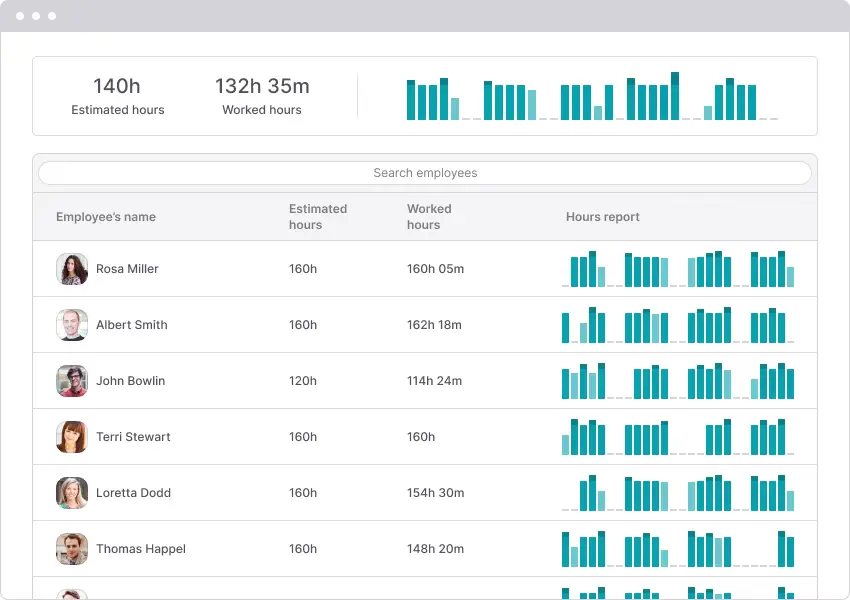
This all-in-one approach is especially useful for companies that want to keep systems simple as they grow. Factorial works well for organisations that need reliable clock-in and approval workflows, but also want room to add HR, performance, onboarding, or reporting features later.
Main features of Factorial
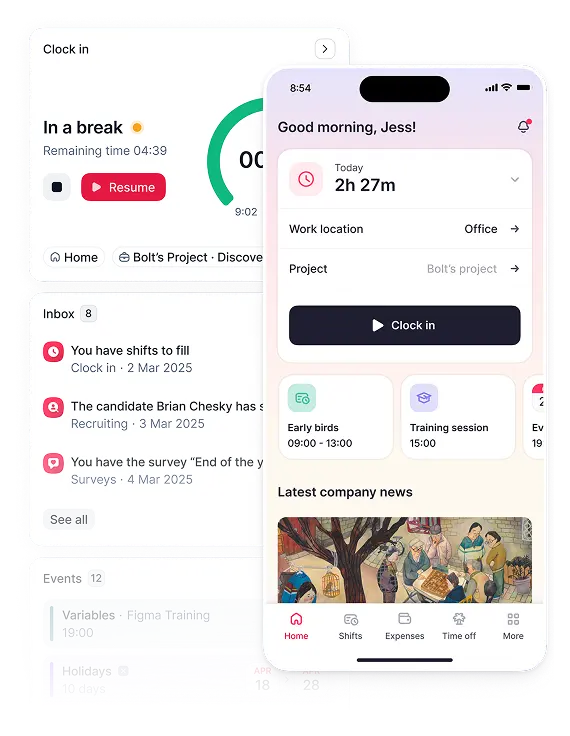
- Web and mobile time tracking.
- Shift and rota management.
- Leave and absence management.
- Central employee records and document management.
- Payroll-ready reporting and exports.
- AI agent which helps analyse workforce data, identify issues, and automate repetitive people tasks.
Factorial’s AI agent called One is worth giving an extra mention because it adds a way to interact with your data that many attendance tools lack. Rather than just storing time data, it helps teams interpret it faster by surfacing insights, highlighting trends, and making repetitive tasks even faster. You can basically use it to have a conversation with your platform and give it tasks by prompting it in plain English.
Pros
- Strong all-in-one HR and attendance platform.
- Well suited to growing SMEs in the UK and Ireland.
- Employee self-service.
- AI-powered support through One.
- Easier to scale than using separate tools for time, leave, and HR records.
Cons
- May be broader than needed if you only want a very basic clocking tool
- Businesses with highly complex sector-specific workforce rules may still want to compare specialist scheduling tools.
Pricing
Plans start at £5.40 per user/month. Costs increase depending on the modules and features you add.
2. BrightHR
Overview: BrightHR is a well-known choice for time and attendance systems in the UK market, particularly among small and medium-sized businesses looking for a practical HR platform with time and attendance features. It combines clocking, holiday tracking, and rota management with broader HR support and compliance resources.
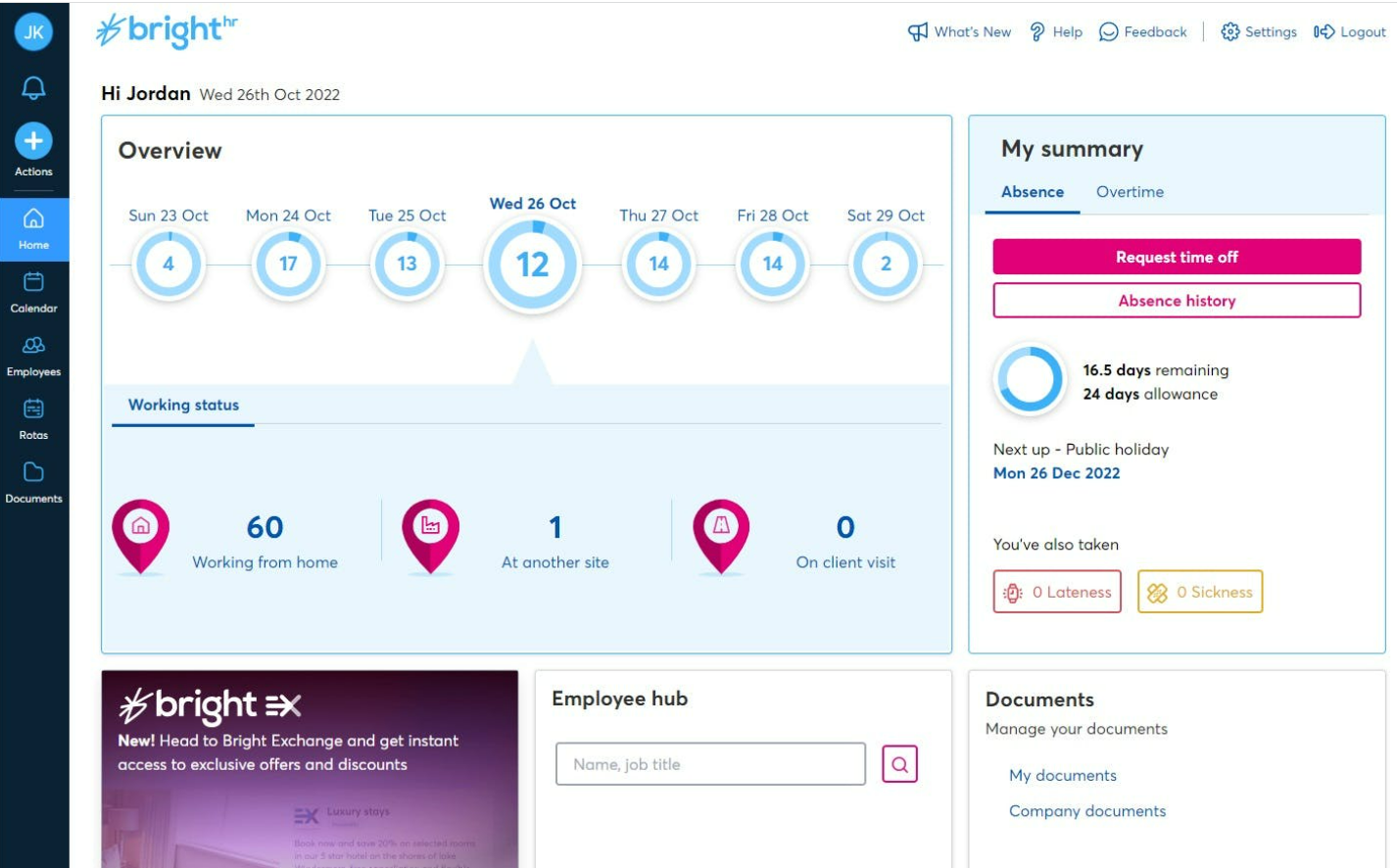
Its appeal is strongest for companies that want something local and familiar. BrightHR is less about advanced workforce analytics and more about helping employers run everyday people admin with less friction.
Main features
- Mobile and app-based clock-in tools.
- Holiday and sick leave tracking.
- Rota and shift planning.
- Document storage and HR record management.
- UK-focused HR support features.
Pros
- Strong UK market presence.
- Useful combination of HR basics and attendance tools.
- Good fit for smaller businesses that want support as well as software.
- Easy for employees to use on mobile.
Cons
- Not as strong as specialist workforce platforms for complex scheduling.
- Contract structure and pricing transparency can feel less flexible than newer SaaS tools.
Pricing
Pricing only available when you request a custom quote.
3. Sage HR
Overview: Sage HR is a modular HR platform that includes leave management, scheduling, and time tracking. It is most attractive for organisations already using Sage products, because the wider ecosystem can simplify payroll and reporting.
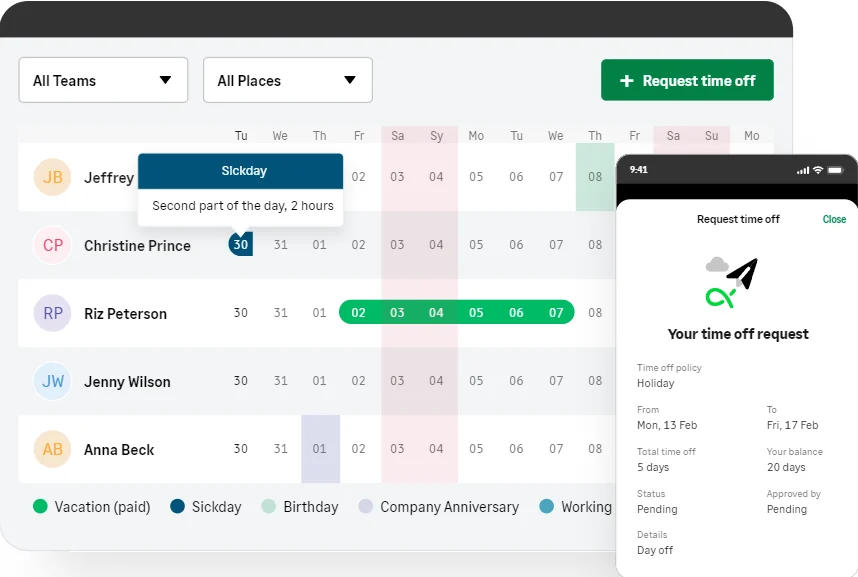
For UK&I employers, Sage HR can make sense when the business wants a recognisable platform with solid HR foundations rather than a highly specialised attendance engine. It is not the flashiest option in the category, but it is a practical one for businesses that value stability and integration.
Main features
- Employee time tracking and timesheets.
- Leave and absence management.
- Shift scheduling.
- HR records and workflows.
- Integrations and compatibility with Sage tools.
Pros
- Good fit for businesses already in the Sage ecosystem.
- Modular structure lets teams add only what they need.
- Suitable for businesses that want HR and attendance in one environment.
Cons
- Less compelling if you do not already use Sage.
- Workforce management depth is not as strong as some shift-first platforms.
Pricing
Pricing only available when you request a custom quote.
4. Deputy
Overview: Deputy is one of the most established workforce management tools for shift-based businesses. It is especially popular in hospitality, retail, and other operational environments where rota planning, coverage, overtime, and attendance all need to work together.
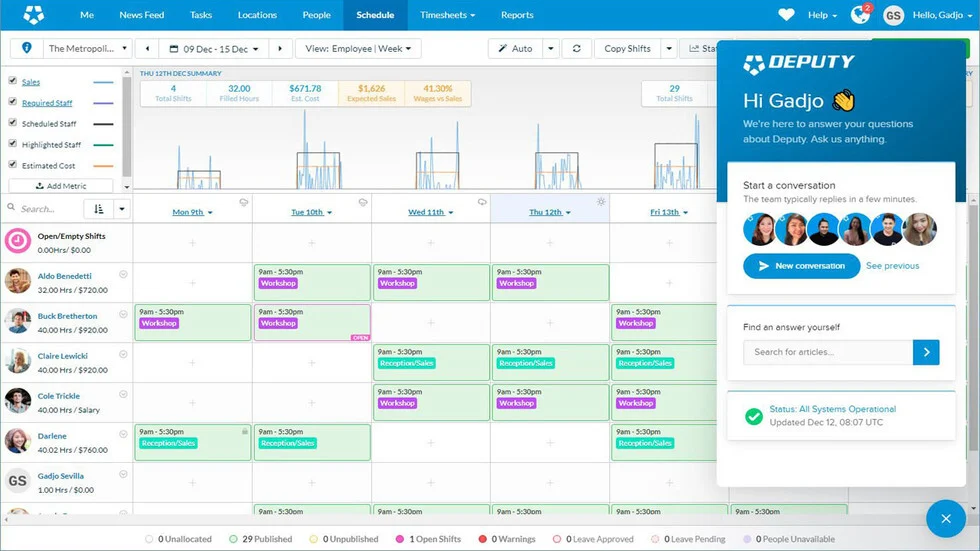
Compared with broader HR suites, Deputy is more focused on frontline workforce execution. That makes it a strong contender for businesses that care most about scheduling accuracy, shift compliance, and mobile clock-ins across several sites.
Main features
- Drag-and-drop rota and scheduling tools.
- Mobile clock-in and clock-out.
- GPS, kiosk, and verification options.
- Overtime and attendance rule controls.
- Timesheet approval workflows.
- Payroll integrations.
Pros
- Excellent scheduling capability for shift-based teams.
- Well designed for multi-site operations.
- Strong mobile-first experience.
- Better operational depth than many general HR platforms.
Cons
- Less of a full HR platform than tools like Factorial or Sage HR.
- Businesses wanting one system for all HR processes may need extra software.
Pricing
Pricing only available when you request a custom quote.
5. Clockify
Overview: Clockify is a widely used time tracking platform with a strong free plan, which makes it attractive to cost-conscious teams and smaller businesses. Although it is not built as a full HR or workforce management suite, it covers the essentials well for businesses that mainly need accurate time tracking and straightforward reporting.
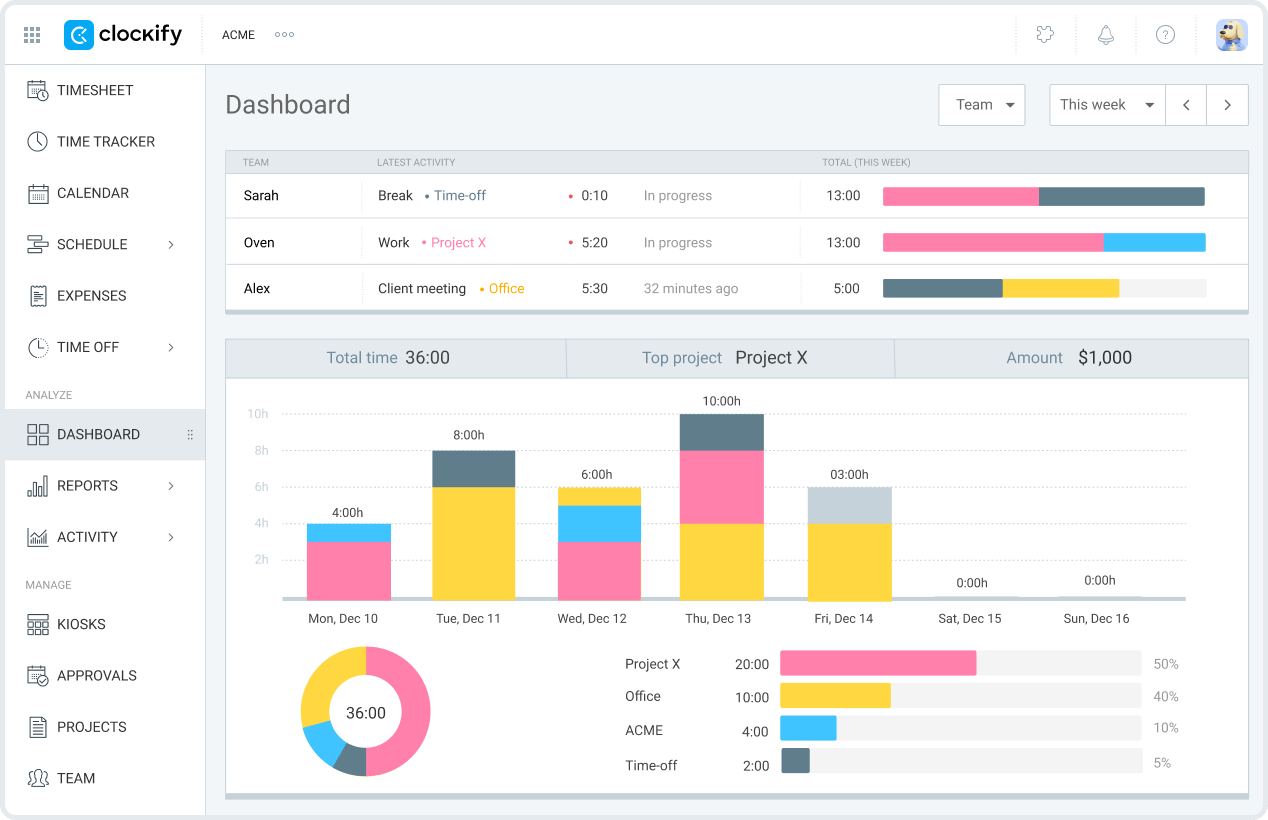
In UK&I terms, Clockify is best for hybrid office teams, agencies, consultancies, and project-based environments where time tracking overlaps with attendance and billable work. It is not the strongest option for highly regulated or shift-heavy operations, but it remains one of the best value choices on the market.
Main features
- Web, desktop, and mobile tracking.
- Timer-based and manual timesheets.
- Attendance and basic overtime reporting.
- Project and client tracking.
- Integrations with productivity and project tools.
Pros
- Very accessible free plan.
- Simple onboarding and easy everyday use.
- Useful for businesses that also want project-level visibility.
- Lower barrier to entry than most HR suites.
Cons
- Limited HR and compliance depth.
- Less suitable for advanced rota management or complex attendance policies.
Pricing
Clockify’s official pricing page lists a free plan and paid tiers starting from around $3.99 per user/month on annual billing.
6. Connecteam
Overview: Connecteam is designed with deskless and field-based teams in mind. It combines time tracking with scheduling, internal communications, forms, and operational tools, making it more of a frontline workforce platform than a simple attendance app.
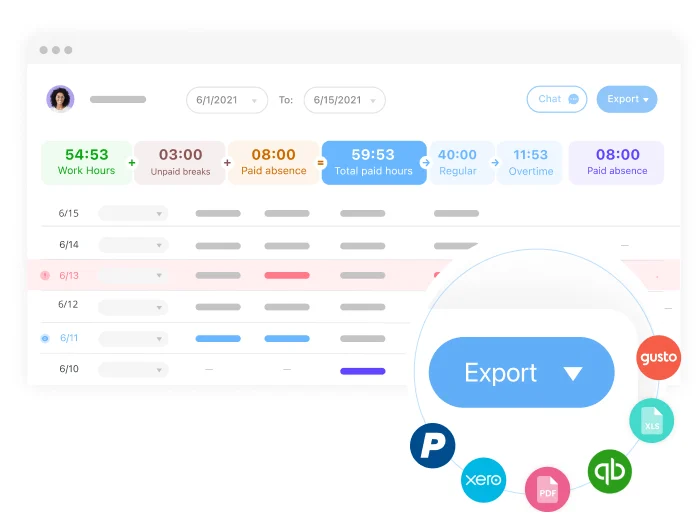
This makes it a strong option for businesses in construction, facilities, logistics, security, field services, and other mobile sectors. If your employees are rarely at desks and often need location-based verification, Connecteam has clear advantages over office-oriented systems.
Main features
- GPS-enabled time clock.
- Geofencing.
- Shift scheduling and open-shift management.
- Team communications and updates.
- Task lists, forms, and operational workflows.
Pros
- Strong fit for mobile and deskless workforces.
- Brings multiple frontline tools into one app.
- Good visibility for managers overseeing teams across different sites.
- More operationally useful than standard office-first attendance platforms.
Cons
- Can feel heavy for smaller office-based teams.
- Some businesses may not need the broader communications and task features.
Pricing
Connecteam’s official pricing page lists a free small-business tier and paid plans starting from around $29/month for a defined number of users, with higher tiers depending on modules and scale.
7. edays
Overview: edays is best known as an absence and leave management platform rather than a pure clock-in system. That means it plays a slightly different role in the time and attendance conversation, but it is still highly relevant for organisations where holiday rules, sick leave tracking, and policy complexity are major operational challenges.
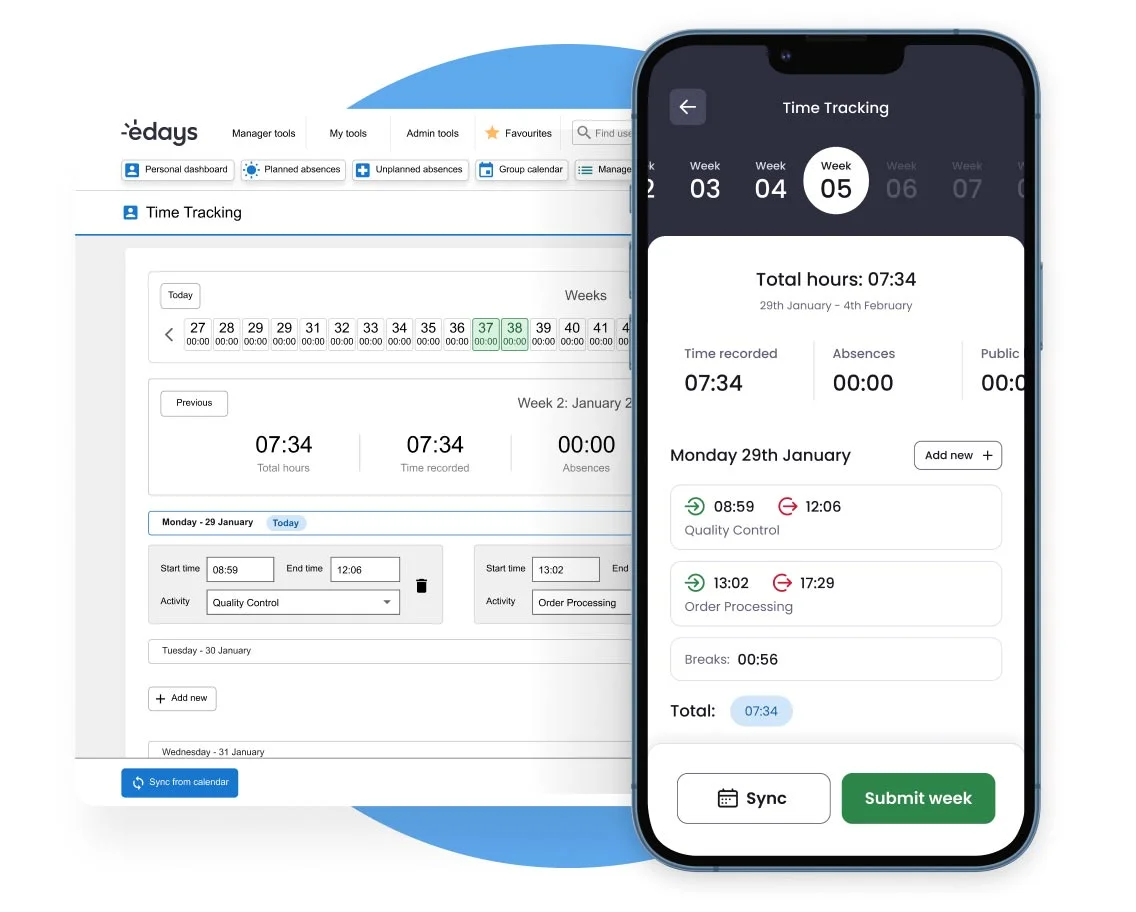
For UK and Irish businesses with different leave policies, multiple locations, or international teams, edays can add a level of control that simpler attendance tools often lack.
Main features
- Holiday and sick leave tracking.
- Policy controls and entitlement rules.
- Multi-location and multi-country support.
- Absence reporting and analytics.
- Integrations with HR and payroll platforms.
Pros
- Strong specialist absence management capabilities.
- Useful for businesses with complex leave policies.
- Better reporting depth on absence trends than many generalist tools.
Cons
- Not a full attendance clocking platform on its own.
- Often better as part of a broader HR stack than as a standalone answer.
Pricing
Pricing only available when you request a custom quote.
8. Hubstaff
Overview: Hubstaff focuses on time tracking for remote, hybrid, and field-based teams. It is especially useful when businesses want more visibility into how time is being spent, where work is taking place, and how attendance connects to payroll, projects, or field operations.
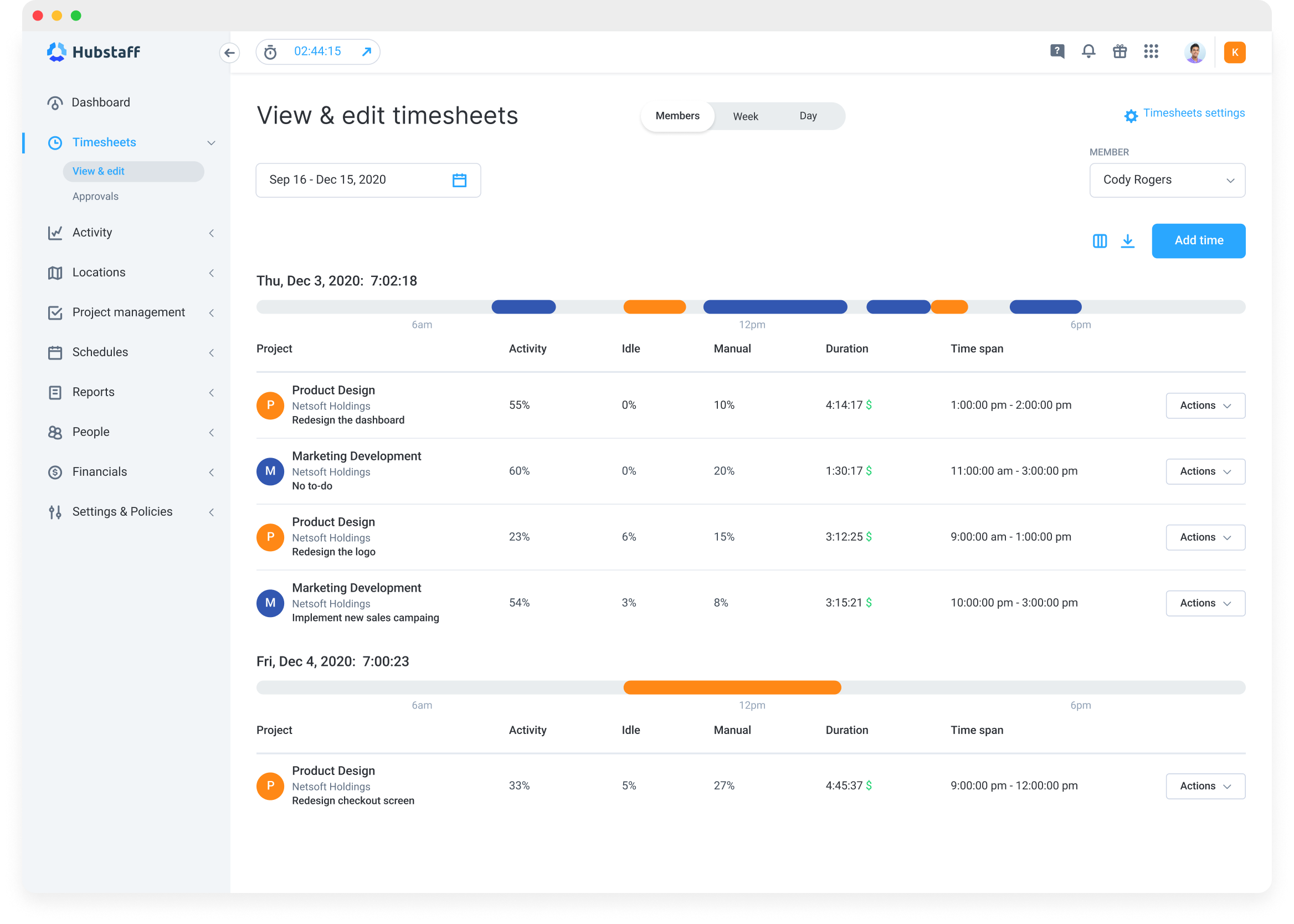
For UK&I employers, Hubstaff sits somewhere between a time tracker and a workforce oversight tool. It is a better fit for distributed teams and mobile operations than for businesses primarily looking for HR-led attendance management.
Main features
- Time tracking via desktop and mobile.
- GPS and geofencing for mobile teams.
- Timesheets and reporting.
- Payroll and invoicing support.
- Activity tracking for remote work visibility.
Pros
- Strong for distributed and field-based teams.
- Helpful reporting and payroll automation features.
- Good visibility over projects and labour time.
Cons
- Activity monitoring features may feel intrusive in some cultures.
- Not a full HR platform.
Pricing
Hubstaff’s official pricing page lists the Starter plan from around $7 per seat/month, with higher tiers for more advanced capabilities.
How to choose a Time and Attendance System in UK&I
The right time and attendance system depends less on which tool is “best” in general and more on which one fits your operating model. A 40-person hybrid setup will have different priorities from a 200-person staff or a field service business with mobile crews across several counties.
Start by looking at these five areas:
- Workforce type: Are your employees mainly office-based, shift-based, remote, or mobile?
- Operational complexity: Do you just need timesheets, or do you also need rotas, geofencing, approvals, and payroll-ready exports?
- HR integration: Do you want attendance as part of a larger HR stack, or do you prefer a specialist tool?
- Pricing transparency: Do you want to compare published prices upfront, or are you comfortable requesting tailored quotes?
- Scalability: Will the tool still work if you expand locations, headcount, or compliance requirements over the next two years?
Manage your time and attendance with Factorial
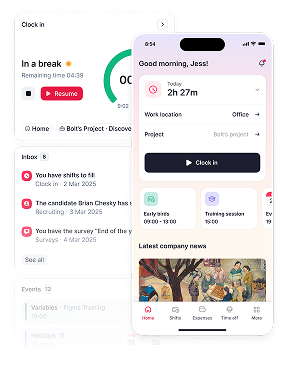
What makes Factorial stand out even more is its balance of usability and how it scales as your org grows. The inclusion of the AI agent One gives HR teams and managers more than raw attendance data; it helps turn that data into faster decisions, better workflows, and less repetitive admin.
That matters because most businesses are not just buying a clocking tool. They are trying to build a people operations system that can support growth, improve visibility, and simplify day-to-day management.
If your goal is to find a time and attendance system that works well now and still makes sense as your business grows, request a demo of Factorial and see the platform in action. Seeing it for yourself and having an expert to answer all of your questions will help you make an informed decision.
Disclaimer: The information presented on this page is based on publicly available sources. The comparisons between Factorial and other providers are intended solely for the illustration of the respective software features, pricing and functionalities. All information regarding features, prices, and integrations may be subject to change without prior notice. Factorial assumes no liability for the accuracy, completeness, or timeliness of the information presented. We recommend contacting the respective providers directly to obtain the most accurate and up-to-date information. All legal regulations regarding Spanish fair advertising and competition law are fully observed by us; if you have any concerns, please reach out to us. The comparisons presented do not constitute a final evaluation or recommendation for any provider, but serve solely as an informational source.