Recruiting software makes hiring easier by bringing all your work into one place. Instead of dividing your recruitment strategy up across spreadsheets, emails, and job boards, you can use a single tool to post jobs, track candidates, and keep hiring managers aligned. The best recruiting software helps you hire faster so your HR team can focus on speaking to people, instead of chasing paperwork. This improves candidate experience and cuts down on repetitive admin, which can lead directly to a happier team overall.
In this guide, you will learn which features to look for when comparing recruiting software and the best recruiting software options available in the UK, and how Factorial can help you manage both hiring and the rest of the employee journey.
What is recruiting software?
Recruiting software is a tool that helps you find, evaluate, and hire candidates in a more organised way. Cold outreach via email and spreadsheets can be inefficient, especially when you want to fill a position quickly, and job boards can be difficult to manage separately. When you use one system to post jobs, track applicants, and keep hiring managers aligned, it can make the hiring process much simpler from candidate selection to extending an offer and the induction of new employees into your organisation.
Most tools in this space are called Applicant Tracking Systems, or an ATS. They keep all candidate data in one place and show where each person is in your recruitment pipeline. Many ATS platforms today also add AI features to write job ads, screen CVs, and suggest top candidates, which saves time for HR teams and hiring managers. However, the best recruitment software is more than a simple ATS. It becomes part of managing your talent strategy as well as supporting the employee life cycle and giving your new team members the best start possible.
Features to look for in software for recruiting
When looking for the best recruiting software, it helps to focus less on jargon and more on the real, tangible benefits for your team. Here are some of the most important features to look for when choosing.
- Job posting and distribution: Publish job ads to your careers page, job boards, and social channels in a few clicks. This saves time and keeps job information consistent.
- Candidate pipeline tracking: Pipelines visualised with the likes of Kanban boards so you can move candidates across the different stages of the hiring process such as screening, interviews, and offers.
- Collaboration tools: Shared notes in one place collected from the interviews so recruiters and hiring managers stay aligned and make better decisions together.
- AI support for hiring: Generate job descriptions, automate CV screening, and match candidates to jobs automatically so you spend less time on this and more time talking to people.
- Compliance and data protection: GDPR-ready data storage, permission controls, and secure document management so you protect candidate information.
- Integrations: Links with HR systems, payroll, calendars, and video call platforms like Meet and Zoom so you can start and record calls directly and data is updated and accessible.
- Reporting and analytics: Metrics like time-to-hire, source of hire, and conversion rates across stages so you can improve your process over time.
Before you compare tools, list the features that you really need and the features that would be nice to have. This will help you choose a platform that fits your current needs but can still grow with your business.
Top recruiting software options
Below are ten recruiting software options that serve UK businesses. Each section includes an overview, key pros and cons, and pricing info where available.
1. Factorial
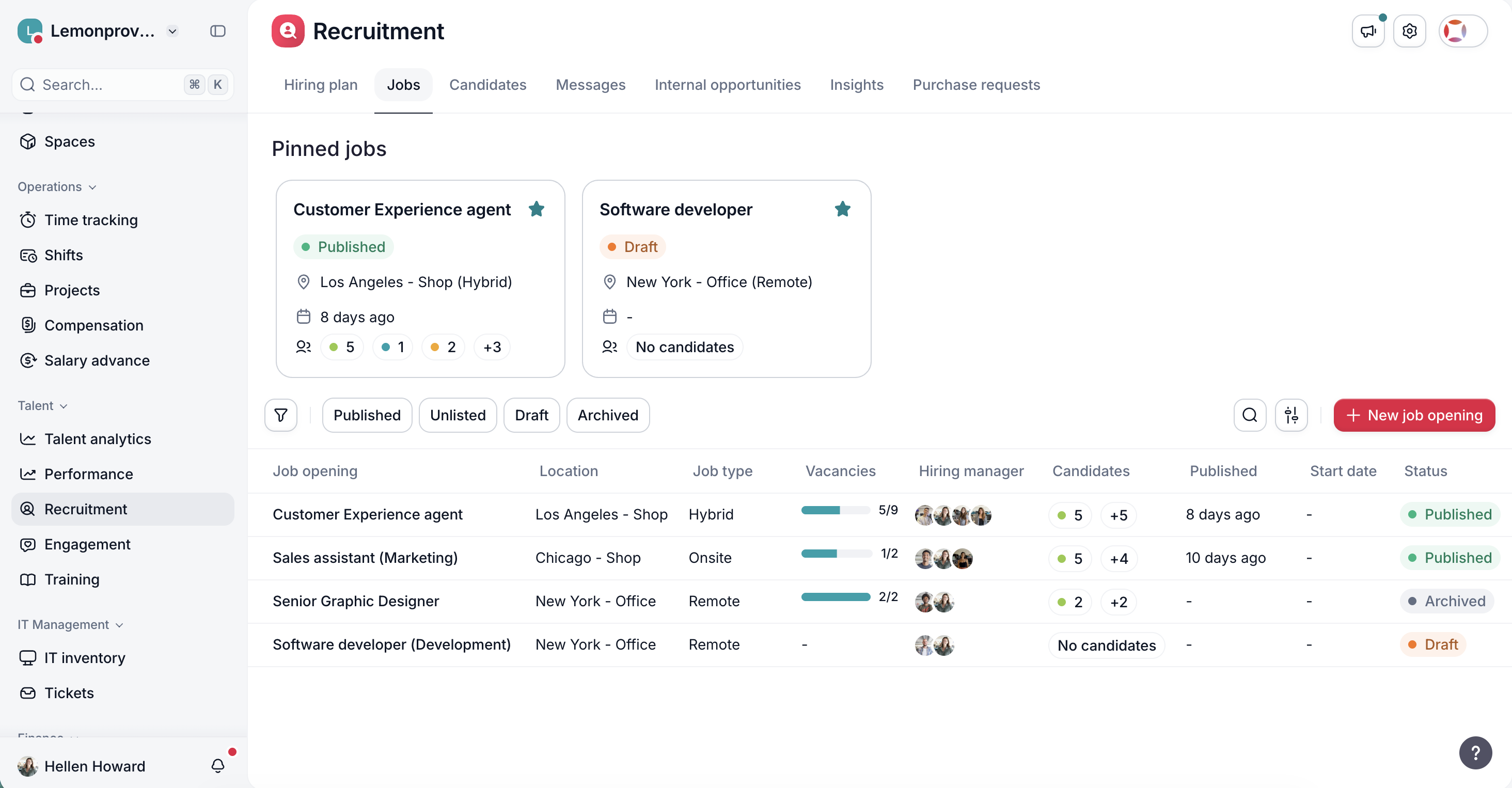
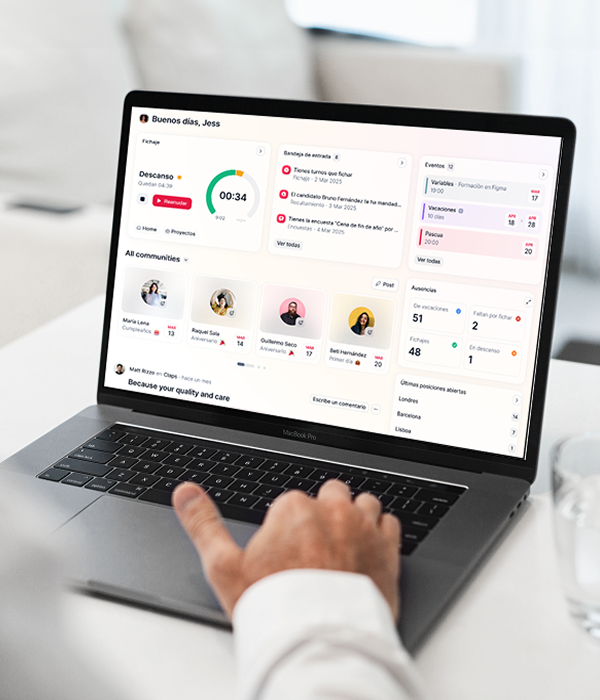
Overview: Factorial is an all-in-one HR and business management platform with a built-in Applicant Tracking System and AI features for recruitment and onboarding. It connects HR, finance, and IT so teams can manage hiring, onboarding, time, and devices in one system instead of many separate tools. As a recruitment software, Factorial gives you AI-generated job descriptions, AI-based CV screening, and candidate matching, plus onboarding workflows once you hire someone.
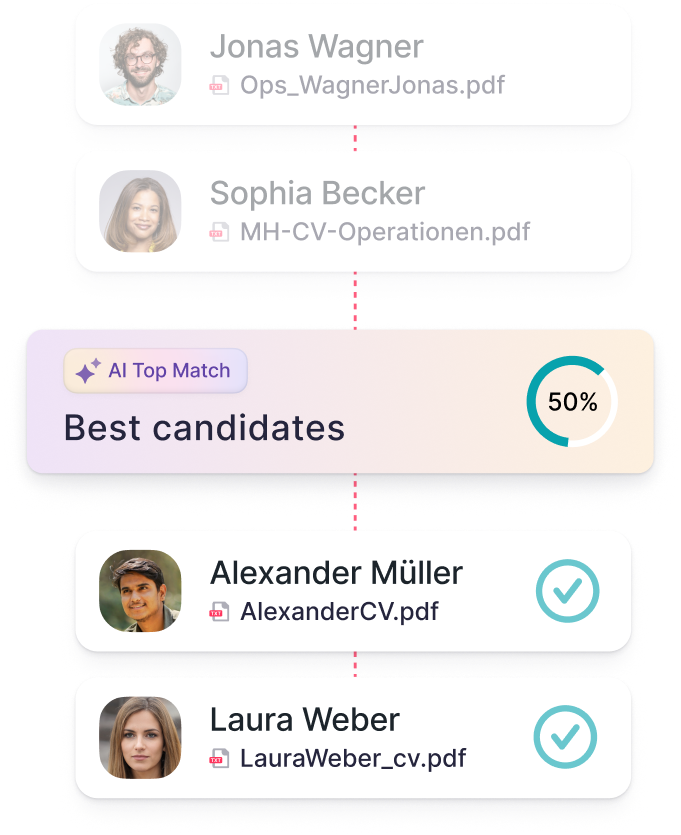
Factorial’s AI makes it one of the best recruiting software options today. It can generate job ads, suggest competencies for interview questions for each role, filter CVs, and summarise candidate profiles so hiring managers can review job applications faster. It also helps teams automate onboarding tasks, from documents and device setup to access to tools, so new hires become fully productive at a faster pace.
Pros
- AI suggests job descriptions and screening questions
- AI-assisted CV screening, candidate matching, and search
- Can integrate other modules to support the entire employee life cycle in one place
- AI agent “One” can answer questions in seconds using your own company data
- Designed for international companies that want to connect recruitment with the full employee journey
Cons
- Much more than recruitment, so teams that only want basic ATS may not need it
- Implementation requires time to set up workflows and permissions
Pricing
Factorial starts from £5.4 per employee per month for the core plan. Request a personalised demo for a plan tailored to your organisation.
2. Workable
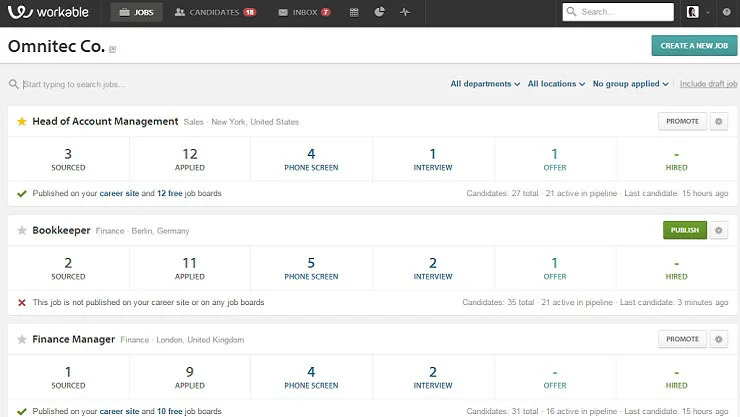
Overview: Workable is a global ATS used by many small and mid-sized companies. It focuses on job distribution, candidate pipelines, and collaboration between hiring managers and recruiters. It also includes AI features for sourcing and screening and connects to many job boards and HR tools.
Pros
- Post jobs and distribute them to many job boards from one place
- Use clear pipelines, interview scheduling, and collaboration features for hiring teams
- Use AI tools to source and shortlist candidates faster
Cons
- Costs may rise as you use it more and size of team grows
- Advanced features and integrations at higher-tier plans
Pricing
Price only available in USD. Standard plan starts from $360 per month and depends on number of employees.
3. Greenhouse
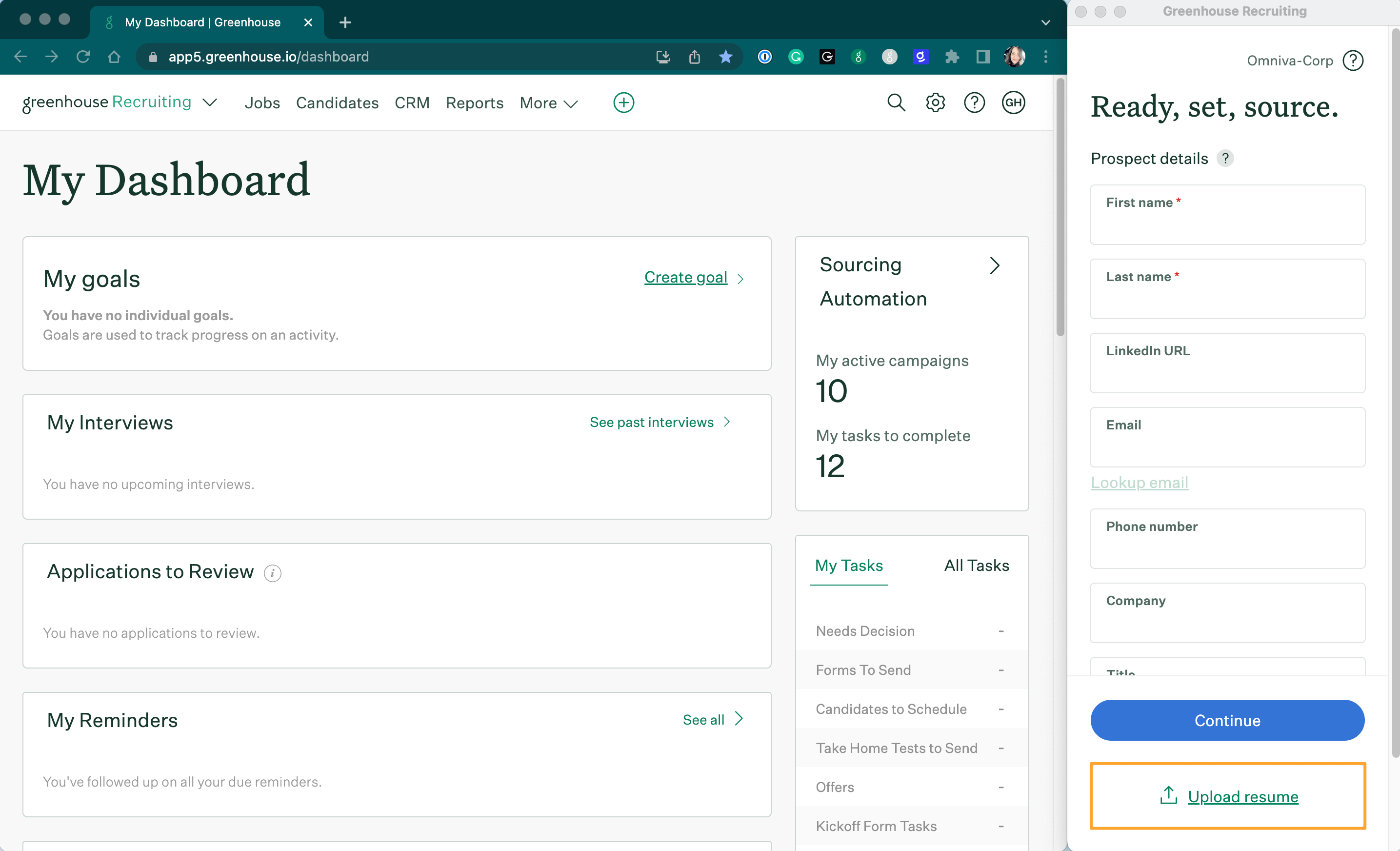
Overview: Greenhouse is an ATS and recruiting platform aimed at larger companies. It supports structured processes, interview scorecards, and complex workflows for high-volume or multi-country hiring. It is often used by teams that treat recruiting as a core business process, which means it is a close contender for best recruiting software.
Pros
- Run structured interviews and keep evaluation consistent across teams
- Connect Greenhouse with HR systems, background checks, and other tools
- Use it for high-volume, multi-location hiring with built-in compliance and reporting
Cons
- Request a quote and factor in implementation and add-ons
- Plan for a longer implementation with internal resources involved
Pricing
Greenhouse does not publish pricing.
4. Cezanne HR
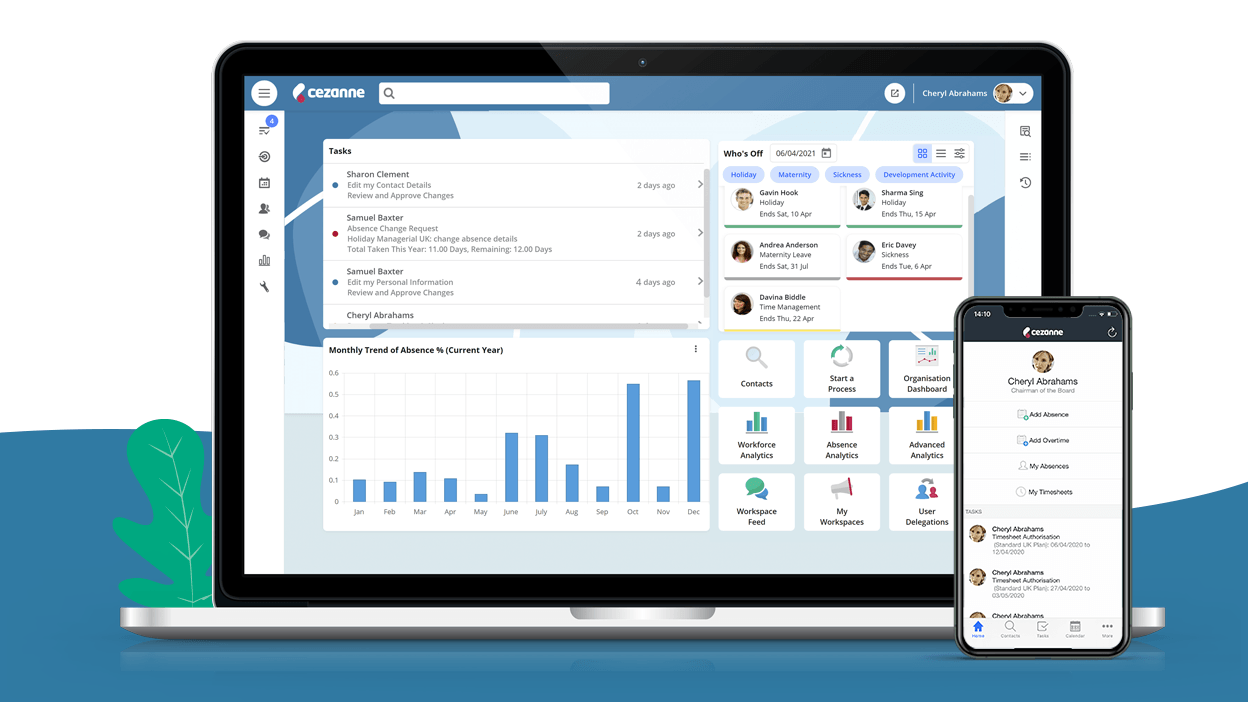
Overview: Cezanne HR is an HR and recruitment platform for small and mid-sized businesses in the UK and Ireland. It focuses on simple job posting, pipelines, and collaboration and is intended to be easy to use without specialist HR staff.
Pros
- Uses local job boards and keep processes aligned with GDPR.
- Use a simple interface that smaller and non-technical teams can handle.
- Manage the hiring flow from posting roles through to making offers.
Cons
- Fewer integrations and resources than with large global ATS tools.
- Basic analytics and workflows
Pricing
Public pricing info not available.
5. Pinpoint
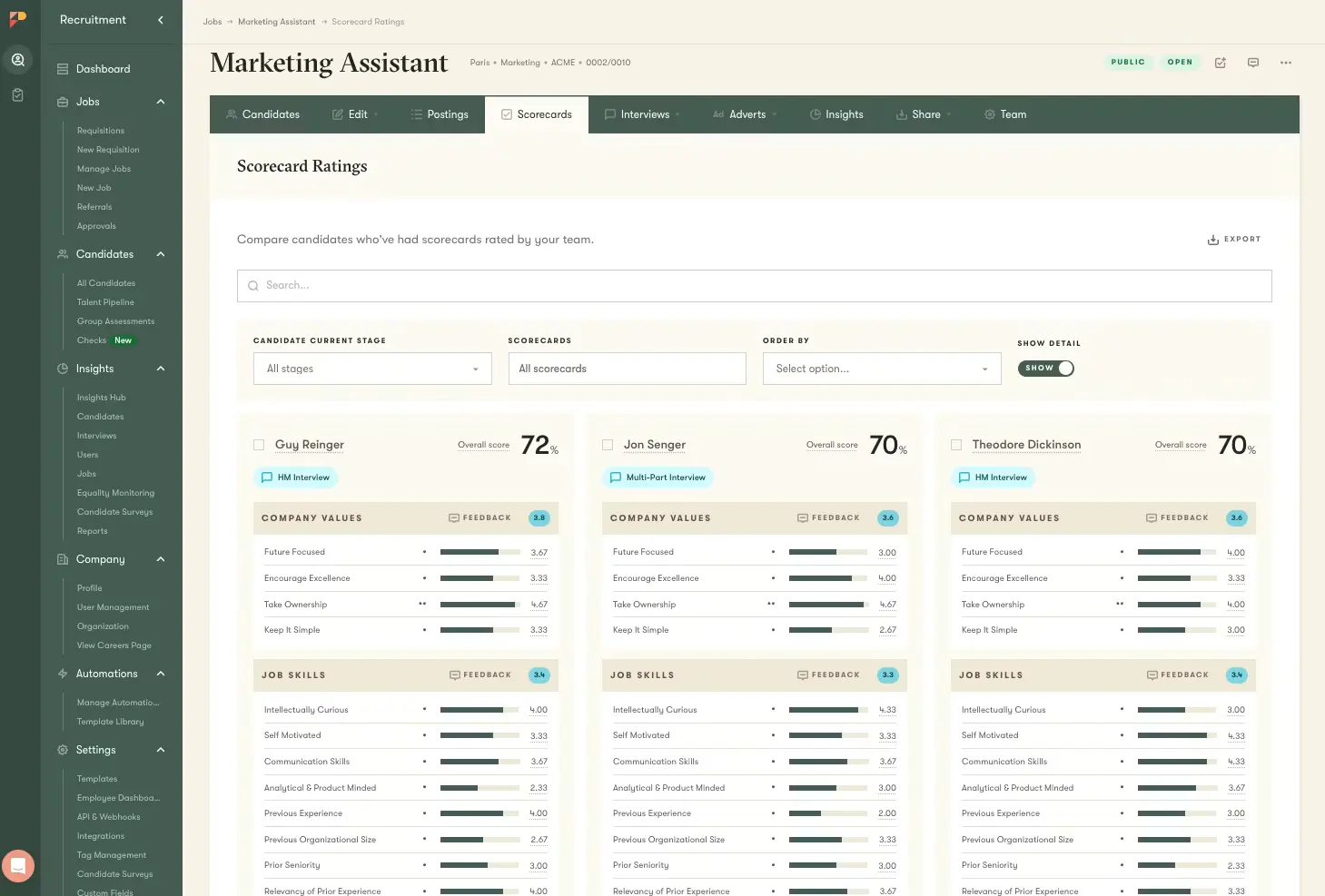
Overview: Pinpoint is an ATS for in-house recruitment teams that focus on candidate experience and team collaboration. It offers tools for careers sites, pipelines, and analytics to help recruiters and hiring managers work together.
Pros
- Build branded careers pages and keep communication clear for candidates.
- Assign hiring teams, collect feedback, and run structured interviews in one place.
- Use reporting to track how your hiring process performs over time.
Cons
- Expect per-user pricing to increase as your hiring team grows.
- Contact sales to get a clear idea of total cost.
Pricing
No public pricing information.
6. Recruitee
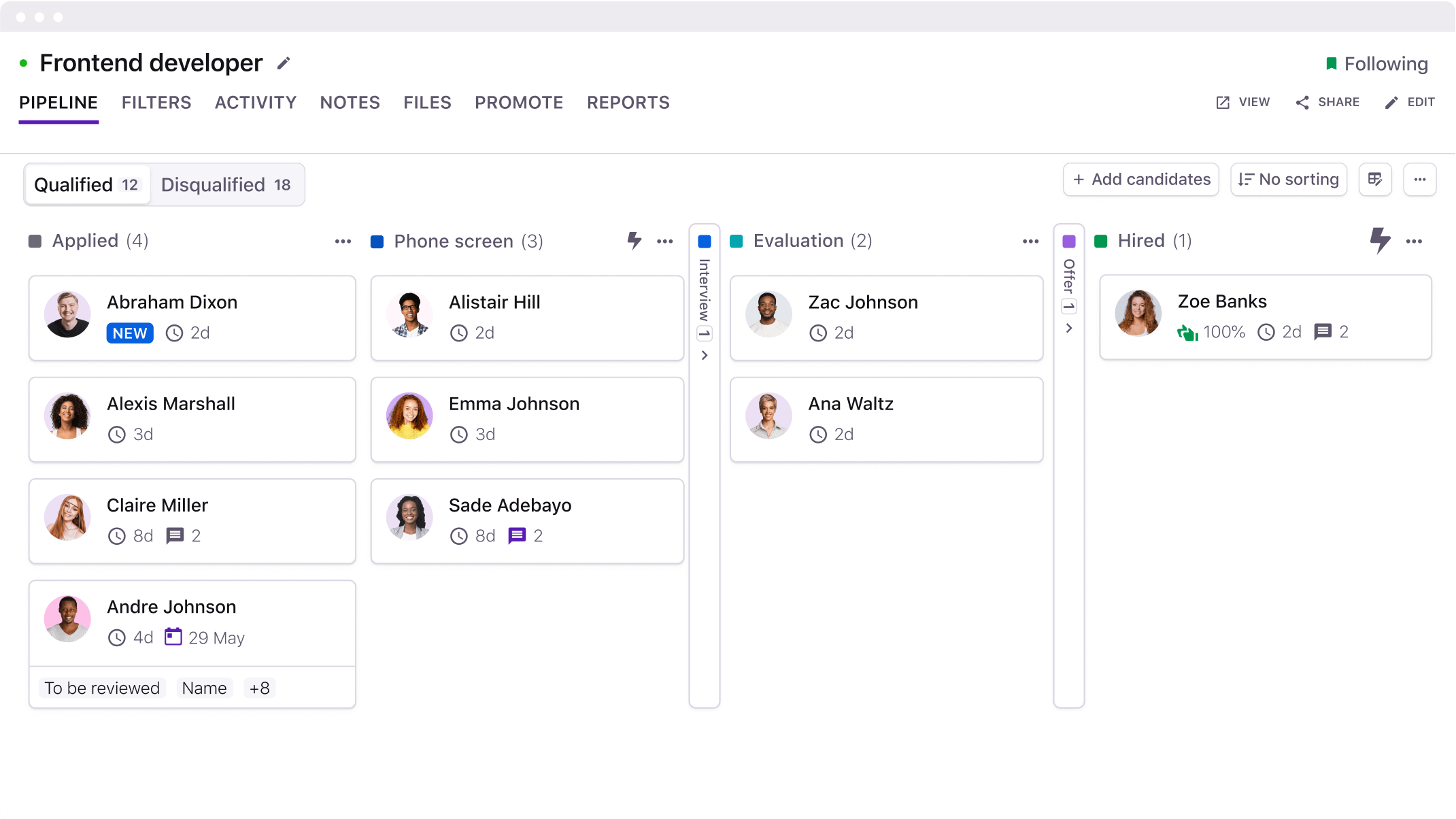
Overview: Recruitee is a hiring platform used by teams across Europe. It focuses on team-based hiring with Kanban pipelines, role-based access, and automation for repeated tasks. It is aimed at growing companies that want structure without complex setup.
Pros
- Use a clear interface and pipelines to see each candidate’s stage.
- Let hiring managers join reviews and add feedback directly in the tool.
- Set automation rules to send emails and move candidates between stages.
Cons
- Move into higher tiers when you need more features and job slots.
- Base pricing on job slots and chosen add-ons.
Pricing
No public pricing information.
7. Teamtailor
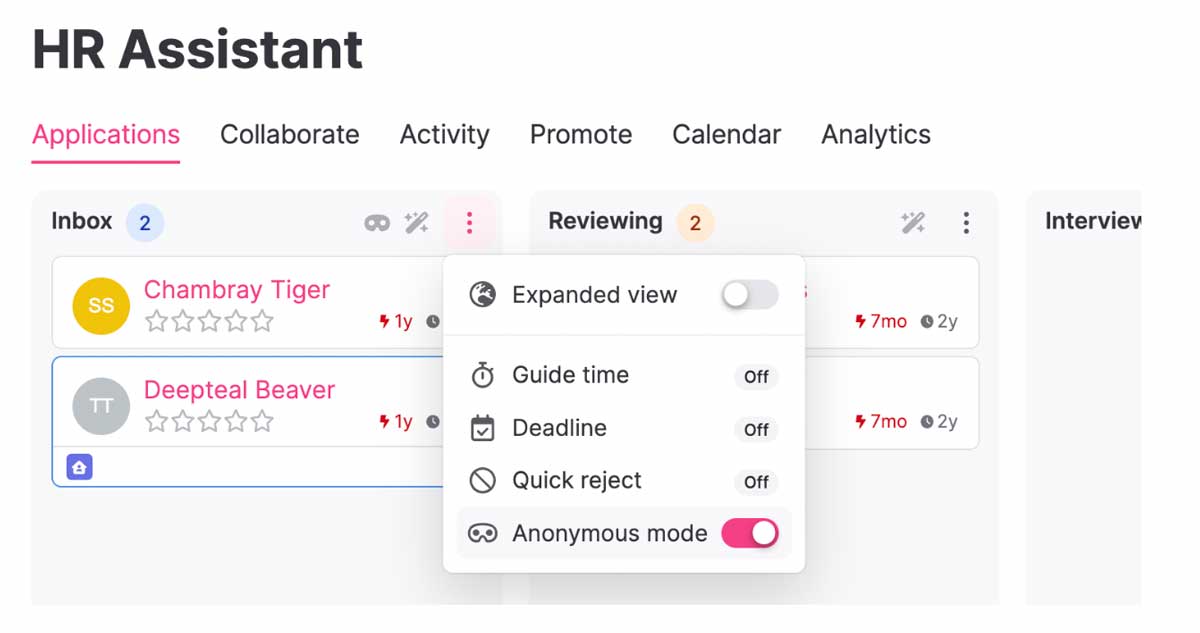
Overview: Teamtailor is a recruitment platform focused on employer branding and candidate experience. It offers a careers site builder, pipelines, and automation and is used by both agencies and in-house teams.
Pros
- Build a careers site and branding that present your company clearly.
- Automate messaging, stage changes, and workflows to reduce manual work.
- Start with a small team and scale up as hiring grows.
Cons
- Pricing may increase as you add more users or hire more.
- Some analytics and integrations only after upgrading plans.
Pricing
No public pricing information available.
8. Breezy HR
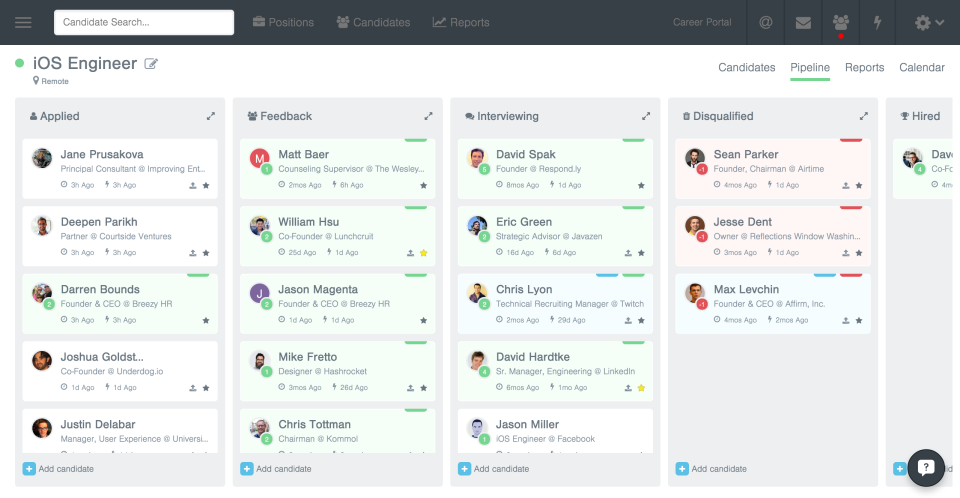
Overview: Breezy HR is a recruiting platform with a free tier and several paid plans, which suits smaller businesses and startups. It includes job posting, pipelines, messaging, and automation to reduce manual work.
Pros
- Start on a free Bootstrap plan if you have a very small team.
- View visual pipelines and drag candidates between stages.
- Use automation and integrations to reduce repeated tasks.
Cons
- Expect to move to paid plans as your needs grow.
- Plan for higher costs when you upgrade tiers or add add-ons.
Pricing
Breezy HR publishes public pricing tiers, starting with a free plan. Paid plans start at about 157 USD per month on annual billing, with higher tiers for growth and business needs; always check the site for current rates and regions.
9. Personio
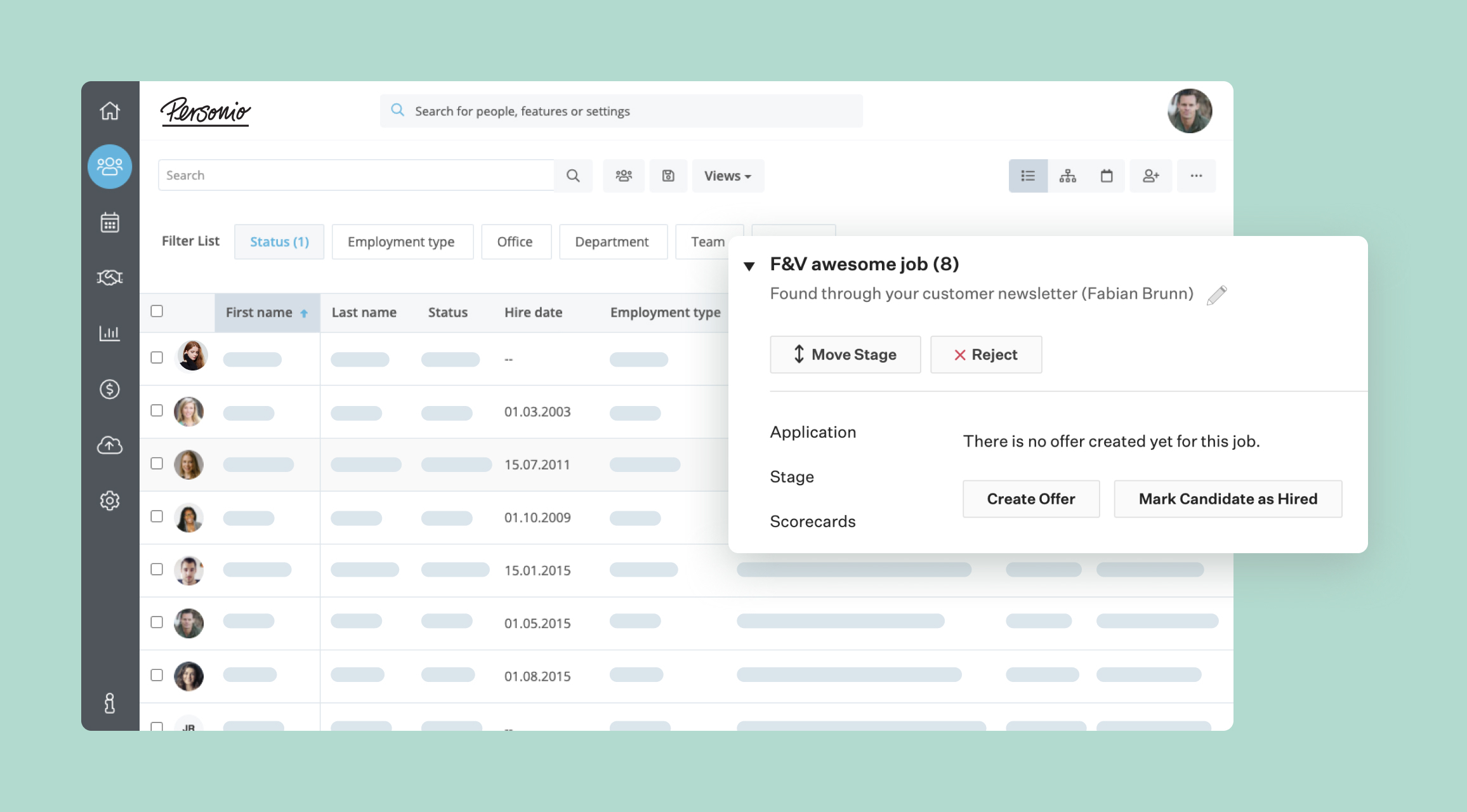
Overview: Personio is an HR platform with modules for HR, payroll, and recruiting. The recruiting module covers job posting and applicant tracking and connects to the broader employee lifecycle. It is often used by mid-sized companies that want one system for HR data.
Pros
- Keep employee and candidate data in the same system.
- Use an HR system built with GDPR and regional rules in mind.
- Add modules for time, payroll, and more as you need them.
Cons
- Expect pricing to rise with more modules and more employees.
- Consider a lighter ATS if you do not need wider HR features.
Pricing
No public pricing info.
10. Reach ATS
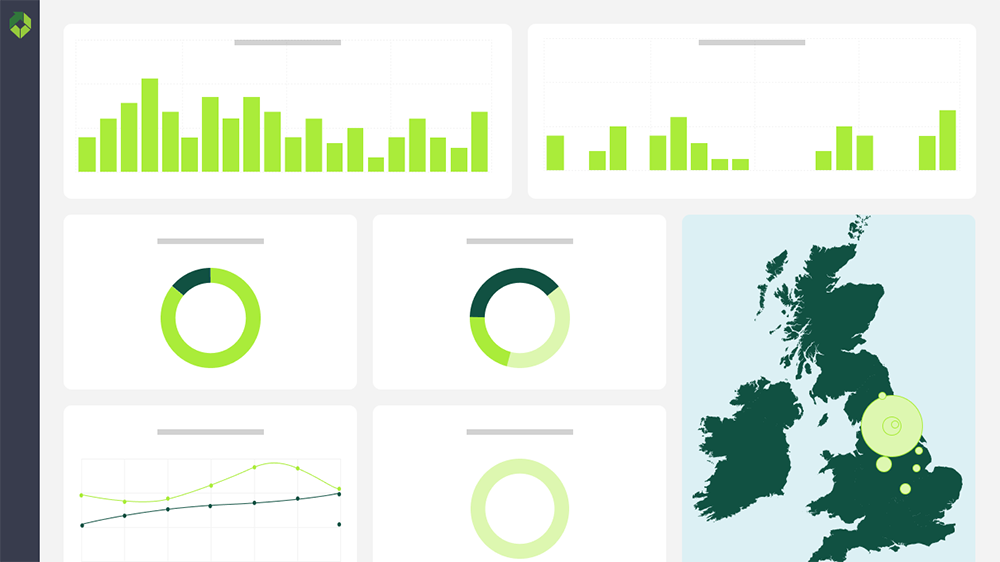
Overview: Reach ATS is a UK-based applicant tracking system built for organisations that want clearer control of live vacancies and reduced admin. It provides tools to manage job advertising, applications, and communication in one platform and is aimed at UK teams that need local support.
Pros
- UK-hosted ATS with workflows aligned to UK hiring practices.
- Track all live vacancies, applications, and hiring activity from one system.
- Built-in automation and AI features to reduce manual admin.
Cons
- Expect a smaller ecosystem and fewer third-party resources than global ATS providers.
- Need to speak with sales and run a demo to check fit for your specific sector.
Pricing
No public pricing information available.
How to choose the best recruiting software
Choosing the “best recruiting software” is less about settling on one universal winner that fits all organisations. The best recruiting software is more about understanding what fits your company’s size and what features you need. Make sure to understand the hiring volume you will be working with and when you schedule a demo call, discuss your internal processes with the vendor you speak with. You can start today by mapping your current hiring steps, from job request to signed agreement, and make a note of every bottleneck where delays and error occur.
Once you understand your hiring process, look at these points and measure each recruiting software against it:
Hiring volume
If you only hire a few people for certain roles each month or even more rarely, you don’t need the best recruiting software. The simplest of tools can be enough. If you handle many roles, however, and several locations, or have strict approval steps, you need more structure to your process and require more built-in workflows.
Integration with HR and onboarding
Some tools link hiring with HR and onboarding so you do not have to type the same data into different systems. This helps keep employee records, contracts, and access rights in one place.
AI and automation
Decide how much help you want from the software. Many tools can suggest job descriptions, scan CVs, and help with scheduling. The right level of automation cuts repetitive work and can speed up hiring.
Compliance and security
Make sure the tool can handle GDPR rules, store documents safely, and control who can see or change candidate data. This matters as soon as you handle CVs, IDs, and contracts.
Ease of use
The software only helps if people actually use it. Ask for demos, let recruiters and hiring managers test it, and watch how quickly they find their way around and complete basic tasks.
Once you have a shortlist, test one or two tools on a small scale with a few roles. Collect feedback from hiring managers and recruiters, and compare results such as time to hire, quality of candidates, and how people feel about using the system day to day.
Why Factorial could be the best recruiting software for your team
Hiring is only the first step. After you make an offer, you still need to onboard people, track time, run payroll, manage devices and access, and keep data safe. Factorial brings these steps into one platform so your team can manage people and processes without switching between different systems.
With Factorial you can:
- Use AI to write job descriptions, review CVs, and highlight strong candidates inside the ATS.
- Automate onboarding so new hires get contracts, equipment, and access to tools on time.
- Link HR, finance, and IT data so an AI assistant can answer questions and work for you using your real company information.
This setup helps organisations by reducing admin and lowering the costs of recruitment. It improves the experience for candidates and hiring managers. Instead of using separate tools for hiring and every other process, you can centralise everything in Factorial and let AI handle routine work while your team focuses on making decisions and building your company culture.
Disclaimer: The information presented on this page is based on publicly available sources. Comparisons between Factorial and other vendors are intended solely to illustrate the features, pricing, and characteristics of each software. All information related to features, pricing, and integrations is subject to change without notice. Factorial assumes no responsibility for the accuracy, completeness, or timeliness of the information presented. We recommend contacting the relevant vendors directly to obtain the most accurate and up-to-date information. All applicable fair advertising and competition law standards are observed; for any questions, please feel free to contact us. The comparisons presented do not constitute a definitive evaluation or a recommendation of any vendor; they are intended solely as a source of information.