If you are an employer in the UK, PAYE will probably become part of your payroll process pretty quickly. PAYE, or Pay As You Earn, is HM Revenue and Customs’ system for collecting Income Tax and National Insurance from employment.
For employers, that means calculating the right deductions from employee pay, reporting payroll information to HMRC, giving employees accurate payslips and paying the amounts due to HMRC. Your PAYE bill can also include employer National Insurance and other amounts collected through payroll.
There are a few different references, reports and deadlines involved, which is where PAYE can start to feel more complicated than the acronym suggests. This guide covers the full process of PAYE for employers, from setting it up to calculating deductions, submitting payroll information and keeping the records HMRC expects.
What is PAYE for employers?
PAYE stands for Pay As You Earn. It is the system HMRC uses to collect Income Tax and National Insurance through employment.
When you run payroll, you calculate how much an employee has earned and make the deductions that apply to them. For most employees, this includes Income Tax and National Insurance. Depending on the person’s circumstances, payroll may also include student or postgraduate loan repayments, pension contributions and other deductions.
You then report the relevant pay and deduction figures to HMRC and pay the amounts due.
So, do employers pay PAYE? The terminology can be slightly confusing here. Income Tax deducted under PAYE comes from the employee’s pay. Employee National Insurance is also deducted from their earnings. The employer is responsible for calculating, deducting, reporting and sending those amounts to HMRC.
Employers may also have their own payroll liabilities, most notably employer National Insurance contributions. That means an employers’ PAYE bill can contain money deducted from employees alongside amounts that are an additional cost to the employer.
What is a PAYE scheme?
A PAYE scheme is the HMRC payroll record created for an employer that operates PAYE.
Once you register as an employer for PAYE, HMRC gives you identifiers including an employer PAYE reference and an Accounts Office reference. These references connect your payroll reports and payments with the correct employer record.
You’ll then use payroll software to ensure that everything is calculated correctly and report information to HMRC through Real Time Information, commonly shortened to RTI.
If all of these acronyms such as PAYE, RTI, FPS and EPS are starting to become a bit too much, our guide to common HR abbreviations and terms can help.
Who needs to register for PAYE?
Most businesses that employ staff need to register for PAYE.
For the 2026/27 tax year, HMRC says you must register for PAYE if an employee is paid £96 or more a week, receives expenses or company benefits, receives a pension, has had another job during the tax year or has received certain taxable state benefits. According to HMRC, you may still need to keep payroll records even where PAYE registration is not required.
If you are the only employee of a limited company as the director of that company, you may also need to register for PAYE, depending on your earnings. This is required for state pension years, for example. HMRC says employers should register before the first payday and cannot normally register more than two months before they start paying people.
We’ll keep the employer PAYE registration process brief here because setting up a new PAYE scheme and registering for PAYE as a new employer is a topic in its own right.
How PAYE works
Broadly speaking, PAYE payroll follows the same cycle each time you pay employees:
- Record each employee’s gross pay and any other taxable payments.
- Apply the employee’s current tax code.
- Calculate Income Tax, National Insurance and any other applicable deductions.
- Calculate employer liabilities such as employer National Insurance.
- Produce the employee’s payslip.
- Report their pay and deductions to HMRC through a Full Payment Submission.
- Pay the resulting employers’ PAYE bill to HMRC by the deadline.
HMRC requires employers to report payments and deductions on or before payday in most cases.
The exact numbers can change from one employee to another, even where two people have the same gross salary. Tax codes, National Insurance categories, pensions, student loans, benefits, bonuses and changes in pay can all affect your calculation.

How is PAYE calculated each month?
Although people often want to know how PAYE is calculated each month, PAYE is actually calculated according to the frequency with which the employee receives pay. An employee might be paid weekly, fortnightly, every four weeks or monthly. (Yes, there is a difference between four-week and monthly pay cycles!)
The Income Tax calculation starts with taxable pay and the employee’s tax code. Payroll software then applies the appropriate allowances and tax rates for that employee.
Many tax codes operate on a cumulative basis. That means the calculation takes account of relevant pay and tax from earlier in the tax year, rather than looking at each month on its own. HMRC can also instruct employers to use a week 1 or month 1 basis, which looks at the current pay period without taking earlier pay and tax into account.
For 2026/27, the standard Personal Allowance is £12,570. Income Tax rates and bands also depend on where the employee is a taxpayer, with different rates applying in Scotland. The employee’s tax code helps payroll apply the right rule.
If you want the numbers broken down further, our guide to calculating UK payslips explains how gross pay, PAYE Income Tax, National Insurance and net pay work.
Tax codes and PAYE deductions
An employee’s tax code tells payroll how their Income Tax should be calculated.
For a new starter, the initial code will usually come from their P45. If they do not have a P45, you normally need information from a starter declaration so you can work out the code and starter information to use when you first report them to HMRC. Collecting this information is important to include in a new starter checklist, so you don’t forget.
HMRC can also issue a new tax code later. When it does, the employer must update payroll accordingly.
Tax codes can also carry prefixes or special markers. An S prefix, for example, relates to Scottish Income Tax, while a C prefix relates to Welsh Income Tax. W1 and M1 indicate a week 1 or month 1 basis. Our full guide to UK tax codes covers the common codes and what they mean.
PAYE deductions explained
PAYE payroll can contain several deductions. Some are taxes collected for HMRC, while others relate to pensions, loans or arrangements between the employer and employee.
Income Tax
Income Tax is the deduction most closely associated with PAYE.
The amount taken depends on taxable earnings, the employee’s tax code, applicable tax rates and, where a cumulative code is used, relevant pay and tax from earlier in the tax year.
The employer makes the calculation through payroll and deducts the amount before the employee receives their net pay.
National Insurance contributions
PAYE and National Insurance are closely connected, but they are not the same thing.
To begin with, there are different National Insurance classes. Employees may pay Class 1 National Insurance through payroll once their earnings reach the applicable threshold, and employers may also owe a separate employer Class 1 contribution.
For the 2026/27 tax year, the standard employee rate is 8% on earnings between the Primary Threshold and Upper Earnings Limit, followed by 2% above the Upper Earnings Limit. The standard employer rate is 15% on earnings above the Secondary Threshold, although different categories and reliefs can change the amount you owe.
Employer National Insurance is not deducted from the employee’s wages. It is an employer cost.
Student and postgraduate loans
Employers may also need to deduct student loan or postgraduate loan repayments through payroll when the relevant conditions are met.
These deductions are included in payroll reporting and form part of the amount accounted for through the employer’s PAYE process.
Workplace pension deductions
Payroll may need to account for employee pension contributions and the employer’s own pension contributions.
Exactly how pension contributions interact with taxable pay depends on the pension arrangement, so your payroll setup needs to reflect the scheme being used.
Expenses and benefits
Employee expenses and benefits can also affect payroll and tax reporting.
Some expenses can be reimbursed without Income Tax or National Insurance where the relevant conditions are met. Others may be taxable or reportable. If your employees travel for work, for example, see our guide to HMRC meal allowance rates for the rules around expenses.
Employee benefits in kind are another area to watch. Their tax and National Insurance treatment depends on the type of benefit and whether you process it through payroll or report it separately.
PAYE on employee payslips
For employees, their payslip is where they see PAYE.
Employers must provide employees and workers who are entitled to a payslip with one on or before payday. It must show earnings before and after deductions, variable deductions such as Income Tax and National Insurance, and hours worked where pay varies according to time worked, which requires strict time tracking with an attendance tracker most of the time. Fixed deductions must also be shown on the payslip and explained.
A typical payslip may therefore show:
- gross pay
- taxable pay
- PAYE Income Tax
- employee National Insurance
- pension contributions
- student or postgraduate loan deductions
- other deductions
- net pay
- tax code
- pay period and payment date
For a closer look at each field, see our payslip explained guide or our guide to HMRC payslips. Employers creating their own payroll documents can also use our employee payslip template as a starting point.
PAYE reference numbers
One of the more confusing parts of HMRC PAYE for employers is the number of different references involved. These references are not interchangeable.
| Reference | What it identifies | Where it is commonly used |
| Employer PAYE reference | Your PAYE scheme | Payroll reports, HMRC correspondence and PAYE administration |
| Accounts Office reference | Your HMRC payment account for the PAYE scheme | Paying employers’ PAYE to HMRC |
| UTR | A taxpayer or business for Self Assessment or Corporation Tax purposes | Wider tax administration, not as your PAYE payment reference |
| Payroll ID | An employee within your payroll records | Internal payroll and RTI reporting |
| National Insurance number | An individual employee | Tax and National Insurance records |
What is an employer PAYE reference?
Your employer PAYE reference identifies your PAYE scheme.
HMRC explains the PAYE reference as an office number and an employer reference. The office number is normally three digits, followed by a slash and the employer-specific part of the reference. You receive it after registering as an employer.
For example, an employer PAYE reference might look like:
123/AB456
Employees looking for their employer’s PAYE reference can find it on their P45 or P60.
The Accounts Office reference is a 13-character number used to pay PAYE to HMRC. You can find it in your PAYE Online account or employer registration letter. Use it instead of your employer PAYE reference to help prevent payment delays.
A UTR identifies a person or business for Self Assessment or Corporation Tax. An employer PAYE reference identifies a PAYE scheme. A business may have both, but they are not interchangeable.
How to set up PAYE as an employer
To set up PAYE, register with HMRC before your first payday. HMRC will create your employer PAYE scheme and send you the references you need to manage payroll.
You’ll also need to:
Choose payroll software or a payroll provider
Collect the information needed for each employee
Set up tax codes, National Insurance categories and other deductions
Submit payroll information to HMRC through an FPS on or before payday
This is only a brief overview of the process of setting up PAYE as a new employer. For the full process, including how to register as an employer and set up your PAYE scheme, see our dedicated guide.
Reporting PAYE to HMRC
Employers report payroll information to HMRC through Real Time Information. The two main reports are the Full Payment Submission and the Employer Payment Summary.
Abbreviations you need to know:
- RTI = Real Time Information
- FPS = Full Payment Submission
- EPS = Employer Payment Summary
Now let’s look at these concepts in a bit more detail to help you understand how to report PAYE to HMRC.
Full Payment Submission
The FPS tells HMRC how much you paid your employees and what deductions you made. You usually need to submit it on or before payday, even if you pay your PAYE bill to HMRC quarterly.
The FPS includes details such as:
- employee pay
- Income Tax
- National Insurance
- student loan deductions
- tax codes
- other payroll information
Employer Payment Summary
The EPS reports information that is not included in the FPS.
You may use an EPS to claim certain reductions in your PAYE bill or tell HMRC that no employees were paid during a tax month.
If you are reporting a reduction, you usually need to submit the EPS by the 19th of the following tax month.
How to pay PAYE to HMRC
After you submit your payroll information, HMRC calculates how much you owe. Most employers paying electronically must make sure HMRC receives the payment by the 22nd of the following tax month. If you pay by post, the deadline is usually the 19th.
Some smaller employers may be able to pay quarterly if they meet HMRC’s requirements.
Use your 13-character Accounts Office reference when paying employers’ PAYE to HMRC. Different reference rules may apply to early or late payments.
You can pay by Direct Debit or through online banking. Allow enough time for the payment to reach HMRC by the deadline.
This is the basic process for paying PAYE to HMRC. For more detail about payment methods, references and late payments, see our dedicated guide on how and when to pay HMRC PAYE and what happens if you’re late.
PAYE responsibilities employers need to stay on top of
Running PAYE is an ongoing responsibility. Employers need to manage payroll accurately every time they pay employees and whenever employee information changes.
Keep accurate payroll records
Keep records of:
- Employee pay and deductions
- Payroll reports and payments to HMRC
- Tax code notices
- Sickness and leave
- Taxable expenses and benefits
- Changes to salary, working patterns or employment status
PAYE records generally need to be kept for three years from the end of the tax year they relate to. HMRC may estimate what you owe or issue a penalty if your records are incomplete.
HR changes can also affect payroll. For example, a salary review, bonus, new working pattern, unpaid leave or employee departure may change what payroll needs to process.
Provide accurate payslips
Make sure payslips:
- Match the payroll calculation for the pay period
- Show the correct deductions
- Are provided on or before payday
Keeping payroll, employee, working time, absence and compensation records aligned makes errors easier to prevent and correct.
Keep employee information up to date
Update payroll when there are:
- New starters
- Leavers
- Tax code changes
- Salary or working pattern changes
- Changes to pension or loan deductions
If HMRC issues a new tax code, use it in your next payroll run. When an employee leaves, report their leaving information through payroll and provide them with a P45.
Complete year-end payroll tasks
The PAYE tax year runs from 6 April to 5 April. At the end of the tax year, employers need to:
- Submit their final payroll report
- Prepare payroll for the new tax year
- Give P60s to employees still working for them on 5 April
- Report relevant expenses and benefits
P60s must be provided by 31 May, according to HMRC. Expenses and benefits that require year-end reporting generally need to be reported by 6 July.
Managing the HR side of employer PAYE
PAYE is easier to manage when your HR and payroll information is organised in one place.
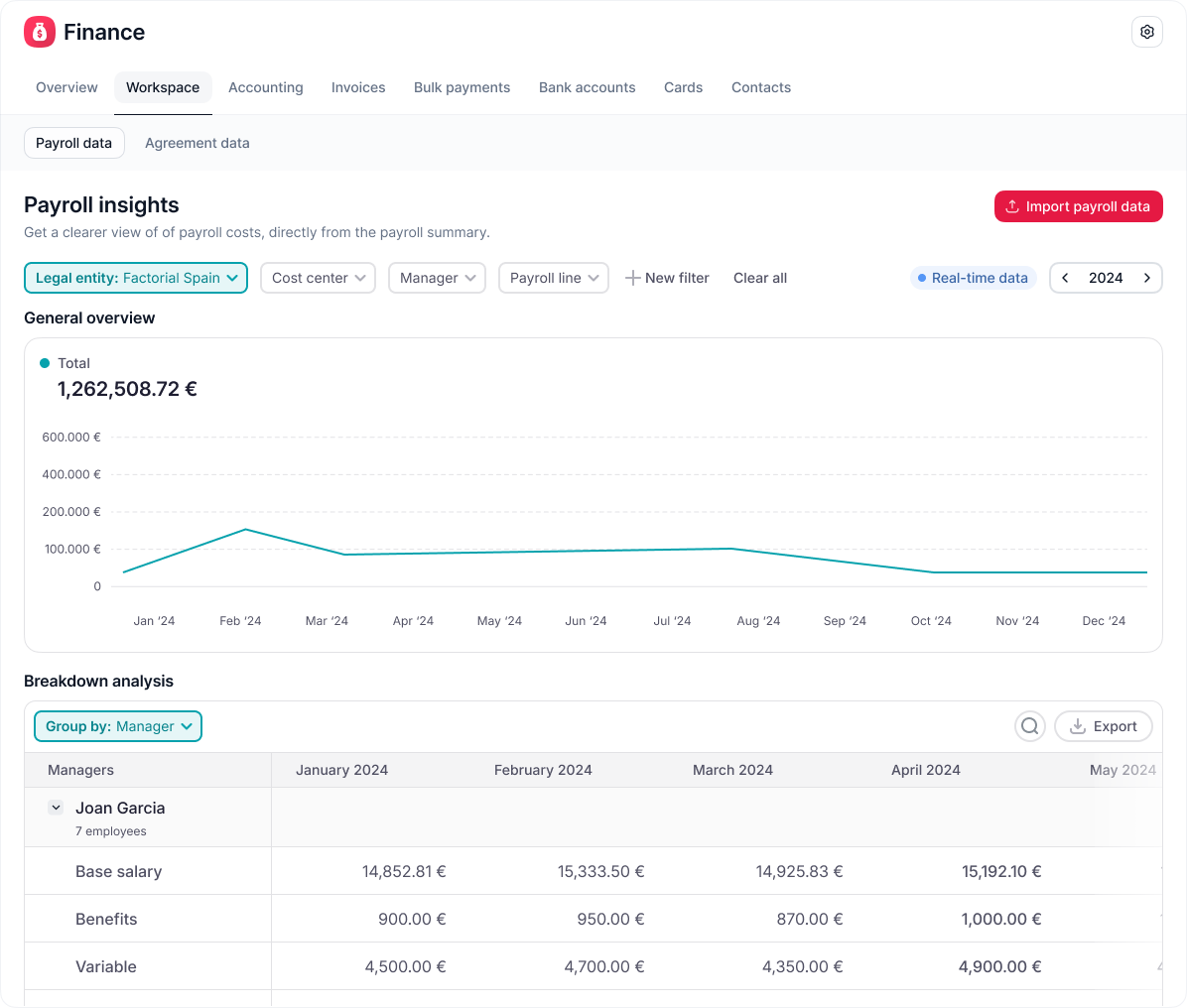
Factorial uses AI to bring HR, finance, and IT tools together in one place and helps you manage employee details, salary changes, expenses, absences and payslip distribution. This reduces manual data entry and helps ensure payroll teams have the right information when preparing PAYE payroll.
Factorial can also connect with external payroll providers through integrations, helping HR and payroll teams work from consistent employee data.
PAYE for Employers FAQs
PAYE is HMRC's system for collecting Income Tax and National Insurance through payroll. Employers calculate deductions, report them to HMRC and pay the amount due.
Employers pay the PAYE bill to HMRC. Some of this money is deducted from employee wages, while employer National Insurance is paid by the employer.
An employer PAYE reference identifies your PAYE scheme. It is different from the 13-character Accounts Office reference used when paying HMRC.
For most PAYE payments, use your 13-character Accounts Office reference. You can find it in your PAYE Online account or HMRC registration letter.
An employer PAYE reference does not have to appear on a payslip. Employees can usually find it on their P45 or P60.
Employers normally submit a Full Payment Submission every time they pay employees. It usually needs to reach HMRC on or before payday.
No, not where their employment income is subject to PAYE. Employers must operate PAYE according to HMRC rules.
Register with HMRC before your first payday. HMRC will then set up your PAYE scheme and send you the references needed to run payroll.
You can pay PAYE to HMRC electronically, including by Direct Debit or online banking. Use the correct Accounts Office reference and make sure the payment reaches HMRC by the deadline.